VestalWater's Illustrious Styles for Qwen Image

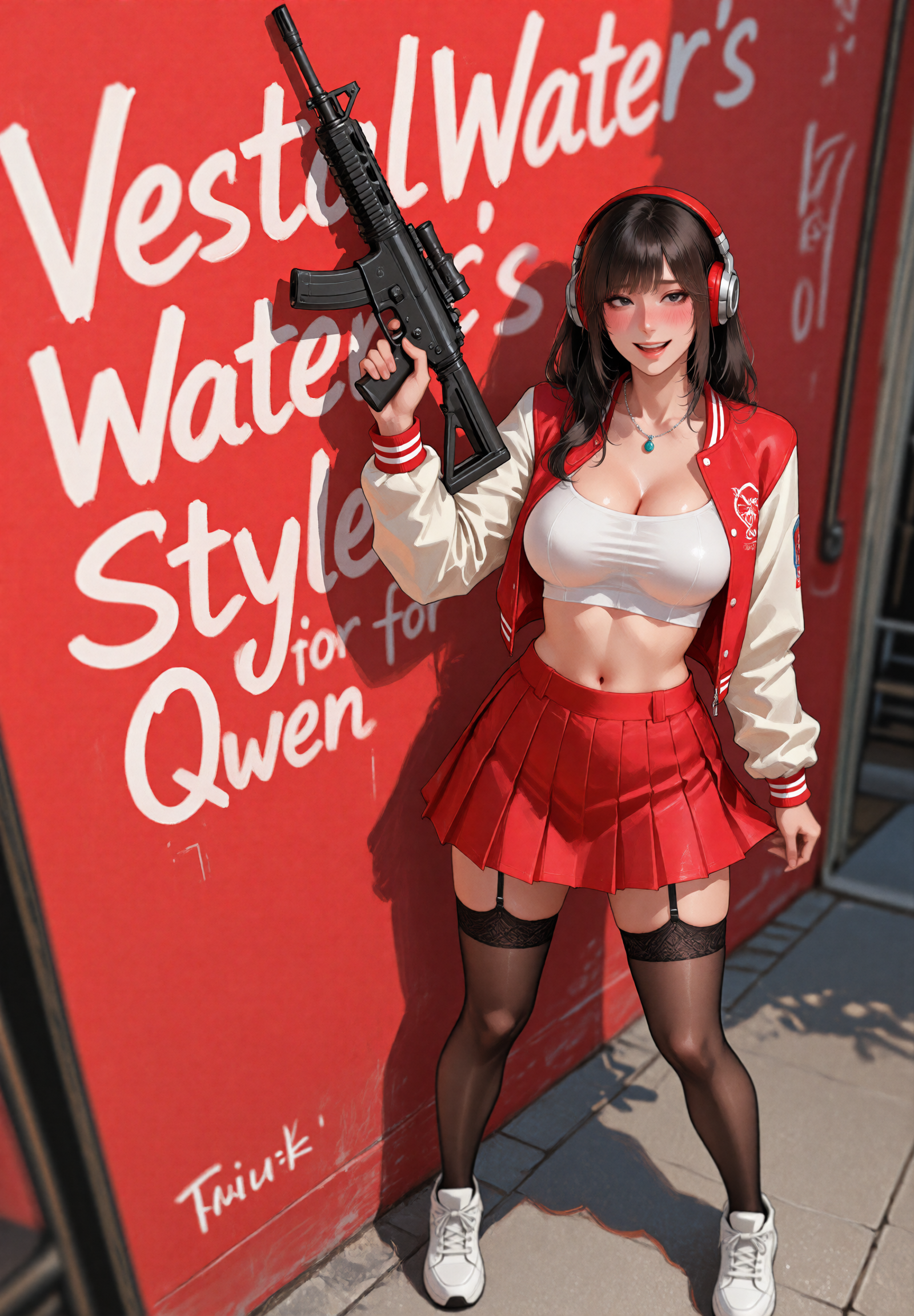
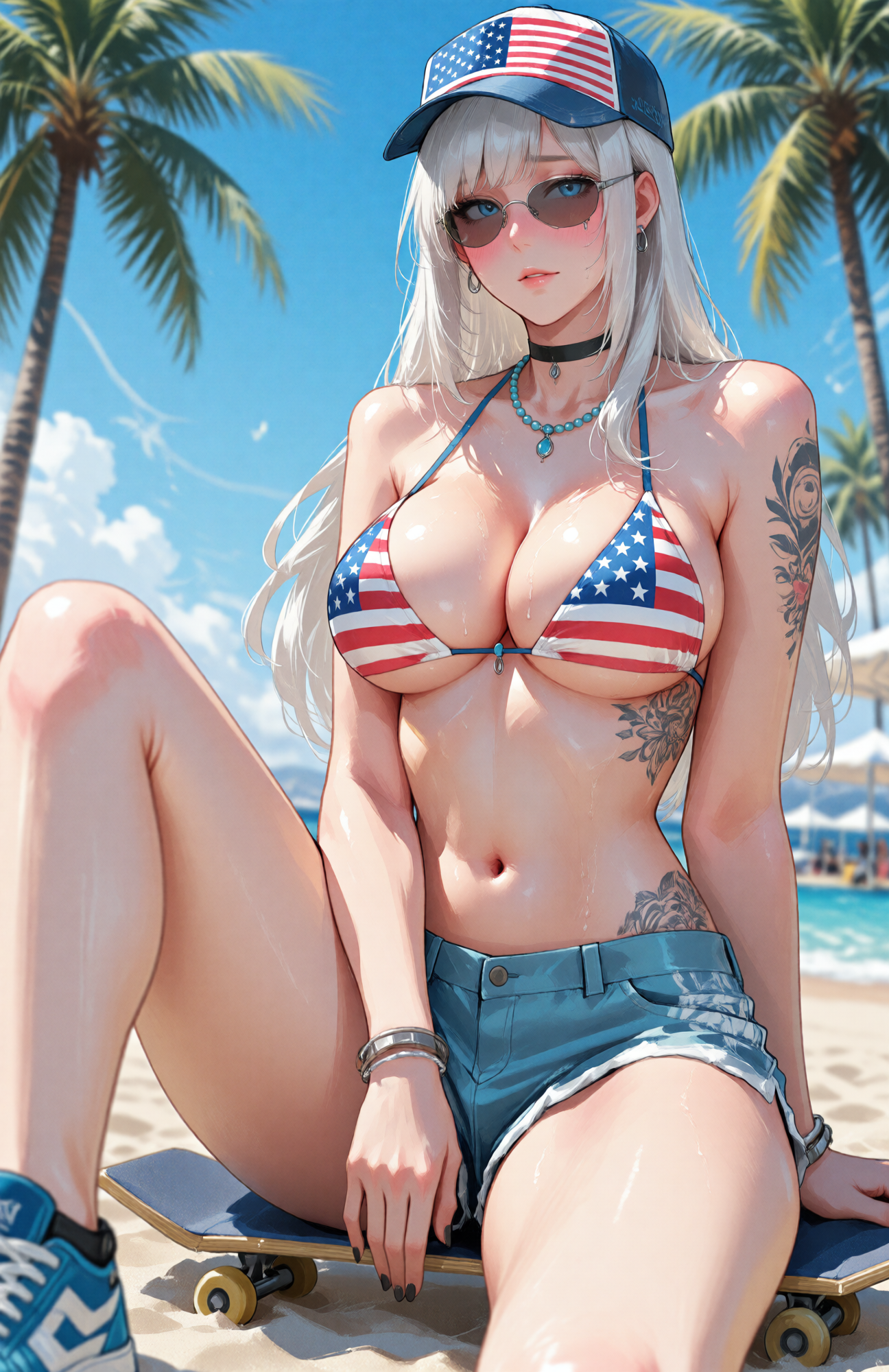
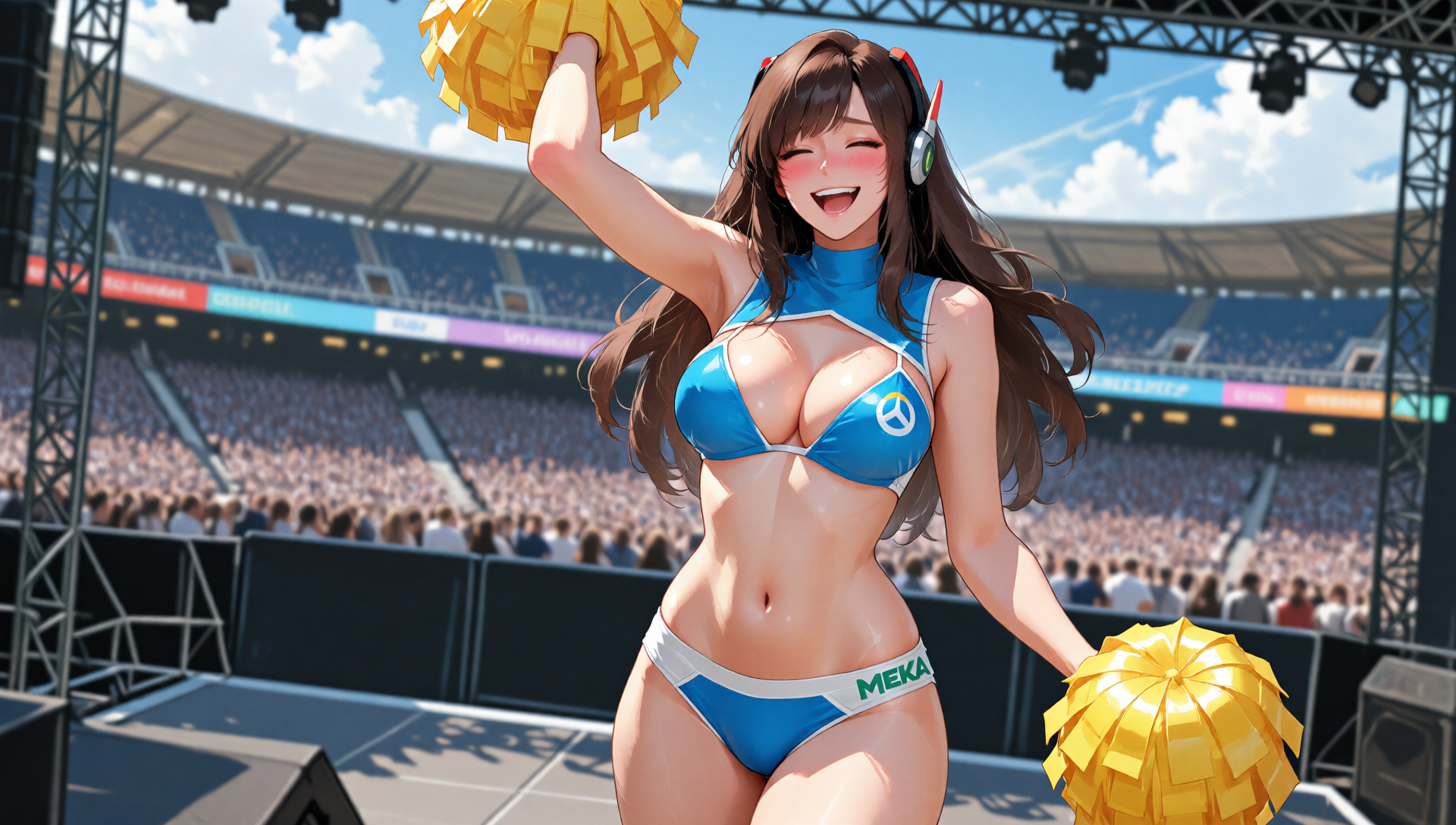

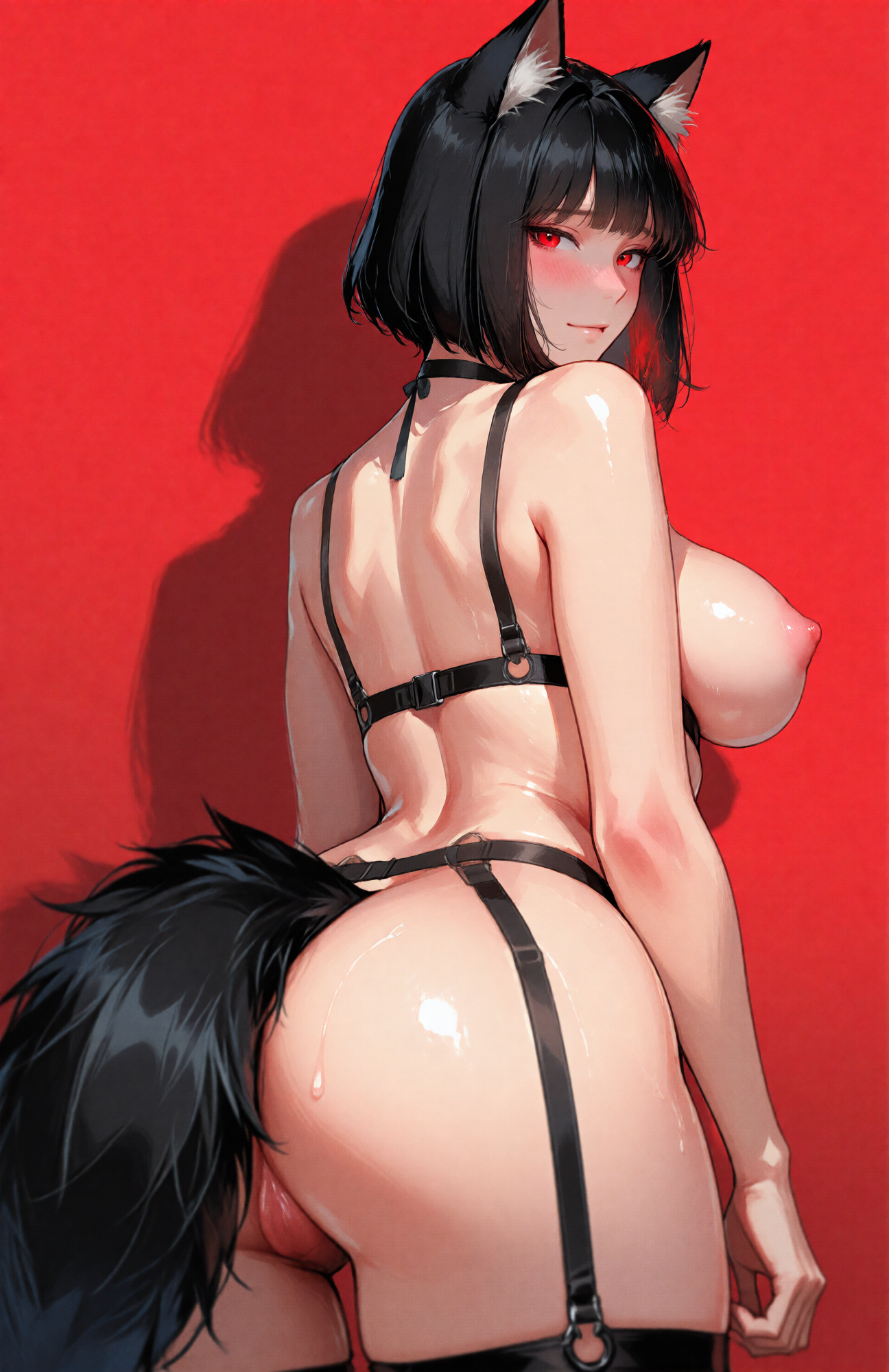
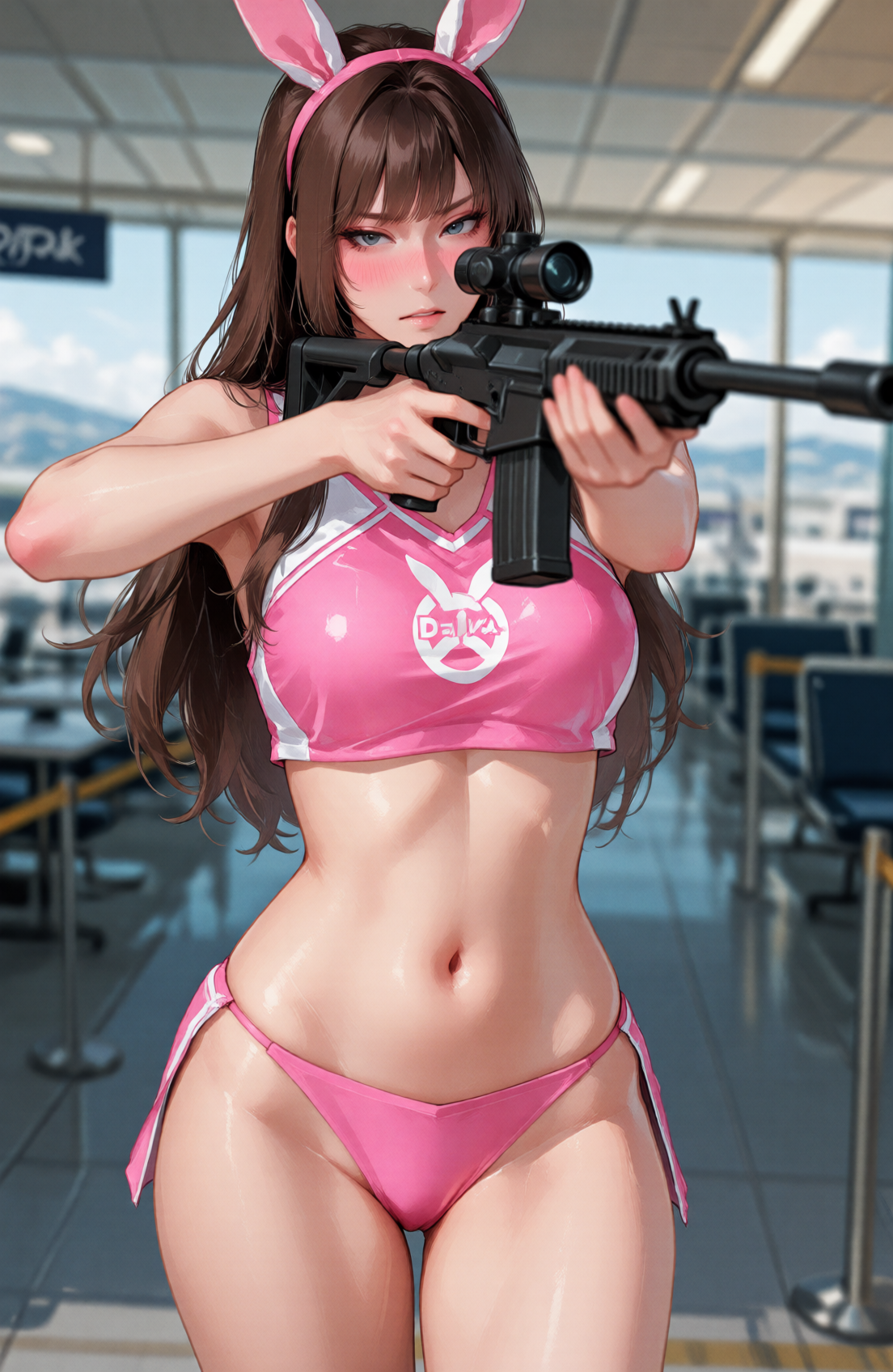
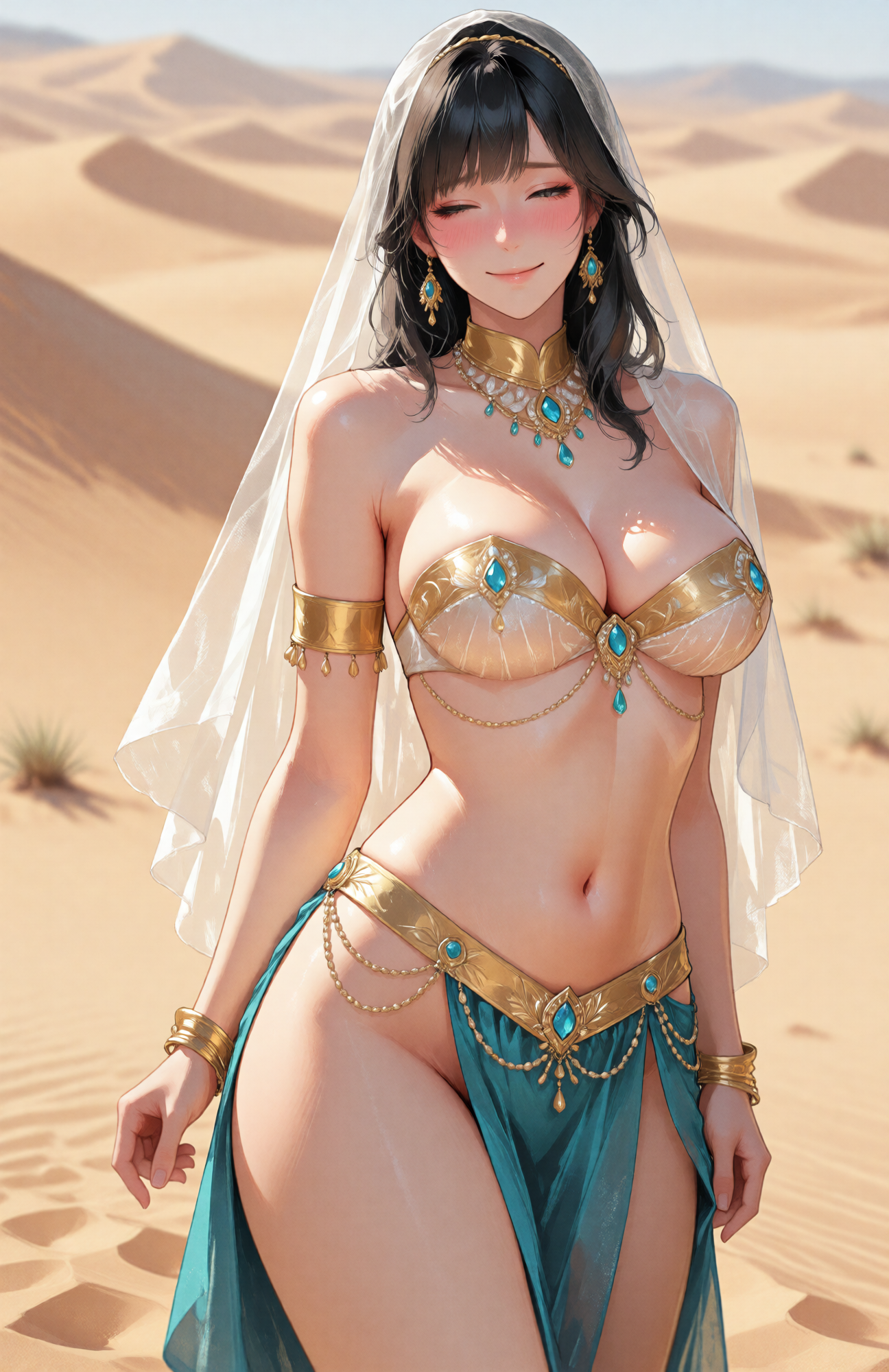
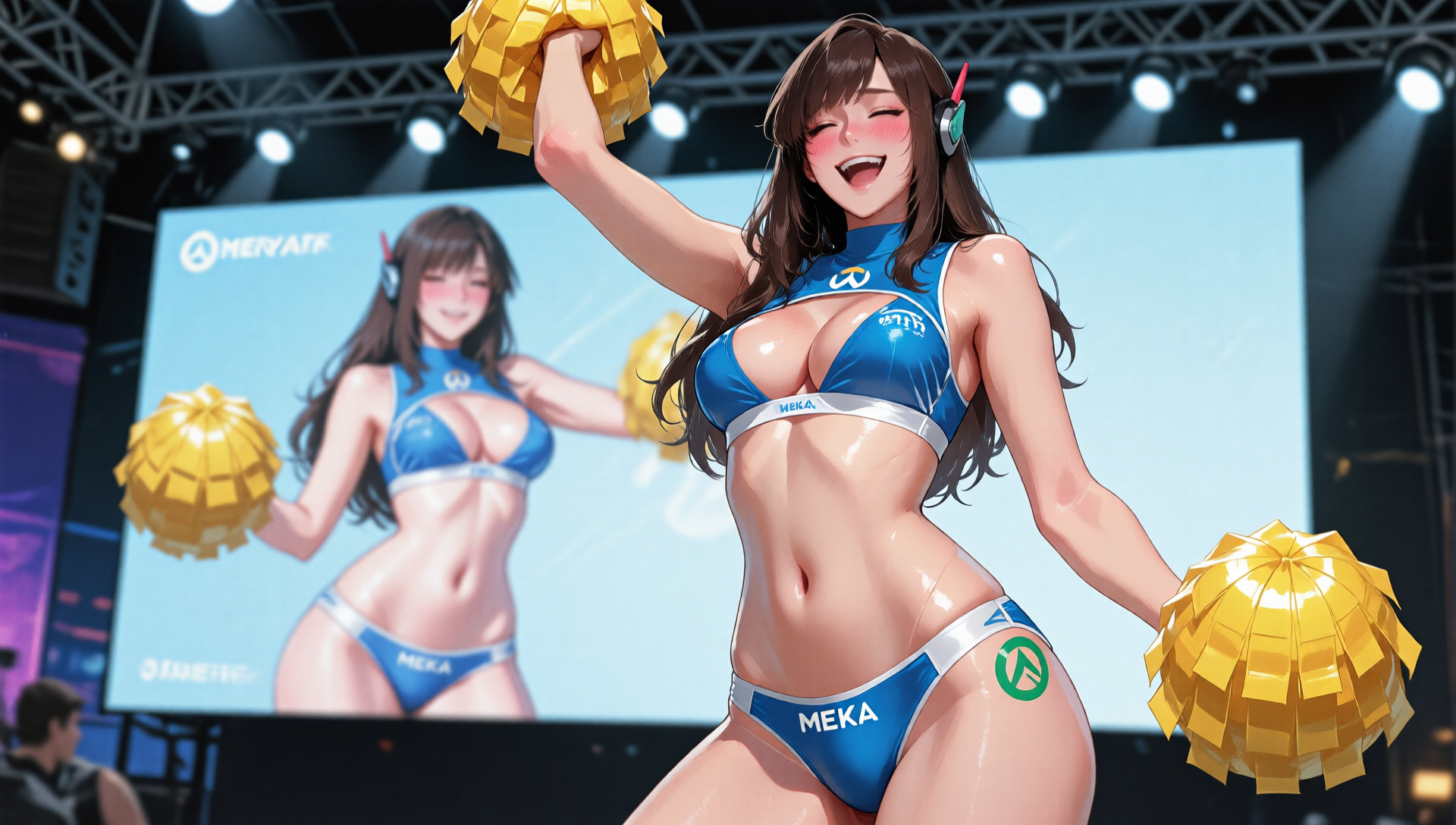
Details
Download Files
Model description
Overview
This LoRA aims to make Qwen Image's output look more like images from an Illustrious finetune. Specifically, this loRA does the following:
Thick brush strokes. This was chosen as opposed to an art style that rendered light transitions and shadows on skin using a smooth gradient, as this particular way of rendering people is associated with early AI image models. Y'know that uncanny valley AI hyper smooth skin? Yeah that.
Generates women with flattering proportions. Wide hips, slim waist, etc.
It doesn't render eyes overly large or anime style. More of a stylistic preference, makes outputs more usable in serious concept art.
Adds back NSFW knowledge. You can generate nipples and pussies with this LoRA. Nuff said.
Works with quantized versions of Qwen and the 8 step lightning LoRA.
Comparison
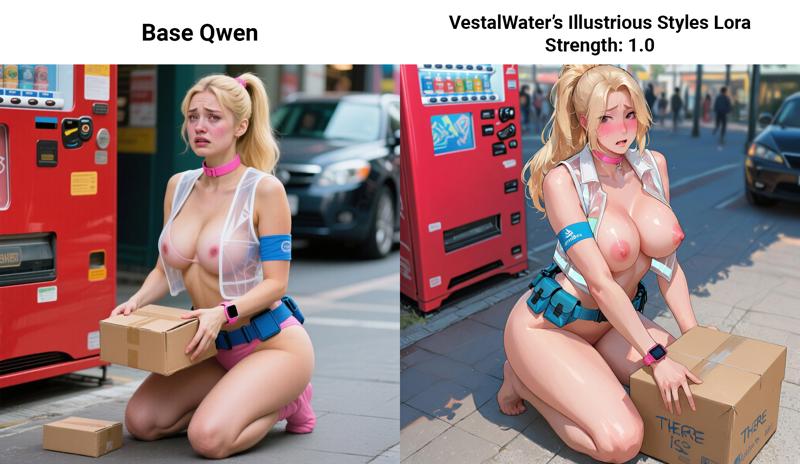 A nude woman with large breasts and a blonde ponytail. there is a red vending machine. Looking at viewer. She is kneeling and holding a cardboard box and has a blue armband on her arm. She's wearing a transparent white safety vest. Wearing a pink smartwatch. Wearing a blue utility belt. Her nipples are visible, bare breasts, areola, and she is blushing, and embarrassed. She is wearing a pink choker. The scene is set in a public place, There is a carboard box on the ground.
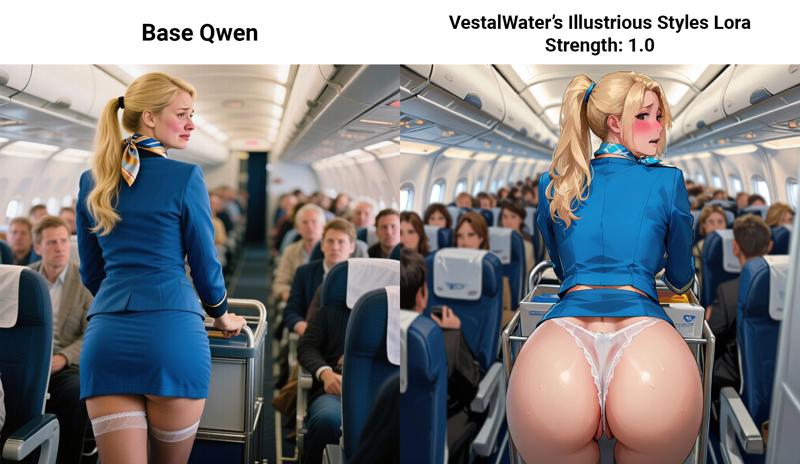 A flight attendant with medium breasts pushes a cart down the interior of an airplane. She has blonde hair in a long ponytail. She wears a blue jacket and a very short skirt that is showing her butt and panties, A silk scarf is around her neck. Shot from the side, ass shot. She is embarrassed and blushing. The plane is filled with passengers that is looking at her.
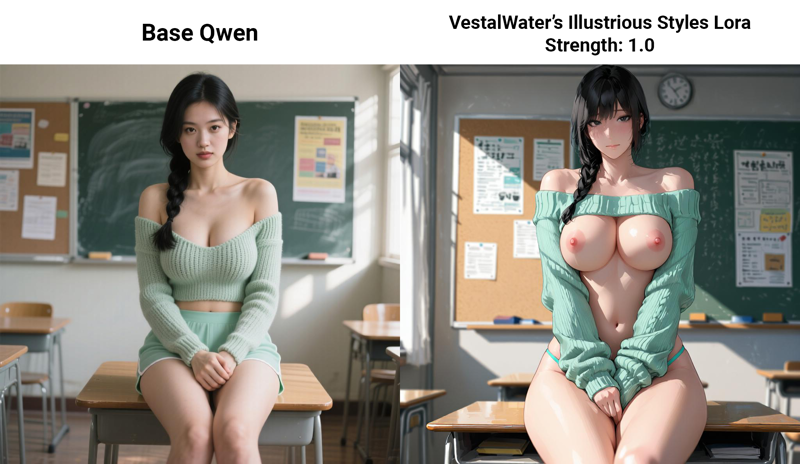 A woman with large breasts. Looking at viewer. overcast lighting, soft shadows, A knitted off-shoulder sweater that shows underboob matched with thong-style shorts in mint green., front view, Side braid, Black hair, Bulletin board and classroom posters., Black eyes, Envious, sitting on top of a desk, with legs crossed, arms clasped together, in a sunlit classroom with a chalkboard in the background.
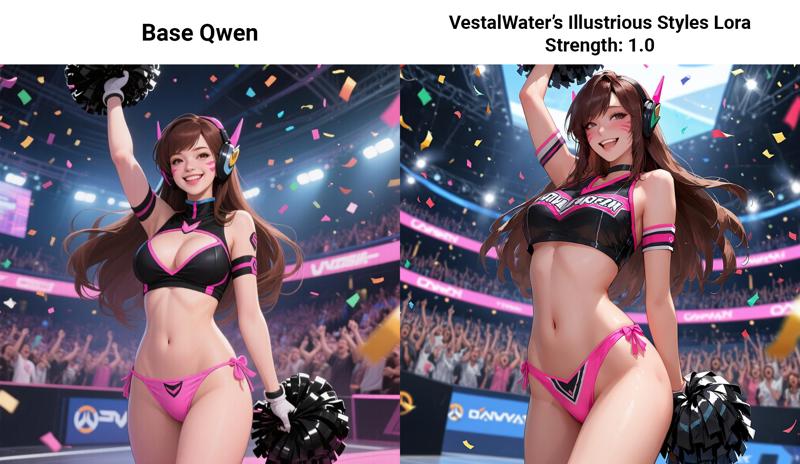 D.Va from overwatch, a woman with long brown hair and large breasts, outfit showing underboob, She is smiling, She is wearing a black and pink cheerleader outfit, wearing pink bikini bottoms, holding black pom-poms, one arm raised. She is in a gaming arena with a roaring crowd. Confetti falls from the ceiling.
Settings and Workflow
All images in the image carousel have ComfyUI workflows attached.
TLDR:
Sampler: Euler
Scheduler: Simple
Lora Strength: 1.0
Steps and CFG varies depending if you use the 8 step lighting lora or not. If you are using the 8 step lora:
Steps: 8
CFG: 1
Model Shift: 2
If you aren't using the 8 step lora:
Steps: 20-40
CFG: 4
Training Method
In an effort to curb a growing culture of lora training gatekeeping, then doing absolutely nothing with the gatekept loras, I'm sharing my full training method and a part of my dataset.
I used Ostris' AI toolkit with a 5090 and his excellent tutorial on style lora training
Ostris' AI toolkit: https://github.com/ostris/ai-toolkit
Ostris' tutorial video: https://youtu.be/MUint0drzPk?si=7UrMNAL0fDAutfB3
I followed the exact settings from the video with a couple changes:
I changed the transformer from 3 bit with ARA to 6 bit, because I was using a 5090 with runpod and the 5090 can fit the higher quant model.
I changed the learning rate from 0.0001 to 0.0002. This is a thing he does as well in the second run of the video.
Training Method Summary
Device: RTX 5090 on Runpod at $0.9 an hour, total training time was roughly 4 hours.
Steps: 3000, but checkpoint 2750 was the one uploaded to civitai because this was the one I liked the most.
Job Settings
- Trigger Word: Not set
Model Configuration
Model Architecture: Qwen-Image
Name or Path: Qwen/Qwen-Image
Options: Low VRAM is On
Quantization
Transformer: 6 bit
Text encoder: Float8 (default)
Target Configuration
Target Type: LoRA
Linear Rank: 16
Save Configuration
Data Type: BF16
Save Every: 250
Max Step Saves to Keep: 4
Training Configuration
Batch Size: 1
Gradient Accumulation: 1
Steps: 3000
Optimizer: AdamW8bit
Learning Rate: 0.0002
Weight Decay: 0.0001
Timestep Type: Weighted
Timestep Bias: Balanced
Noise Scheduler: FlowMatch
EMA (Exponential Moving Average): Use EMA off
Text Encoder Optimizations: Unload TE is Off, Cache Text Embeddings is On
Regularization: Differential Output Preservation is Off
Datasets
LoRA Weight: 1
Caption Dropout Rate: 0.05
Settings: Cache Latents is Off, Is Regularization is Off
Resolutions: 256 is Off, 512 is On, 768 is On, 1024 is On, 1280 is Off, 1536 is Off
Images in Dataset: 43 images
Dataset Sample
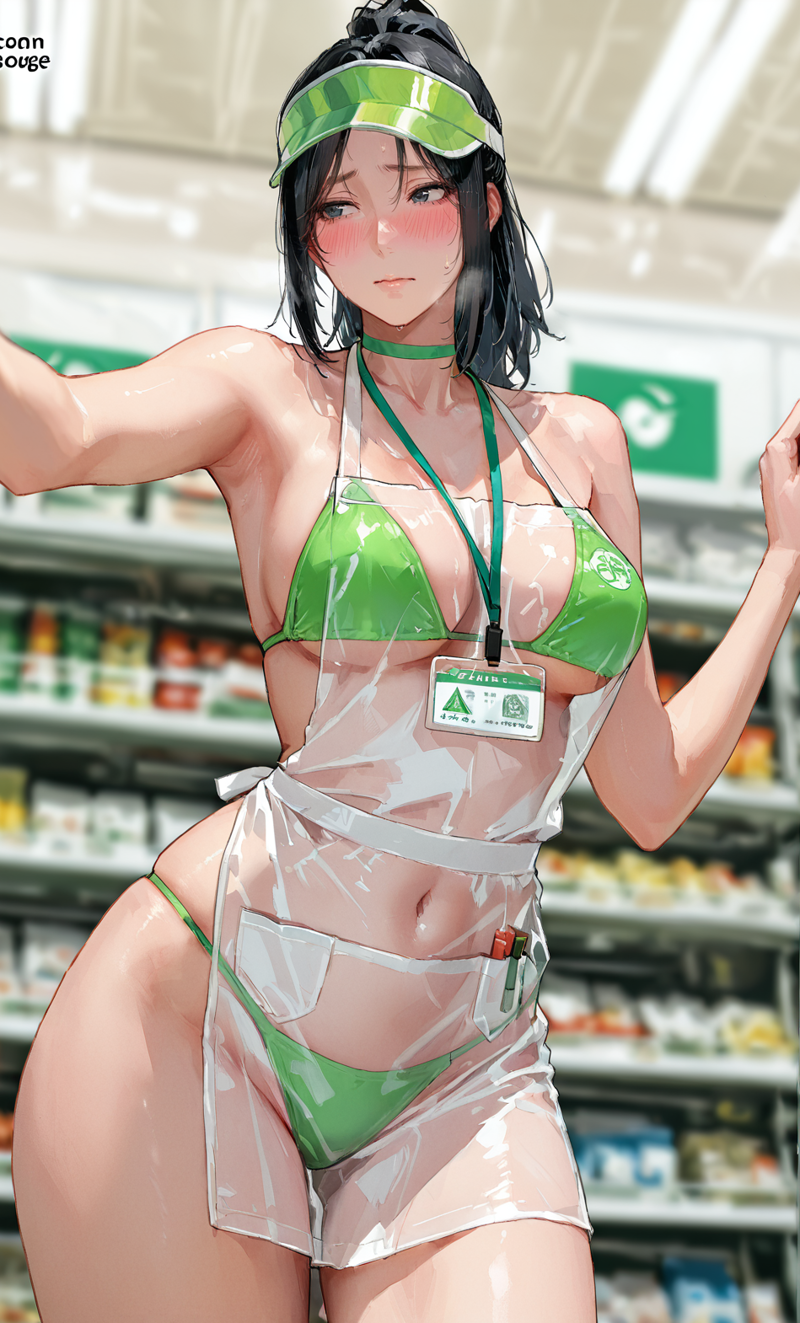
A woman with short black hair, wearing a green bikini, a translucent plastic apron, a green sun visor, and a green choker with a lanyard and ID badge, stands in a grocery store aisle.
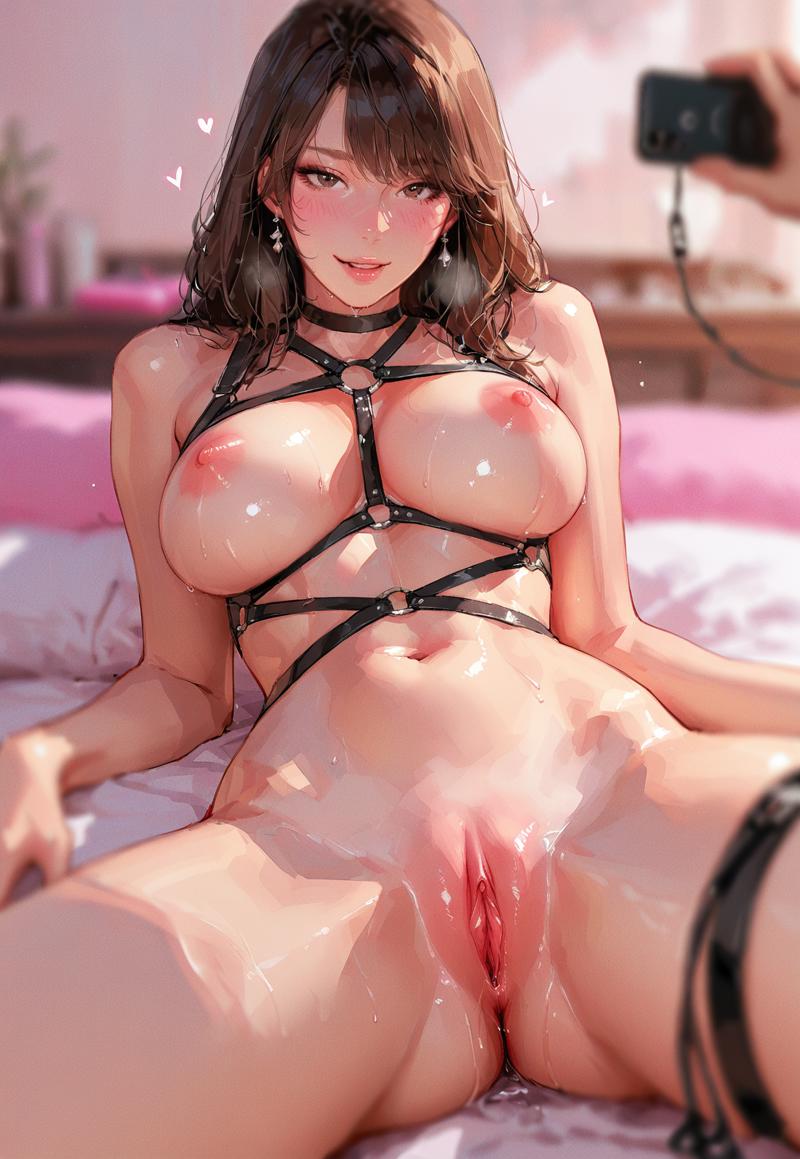
A woman with brown hair and brown eyes, lying on her back on a bed with her legs spread open. She is wearing a black leather body harness. while a hand in the upper right holds a smartphone pointed at her.
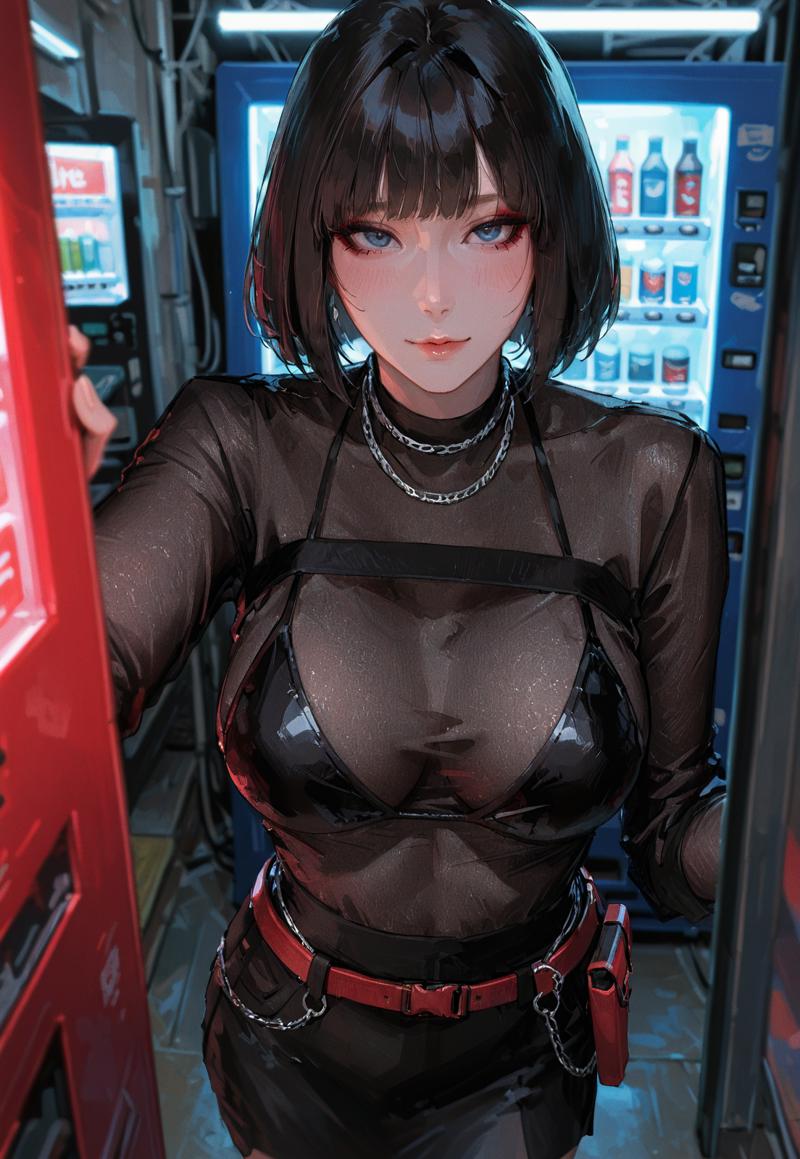
A woman with short black hair and bangs, wearing a double chain necklace, a long-sleeved sheer black top over a shiny black bikini, and a black skirt with a red belt and holster, stands between a red vending machine and a blue, brightly lit vending machine in a dark, narrow space.
Dataset Captioning Methodology
A good rule of thumb to remember in LoRA training is the following:
Everything that isn't captioned, the LoRA learns and associates with the style.
Shit comes in, shit comes out.
Captioning
My captioning methodology follows the first rule. In order to make Qwen generate women with flattering proportions, I don't describe any of the women in the dataset to have wide hips, or large breasts. This way you're teaching the lora that woman = image in dataset, not curvy woman with wide hips and large breasts = image in dataset. As a result, the lora learns that a woman by default looks like the image in the dataset.
A similar thing is also happening with the way skin and light transition is rendered, you'll note that every single image in the dataset contains concept art style thick brushstrokes. I do not describe this in the captions in any way. As a result, the lora now renders everything with thick brushstrokes, which is what I wanted for this lora.
Making the Dataset not look bad
Illustrious is notorious for generating bad eyes. You either have to hires fix the image to get good eyes, but this results in overly crazy looking hair. So in order to fix it I just ran a facedetailer on the dataset, and this worked wonders for the eyes, as you can see in the sample dataset images. It still isn't perfect, the irises aren't perfectly round for example.
Bad hands. This one you can't fix with a post process method reliably (even inpainting is hit or miss), so I just rolled the dice until I got good looking hands.
Nonsensical backgrounds. You just roll the dice until you get a background that is semi coherent.
If I had more patience, I would've photoshopped the entire dataset for garbled looking text and logos.