Midnight1111_Nocturne



Details
Download Files (1)
About this version
Model description
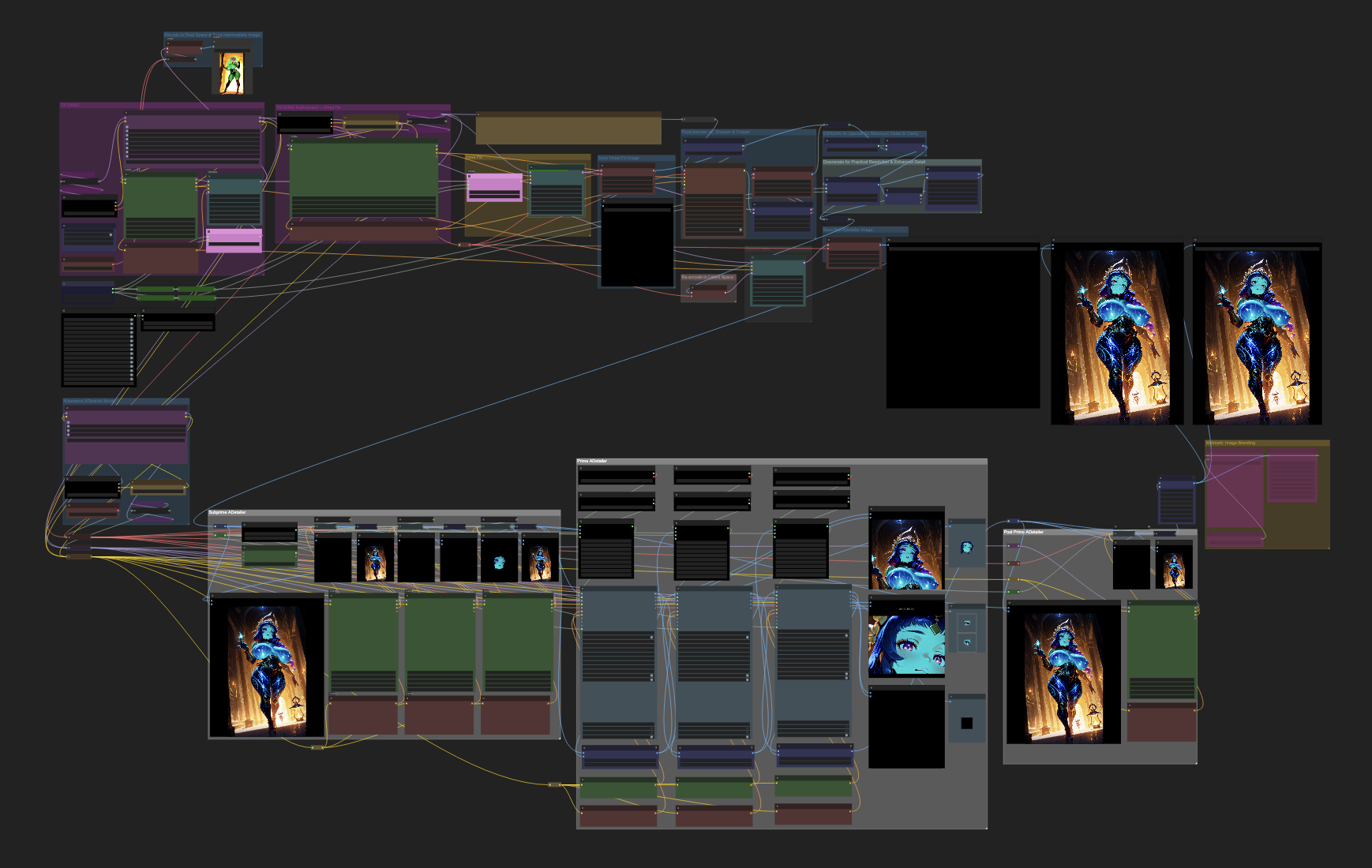
Midnight1111_Nocturne // Multi-Pass Enhancement & Refinement Workflow
ComfyUI Workflow // v02/25/25
Overview
TXT2IMG+ Multi-UPSCALERS + ADetailer
This workflow is designed to enhance image quality through a structured, multi-pass process in ComfyUI. It integrates Txt2Img generation, Hires Fix, upscaling, and ADetailer passes to achieve high-fidelity AI-generated images. The approach is demonstrate creating an image at a lower resolution, upscaling it, and refining it through img2img.
:: Quick-Start Guide :::::::::::::::::::::::::::::::::::::::::::::::::::::::::::::::::::::
Setup & Generate Base Image:
Txt2Img Generation: Create an initial image using a prompt and negative prompt. In ComfyUI, Txt2Img is achieved by passing an empty image to the sampler node with maximum denoise.
Sampler Settings: Configure sampler steps and CFG (Classifier-Free Guidance) scale to define the quality and adherence to the prompt.
Apply Hires Fix:
Upscaling: Increase the image resolution using latent upscaling techniques. This involves upscaling the initial image and then refining it through img2img to enhance details.
Non-Latent Upscaling: Utilize pixel-space upscalers. Convert the image to pixel space, apply the upscaler, and then convert it back to latent space for further processing.
ADetailer Refinement:
Feature Enhancement: Apply ADetailer models to refine specific features such as faces, hands, hair, and clothing, ensuring high-quality details in these areas.
Final Adjustments:
Wetmark Branding: Optionally, add subtle branding or watermarks to the image to signify authorship.
Key Features
2 Pass Txt2Img (Hires Fix): Enhances image quality by generating at a lower resolution, upscaling, and refining through img2img.
Latent and Non-Latent Upscaling: Combines both latent space and pixel space upscaling methods for optimal detail enhancement.
Placeholders Settings (smZ): Allows flexible input adjustments.
Improved Control & Adjustment Modules: Enhances workflow customization.
Stop Node: Lets you temporarily pause the generation process.
ADetailer Integration: Focuses on refining intricate features to produce polished, high-quality images.
Wetmark Branding: Provides an option to embed subtle branding for image ownership.
Additional Resources and More: Includes optimizations for better results.
Usage
Load the Workflow: Import the workflow into ComfyUI.
Adjust Parameters: Modify prompts, sampler settings, and upscaling factors as needed to achieve desired results.
Run the Workflow: Execute the workflow to generate and refine the image.
Save and Export: Once satisfied with the output, save the image for use in your projects.
This workflow is optimized for artists and designers seeking to produce high-resolution, detailed AI-generated images with precision and efficiency.
UPDATES:
NOTE:
Updated Version 02/25/25
Uploaded Version 02/23/25
// Got Questions or Feedback?
Feel free to reach out!
Created by Magnabos.co | Creative Artist