SDXL img2img (automatic aspect ratio) | ComfyUI workflow



Details
Download Files (1)
About this version
Model description
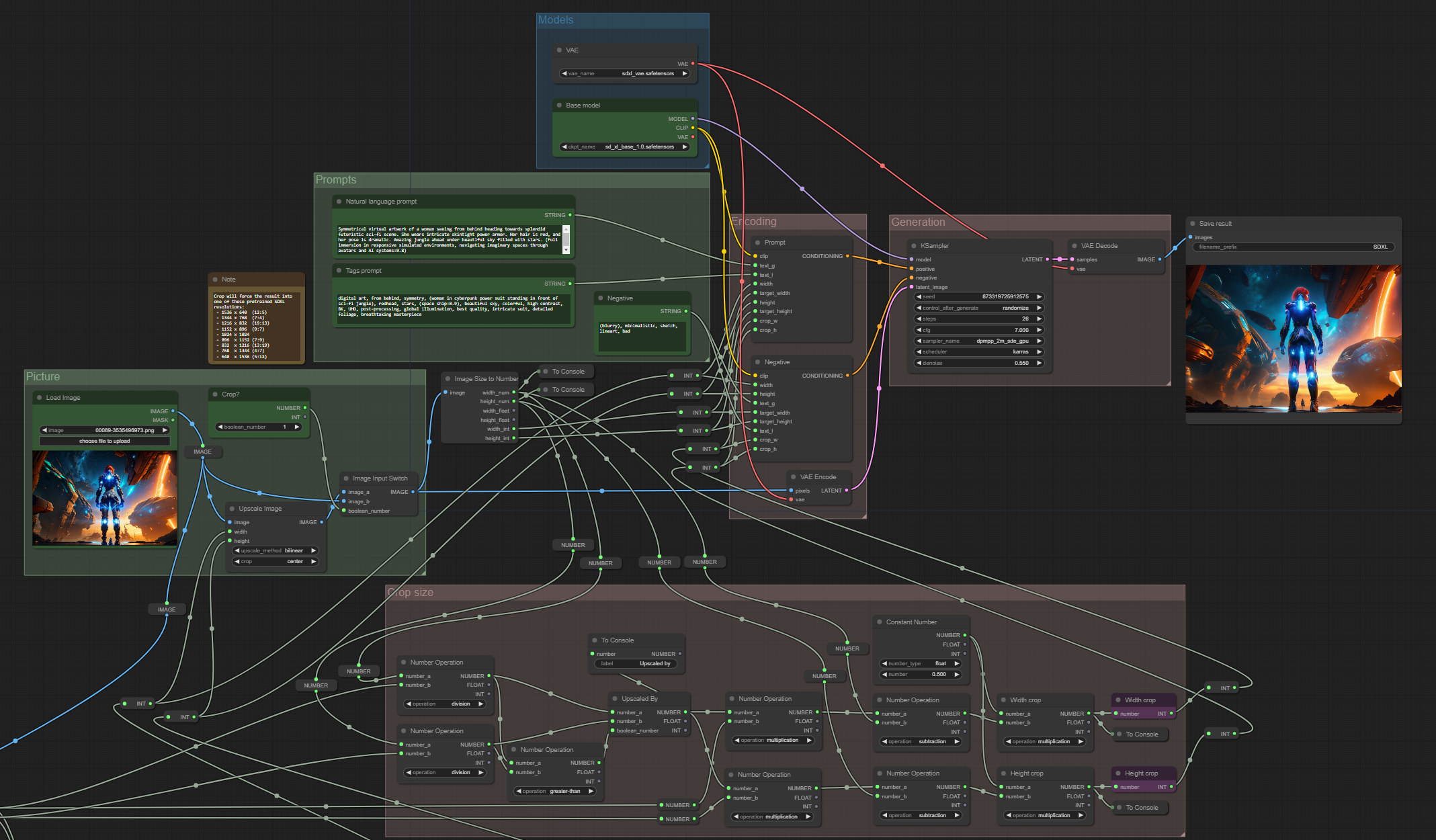
SDXL conditioning can contain image size! This workflow takes this into account, guiding generation to:
Look like higher resolution images
Keep objects in frame
Guide image composition to make sense
Installation and dependencies
Install WAS Node Suite custom nodes;
Instal ComfyMath custom nodes;
Download and open this workflow.
How to use
Select image for img2img;
Choose to resize or not;
(optional) Choose Conditioning Scale. It can make your output look like bigger, higher resolution image;
Queue Prompt.
Pro Tip: You can set denoise to 1.0 to use the workflow as usual txt2img, but with size guiding benefits.
Note
I made some research and find out that v1.0 version of the workflow was total bullshit 😅. If you downloaded previous version, don't use it. Better update.