Wan 2.2 Workflows (t2v, i2v, v2v, flf2v) with MultiGPU + SageAttention + GGUF + Audio
Details
Download Files
Model description
UPDATE! https://huggingface.co/StefanFalkok/ComfyUI_portable_torch_2.9.0_cu129_sageattention_beta_non_official/blob/main/ComfyUI_windows_portable_cu129_p313_torch_2.9.0.zip It's a modified ComfyUI_portable version, which has torch 2.9.0 and Sageattention 2.2.0. Some functions can't work correctly or don't work, but with this build you get much faster generation with WAN 2.2. I don't recomend use it with Flux and Qwen - only WAN 2.2 generation. Some python settings can't work correctly because of the modified python 3.13.7 inside Comfy, but you can install python librarires via oX-COMMAND without python -m. Also some custom nodes have been installed into this build
My TG Channel - https://t.me/StefanFalkokAI
My TG Chat - https://t.me/+y4R5JybDZcFjMjFi
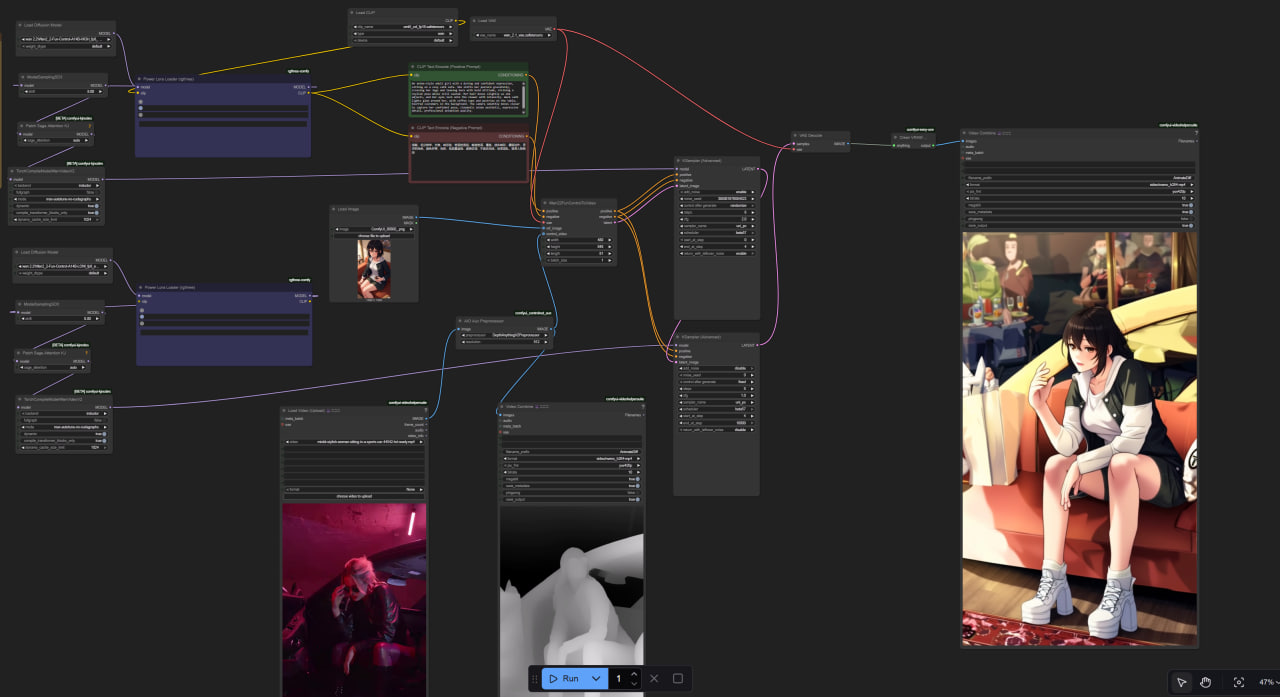
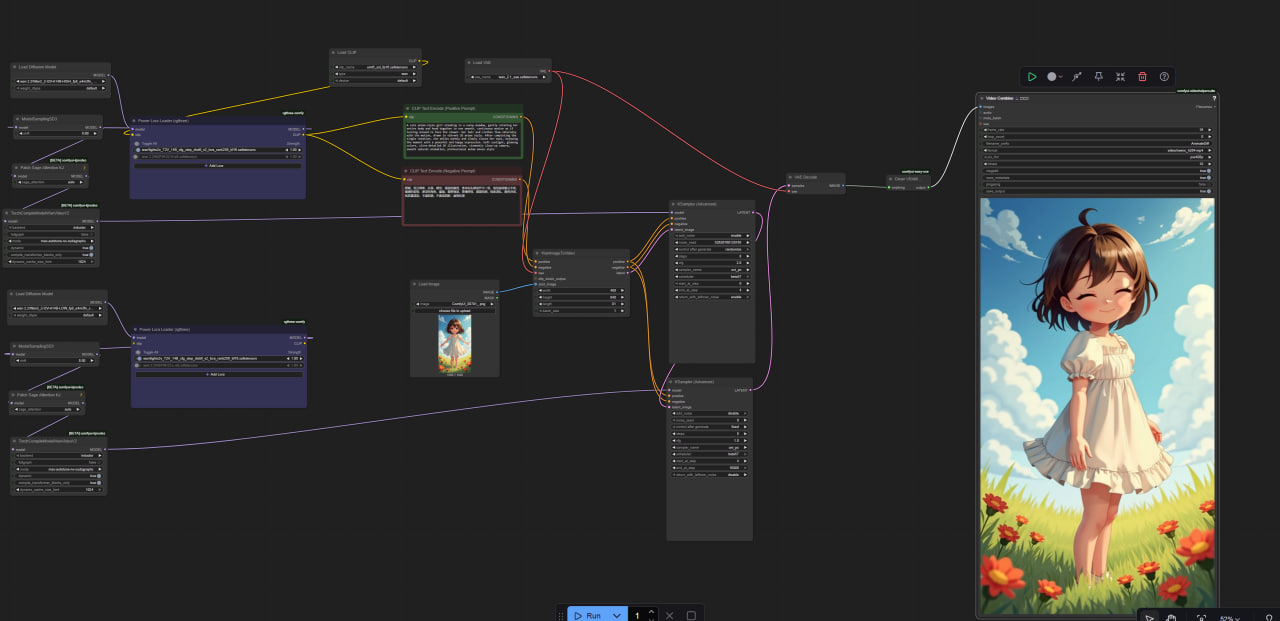
Hi! I introduce my working workflows with Wan 2.2 generation video for ComfyUI.
U can use RES4LYF samplers https://github.com/ClownsharkBatwing/RES4LYF to custom nodes and install inside this node through via cmd pip.exe install -r requirements.txt
I have included 5 workflows such as t2v, i2v, v2v, flf2v (firstlastframe) and upscaler with interpolation.
You need to have Wan 2.2 models (https://huggingface.co/Kijai/WanVideo_comfy_fp8_scaled/tree/main), clip (https://huggingface.co/Kijai/WanVideo_comfy/blob/main/umt5-xxl-enc-bf16.safetensors) and vae (wan 2.1 vae)
Also I have included 4steps Loras https://huggingface.co/lightx2v/Wan2.2-Lightning/tree/main/Wan2.2-T2V-A14B-4steps-lora-250928 for better and fast generation
For GGUF I recomend Lightx Lora https://huggingface.co/Kijai/WanVideo_comfy/blob/main/Lightx2v/lightx2v_T2V_14B_cfg_step_distill_v2_lora_rank256_bf16.safetensors
If you need NSFW Lora - install /model/1307155?modelVersionId=2073605 and /model/1811313?modelVersionId=2190476
I recomend set strength 1.5 for loras to get best results
Also you need to have Sageattention 2.2.0 with Triton (https://github.com/woct0rdho/SageAttention/releases/tag/v2.2.0-windows) and Torch 2.7.0+ for faster generation (https://github.com/pytorch/pytorch/releases), also u need download and install CUDA 12.8 (https://developer.nvidia.com/cuda-12-8-0-download-archive) and VS Code (https://visualstudio.microsoft.com/downloads/)
Instruction how to install Sageattention (1.0.6, how to install sageattention 2.2.0 - rename .whl file to .zip and put folders from .zip to ComfyUI\python_embeded\Lib\site-packages)
if you have GPU like 5080 level (my current GPU), the 5s video render in 720p 16 fps with my ksampler settings takes for 9-10 minutes, and for 16-17 minutes in 24 fps. In 480p and 540/576p you get much faster generating result, in my case 480p 5s 16 fps you get for 3-4 minutes and 24 fps for 6-7 minutes
Leave comments if you have trouble or you found the problem with workflows