Kontext Figure Maker By Aldniki

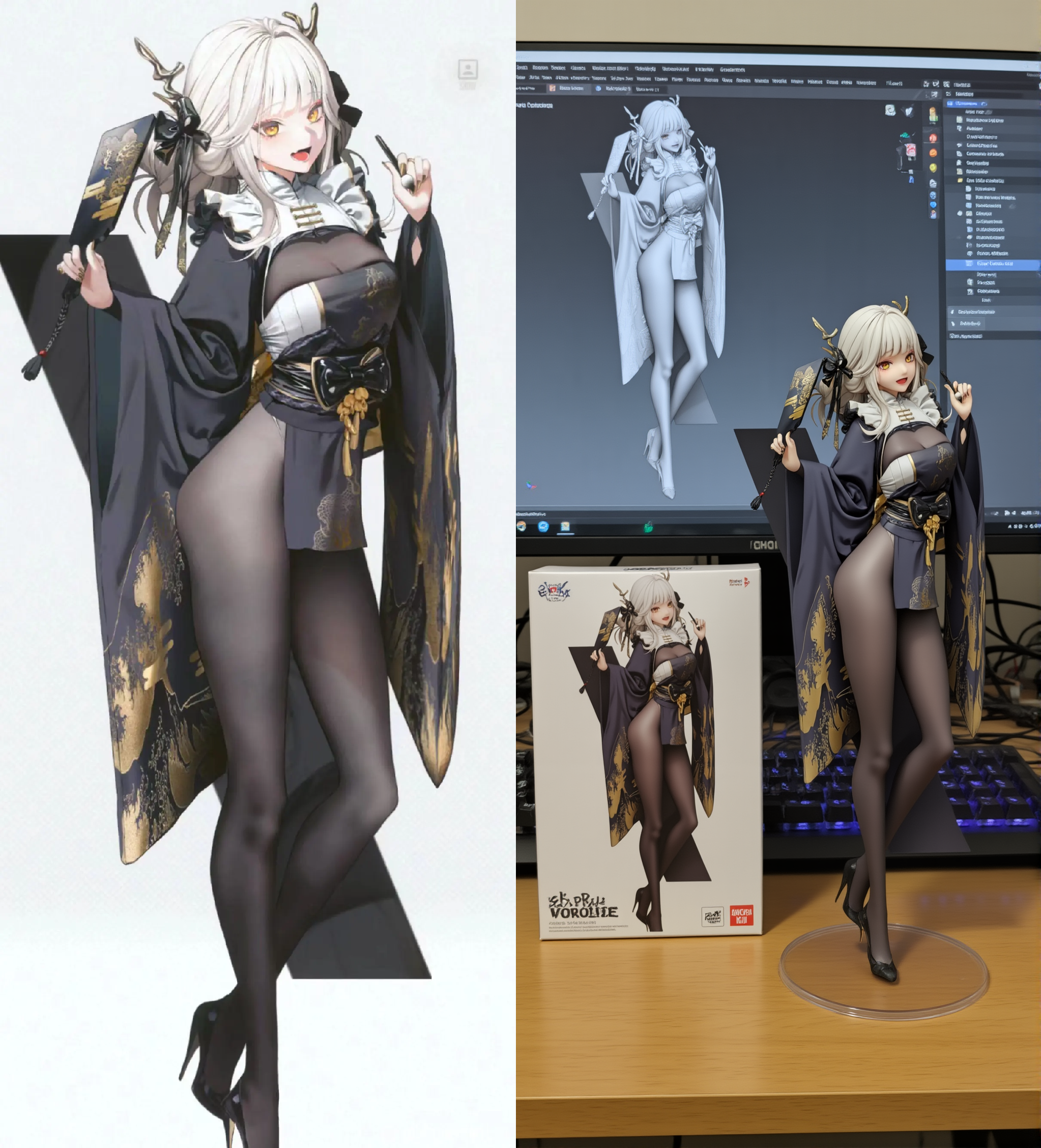

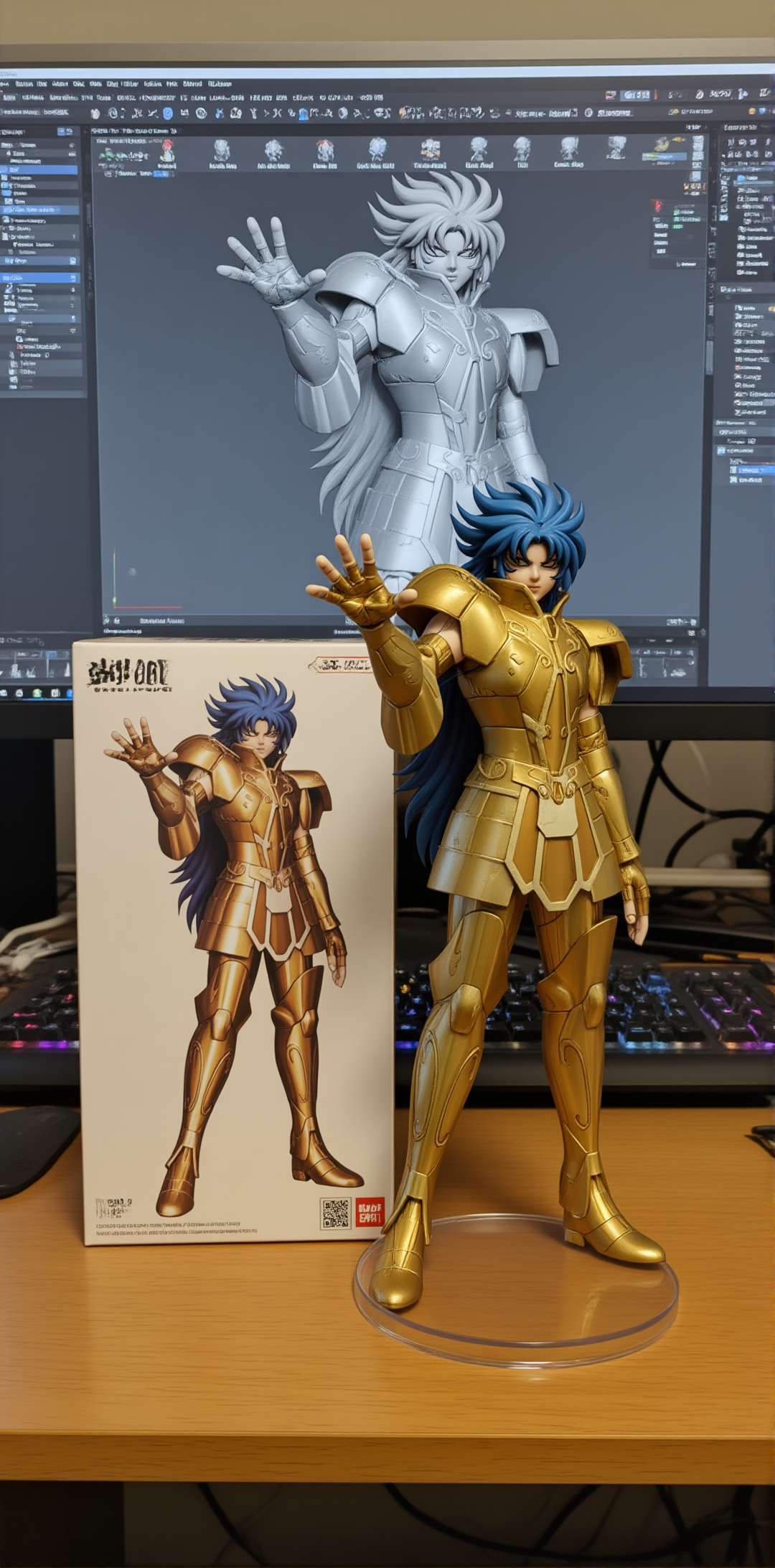

세부 정보
파일 다운로드 (1)
모델 설명
You can use the online workflow below. If the results are good, you can then try setting it up and running it locally.
👉 Click Here For Online WorkFlow
As a fan benefit, you’ll receive 1,000 points upon registration, plus 100 points for daily logins. Enjoy a smooth experience with an RTX 4090 and 48GB of VRAM.
Model Description
This LoRA is designed to convert 2D anime-style images into realistic 3D figures.
Best results are achieved with full-body character images, ensuring the model captures complete proportions and poses.
Recommended Settings
Sampler: Euler
CFG: 2.0
LoRA Weight: 0.95
Steps: 25
Recommended to use high-resolution upscale: 1.5× scale. Denoising can be set between 0.4–0.7. Beta scheduler is recommended, with 12 steps, CFG 1.0.
Recommended Prompt
reveal the person's entire body, the character has a tall body like a super model, maintain the character's pose and extract the main character and turn it into a realistic 3d figure. on a round clear plastic base, place the figure version of the photo. I'd like the PVC material to be clearly represented. It would be even better if the background is indoors.
Alternative Prompt (Result quality not guaranteed)
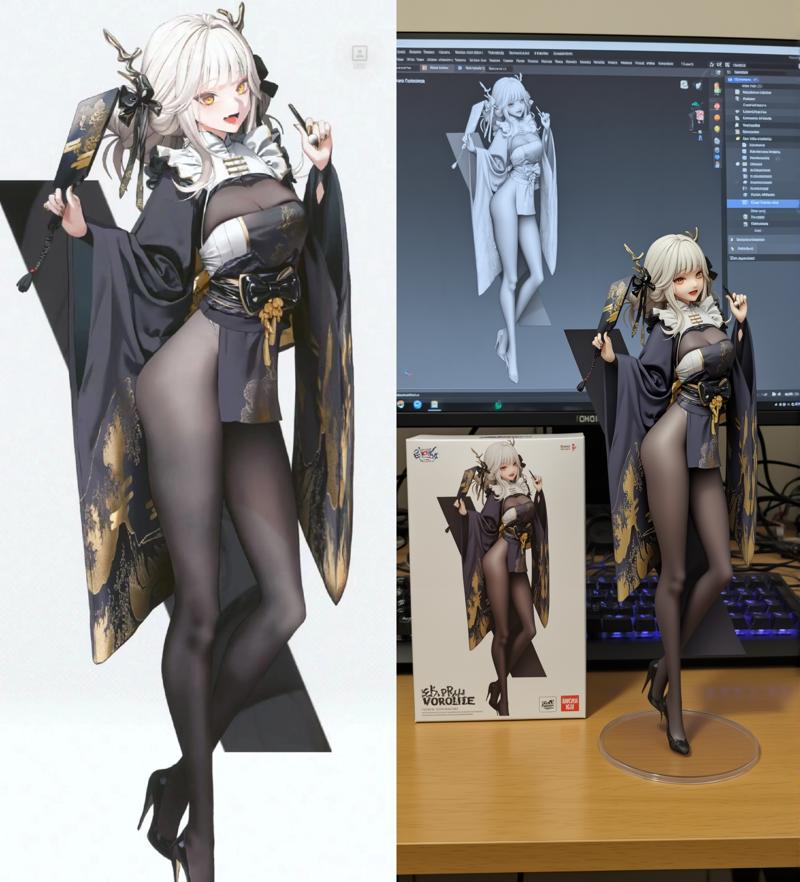
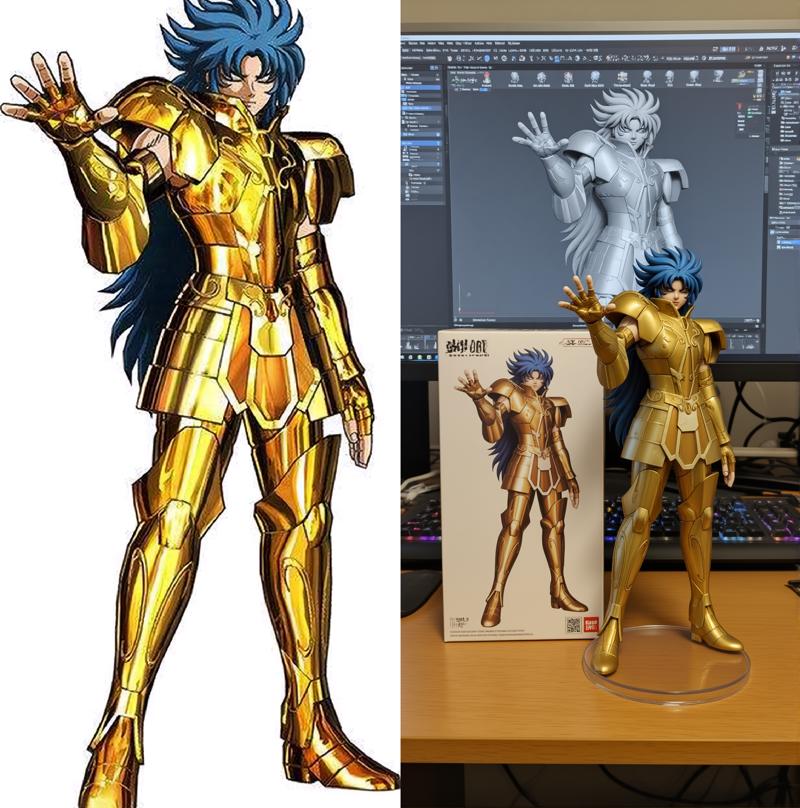
This model can also achieve effects similar to Nano Banana, but the results are very unstable. Generating images like the ones above requires some luck, but those who want to try it can give it a shot.
show the full body and maintain the pose, the character has tall body and long legs, turn it into a realistic 3d figure. Behind it, there should be a Model packaging box with the extracted colored character from this photo printed on it. There should also be a computer, with the content on the computer screen showing the Blender grey color modeling process of the figurine. In front of the computer screen, on a round clear plastic base, place the figure version of the photo. I'd like the PVC material to be clearly represented. It would be even better if the background is indoors.
(Text in red can be modified or removed on your choice)
Use Cases
✅ Anime characters → Realistic 3D figure style
✅ Custom figurine design for games/anime characters
✅ Q-version or scaled figurine exploration
✅ Combine with other LoRAs for creative results
模型介绍
这个 LoRA 可以将 二次元风格图片转化为真实的 3D 手办效果。
注意: 原图最好是完整的人物 全身照,这样能达到最佳效果。
推荐设置
采样器: Euler
CFG: 2.0
LoRA 权重: 0.95
步数: 25
推荐使用高清放大: 1.5倍. 降噪 0.4–0.7. Beta 调度器, 12步, CFG 1.0。
推荐提示词
reveal the person's entire body, the character has a tall body like a super model, maintain the character's pose and extract the main character and turn it into a realistic 3d figure. on a round clear plastic base, place the figure version of the photo. I'd like the PVC material to be clearly represented. It would be even better if the background is indoors.
其他可用提示词 (不保证结果质量)
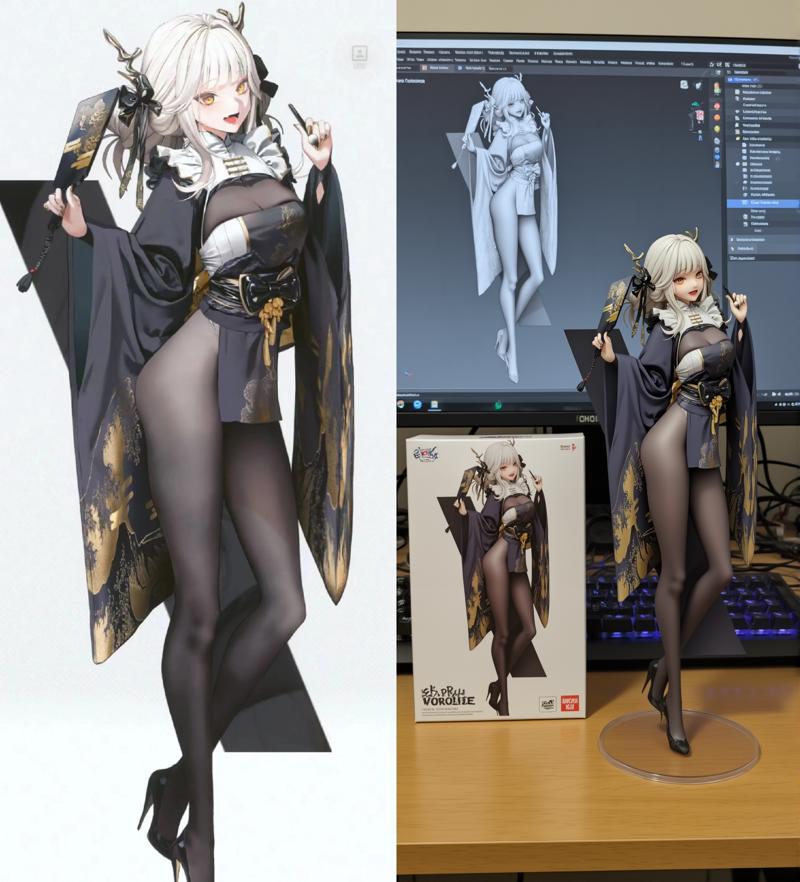
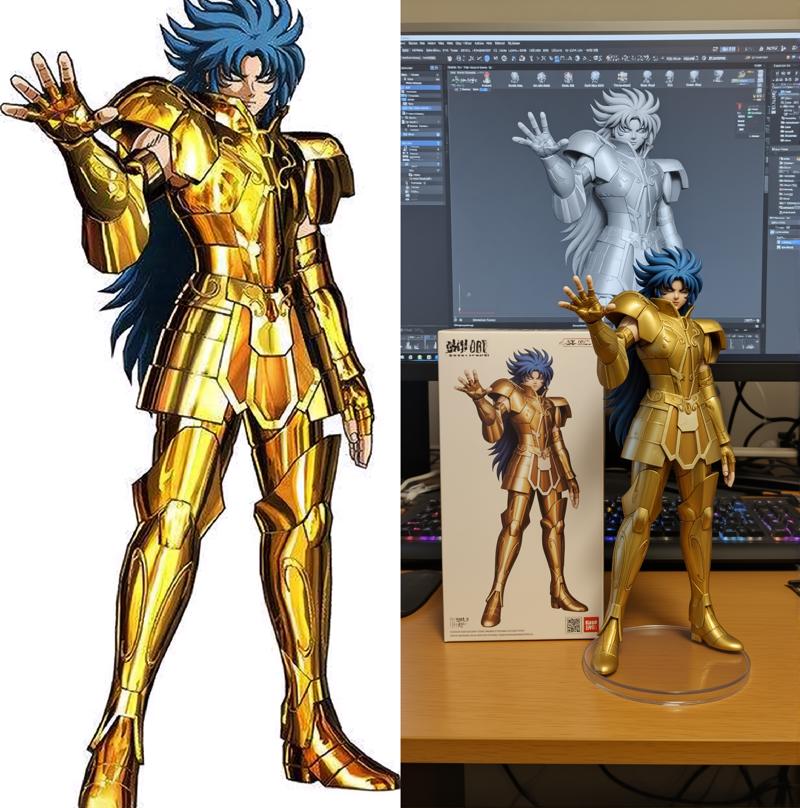
这个模型也可以做到像是nano banana那样的效果,但是生成效果很不稳定,生成类似上面的图片需要运气,想尝试的人可以尝试
show the full body and maintain the pose, the character has tall body and long legs, turn it into a realistic 3d figure. Behind it, there should be a Model packaging box with the extracted colored character from this photo printed on it. There should also be a computer, with the content on the computer screen showing the Blender grey color modeling process of the figurine. In front of the computer screen, on a round clear plastic base, place the figure version of the photo. I'd like the PVC material to be clearly represented. It would be even better if the background is indoors.
(标红文字可以修改或删除)
使用场景
✅ 二次元角色 → 现实手办风格
✅ 游戏/动漫角色定制 3D 化
✅ Q版/比例手办效果探索
✅ 与其他 LoRA 搭配增强创作