Sphiratrioth (Nicholas Quail) - SX-5 - Workflows & Detailers


Details
Download Files (1)
About this version
Model description

This time, I present you with a complete set of workflows to generate whatever you want in a perfect masterpiece quality.
Flux & SDXL (Illustrious, Pony, Noob etc.) variants included.
Optimized for16GB GPUs but you can generate on weaker hardware as well - it will just take more time or you may be forced to use smaller models - such as lower quants FLUX or ILLUSTRIOUS/PONY instead of FLUX.
What is included:
Text2Image [FLUX/SDXL] - generation workflow,
Image2Image [FLUX/SDXL] - generation workflow with control net,
Inpaint [FLUX/SDXL] - workflow for fixing stuff if something goes wrong,
Detailer [FLUX/SDXL] - workflow for detailing person, background etc.
Upscaler [FLUX/SDXL] - workflow for standard, final upscaling - if you want.
Personally, I am using SAM2 with universal, prompt-driven detection to select the detailed part, I run a couple of cycles till I get exactly what I want - instead of commonly used upscalers. This way, I get a beautiful, detailed pic in 1440p or 4k. I'm usually too lazy for inpainting so I prefer upscaling and rolling seeds a couple of times to delete additional digits like 6 toes or fingers but it's up to you. I utilize the inpaint functionality for modifying the already existing pics - with new Differential Diffusion for Comfy-UI (~10x better inpainting than we're used to, lol).
Raw Picture (Example)

Detailed Picture (Example)

I also use my own, personal prompting format - universal among SDXL tunes aka Illustrious/Pony etc. and new FLUX models. It really works - but it's purely tags based, not natural language based. Don't worry - FLUX understands great - at least with FP16 dual clip. I mix my prompting format with Lazy Embeddings - because I've discovered that they generally work with FLUX - not the full embeddings but trigger words that transfer into the prompts and create much better pictures (extensively tested).
Workflows are actually very simple - they look big because they come with a lot of note-fields for quick prompting, trigger words notes for LORA etc. You can load up both AIO models (with CLIP & VAE included) and separate VAE/CLIP - in SAFETENSORS & GGUF (all loaders included).
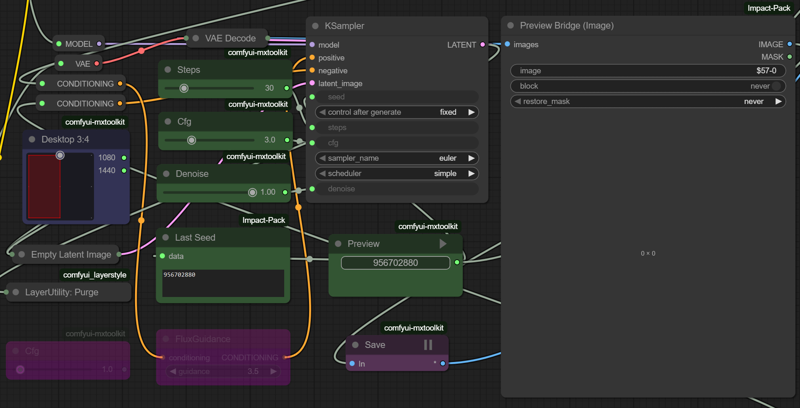
I utilize nodes that allow re-generation without saving the output if you do not like it - so instead of clicking on RUN (you still can, obviously) - you just click on the new seed PLAY button and re-run whatever you want.

You can still use an older SAM or SEGS detection, even the most vanilla face detailers that come with Comfy-UI - but I wouldn't advise it - they're much worse than SAM2 + new SEGS detailer.
Workflows also take advantage of a super useful VRAM purge node - which allows maximizing your current VRAM for optimized use - I placed a couple of those in strategic points in the whole generation chains.
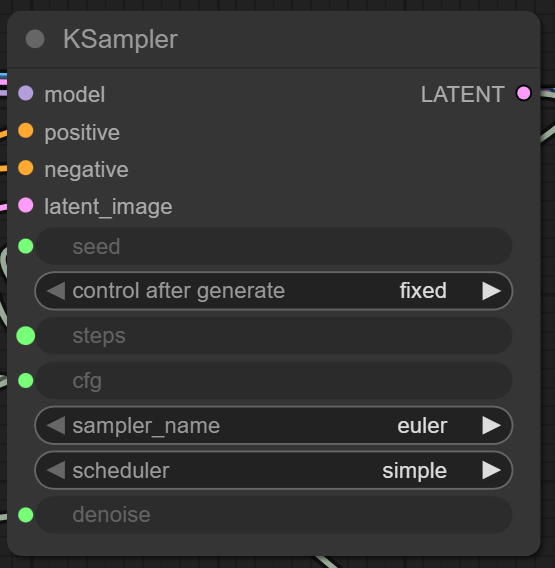
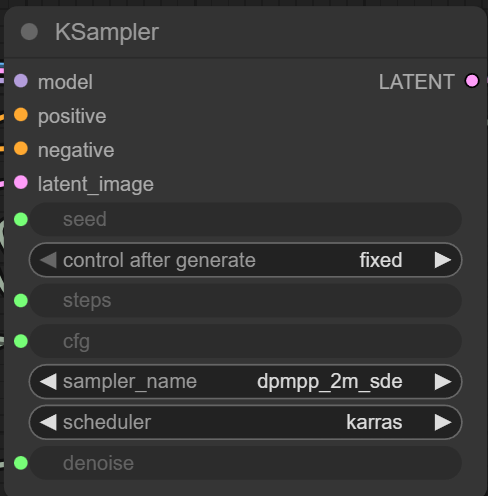
To be honest with you, I'm even too lazy to modify sliders - I usually just use the "balanced" set-up inside of those workflows. It works well with around ~5-6 Illustrious, Pony & FLUX tunes I like and repeatedly use. I rarely change anything - I rather put it through further detailers when I like the general composition/content of the generated pic. Those are the included settings - but of course, you can unmute the FLUX GUIDANCE node for flux and use it instead (I do not, I've got RTX5090 & 4080 so I force through with raw power) - or - you can modify the samplers to match yours preference. I usually use DPM++ 2M SDE + Karras for everything SDXL-based and Euler + Simple for everything FLUX based. It works - but yeah, you can just change it to the suggested settings of a given model you want - there is one model I know, which produces broken pics with those settings and gets fixed after changing the samplers - so - if that is your case - obviously - change them.
FLUX
SDXL (Illustrious, Pony, Noob)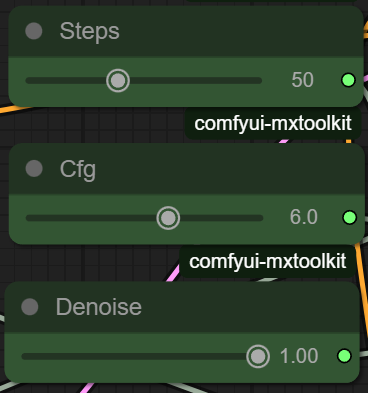
BEWARE: Workflows use a couple of custom nodes so download the ComfyUI Manager and it will automatically download whatever you need for it to work:
GitHub - Comfy-Org/ComfyUI-Manager: ComfyUI-Manager
Enjoy!