All-in-One. Z-Image, Ernie, Klein, t2i, i2i, controlNet, inpaint, outpaint, LLM, WAN, Qwen image, SDXL, Chroma





Details
Download Files (1)
About this version
Model description
!!! Before installing custom nodes from manager you need to install this one from Git url
https://github.com/BigStationW/ComfyUI-ppm - negative prompts for Flux1, ZIT and Anima
For example if you don't want to see glasses and tie on Anima, Zit and Flux1 generations add to fixed prompt window string (glasses, tie:-1)
If manager fails to find LLM and lora nodes, install them from git url - https://github.com/willmiao/ComfyUI-Lora-Manager
https://github.com/KingManiya/ComfyUI-LLM-text-processor (Automatic setup currently supports Windows x64 CUDA 13 only. Other platforms require manual setup of llama.cpp release binaries.)
Since v.8.3 there is a separate version of workflow that can be used with Sage Attention enabled in Comfyui launch arguments (it can be easily installed from https://github.com/wildminder/AI-windows-whl?tab=readme-ov-file with no need to install compiler)
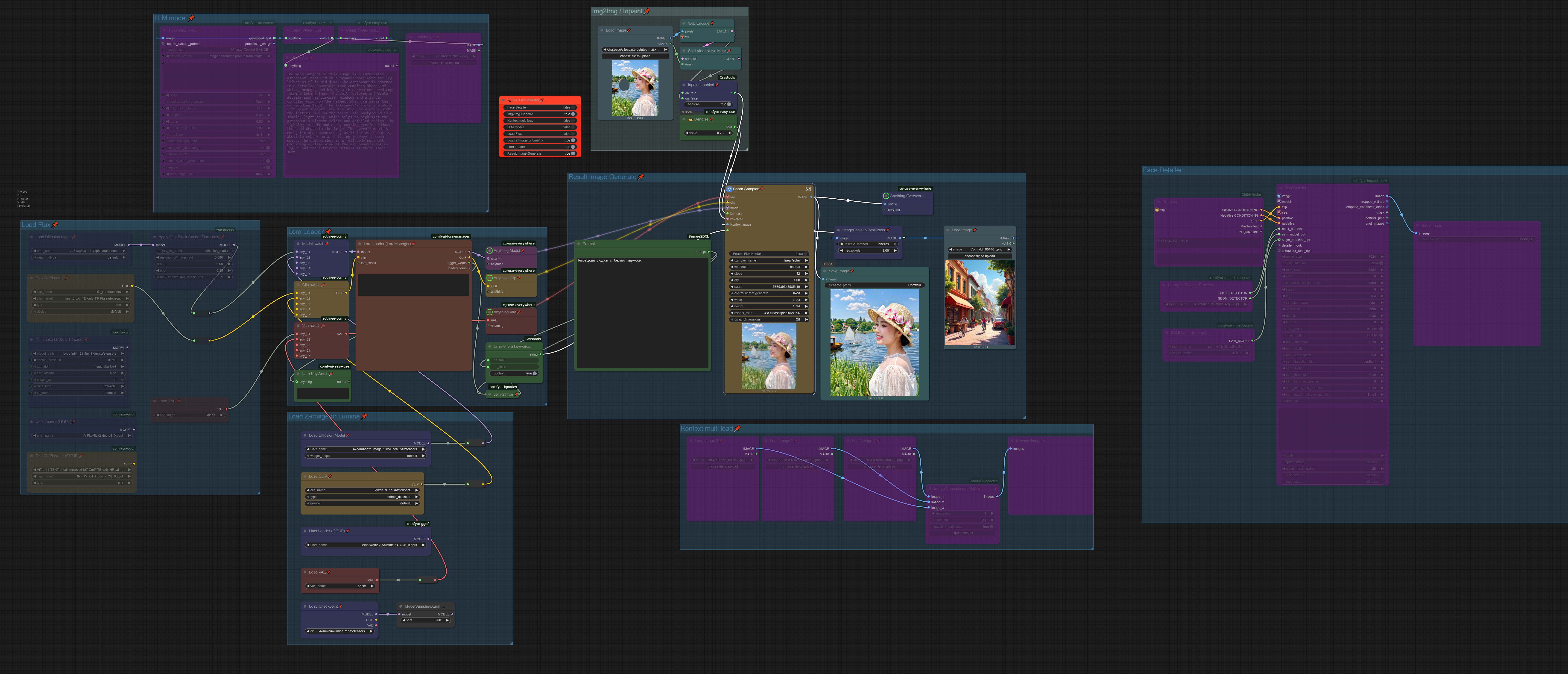
This workflow support
Z-Image, Ernie image, MS Lens, Wan, Flux, Flux 2, Flux 2 Klein, Anima, Qwen Image, Qwen Image Edit, SDXL/Pony, Chroma and Lumina-Image 2.0
txt2img, img2img, Inpaint functionality.
Face swap (not that perfect atm)
SeedVR2 upscaler
LLM to describe images and enhance prompts
ControlNet only for Edit models in img2img group (just describe your image in prompt and add some instruction like "use input image as normal map reference")
Outpainting in Edit/Kontext mode
safetensor, gguf and
svdq (Nunchaku)checkpointsPowerful multi Lora loader (Lora manager)
Face After Detailer
Multi or single images load for Edit/Kontext
LLM Models:
VRAM 8 Gb:
VRAM 12+ Gb:
or
Put models and folder with system prompt here:
📂 ComfyUI/
├── 📂 models/
│   └── 📂 LLM/
│       ├── Qwen3.6-35B-A3B-Uncensored-HauhauCS-Aggressive-Q4_K_M.gguf
│       ├── mmproj-Qwen3.6-35B-A3B-Uncensored-HauhauCS-Aggressive-f16.gguf
│       └── 📂 prompts/
│           ├── LLM-system.txt
│           ├── LLM-system-SDXL.txt
Starting from v8.0, it is possible to enhance T2I prompts on the fly using switches in the T2I group. You still need to manually copy and paste prompts from the LLM group to the I2I group, but you can directly describe Image 1 loaded in the I2I block.
Follow the short block notes for more information.
User prompts in both groups are now divided into two parts. The first part (Fixed) is never passed to the LLM block for processing and will always remain unchanged at the beginning of the prompt. The second part (User Prompt) can be passed to the LLM (if enabled) and improved.