Flux 2: Multi-image Editing (10 images) + Upscale (Русское описание ниже)



Details
Download Files (1)
About this version
Model description
Hello! I have created my first workflow for Flux2 - I will be glad to hear your assessment of my work!
Attention! You will need at least 24GB of VRAM + 64GB of RAM.
I've only tested on FP8, but GGUF should work too. (Previously, I ran much larger Q8 models like Qwen or WAN 2.2 and everything worked).
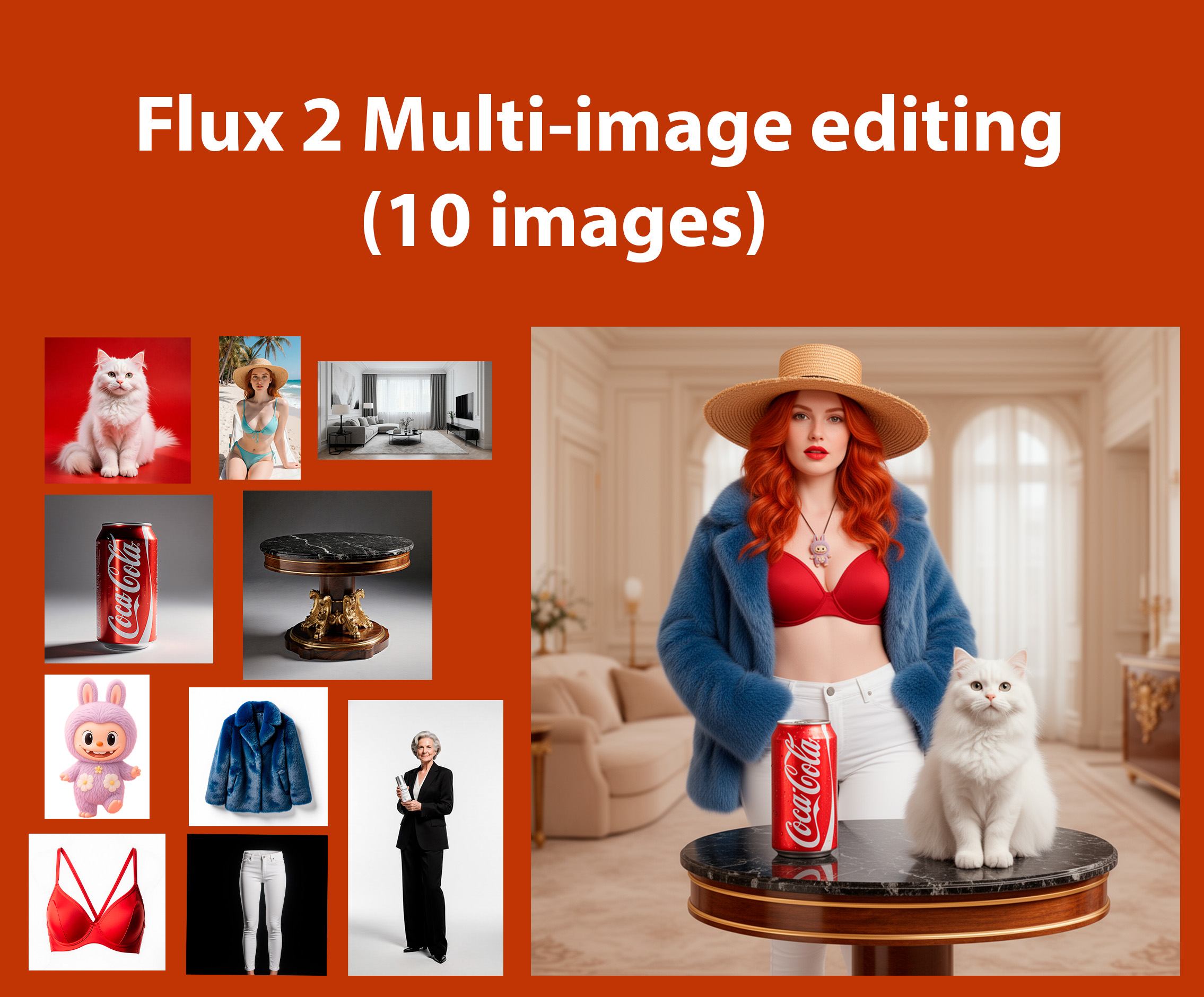
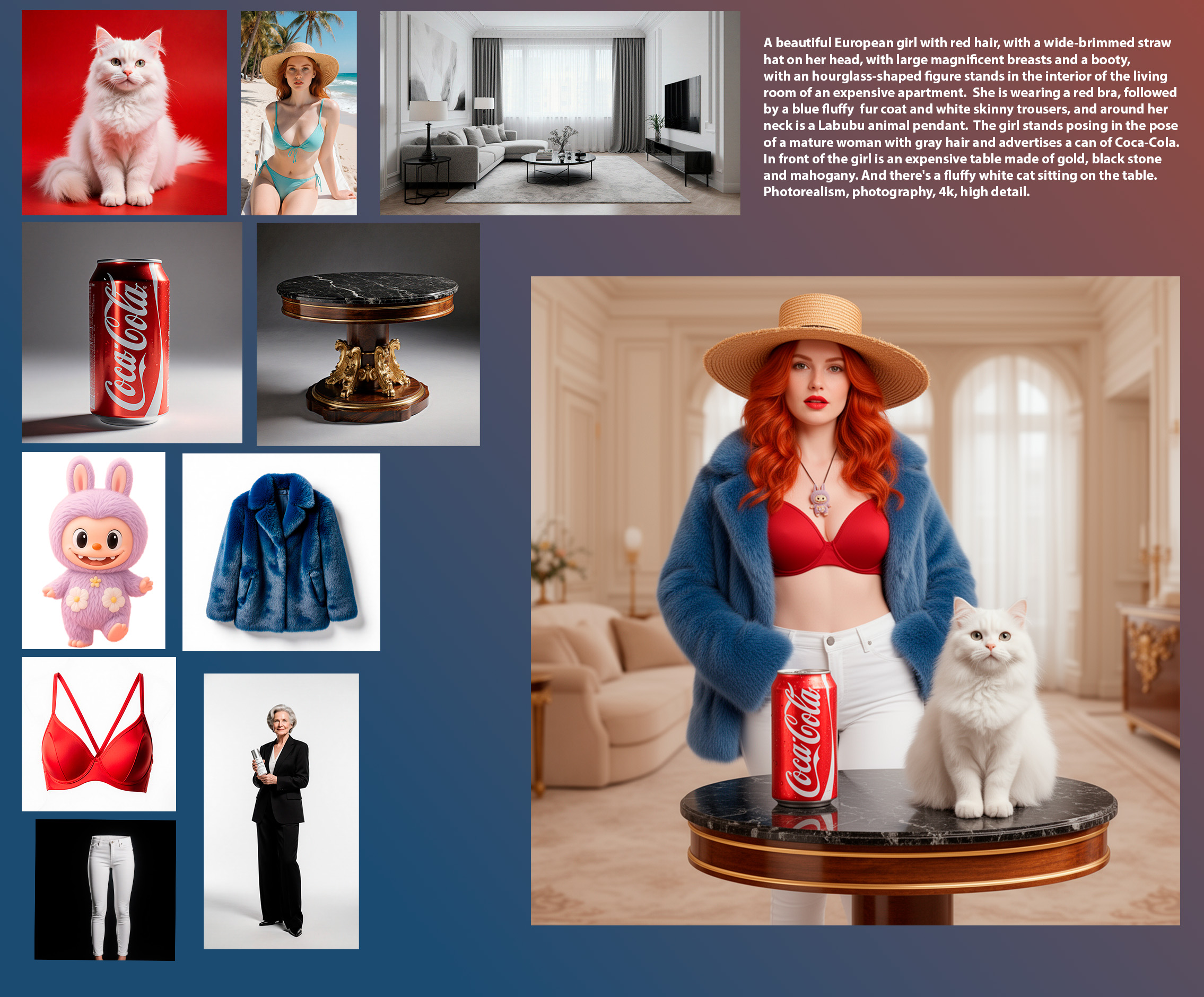
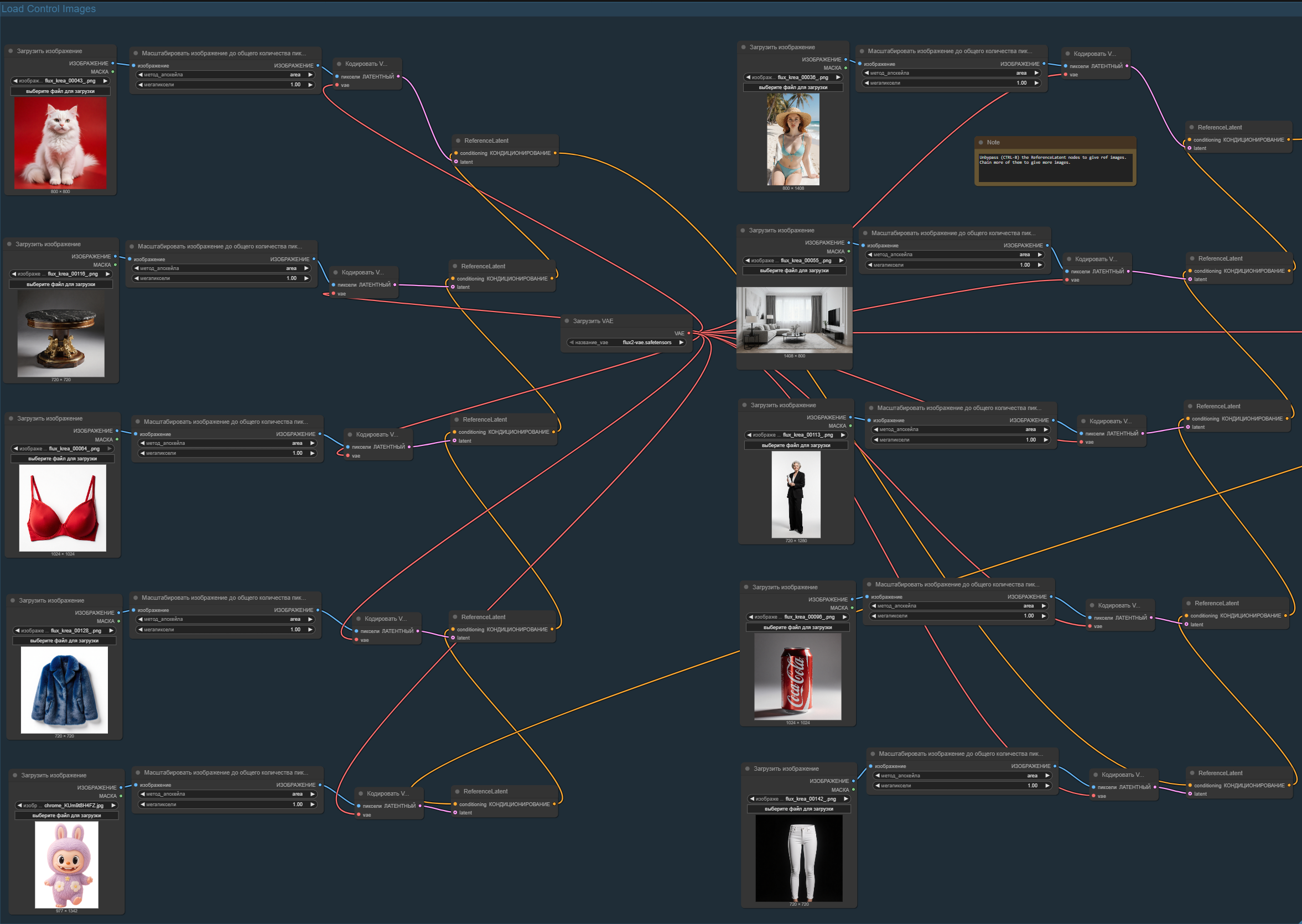
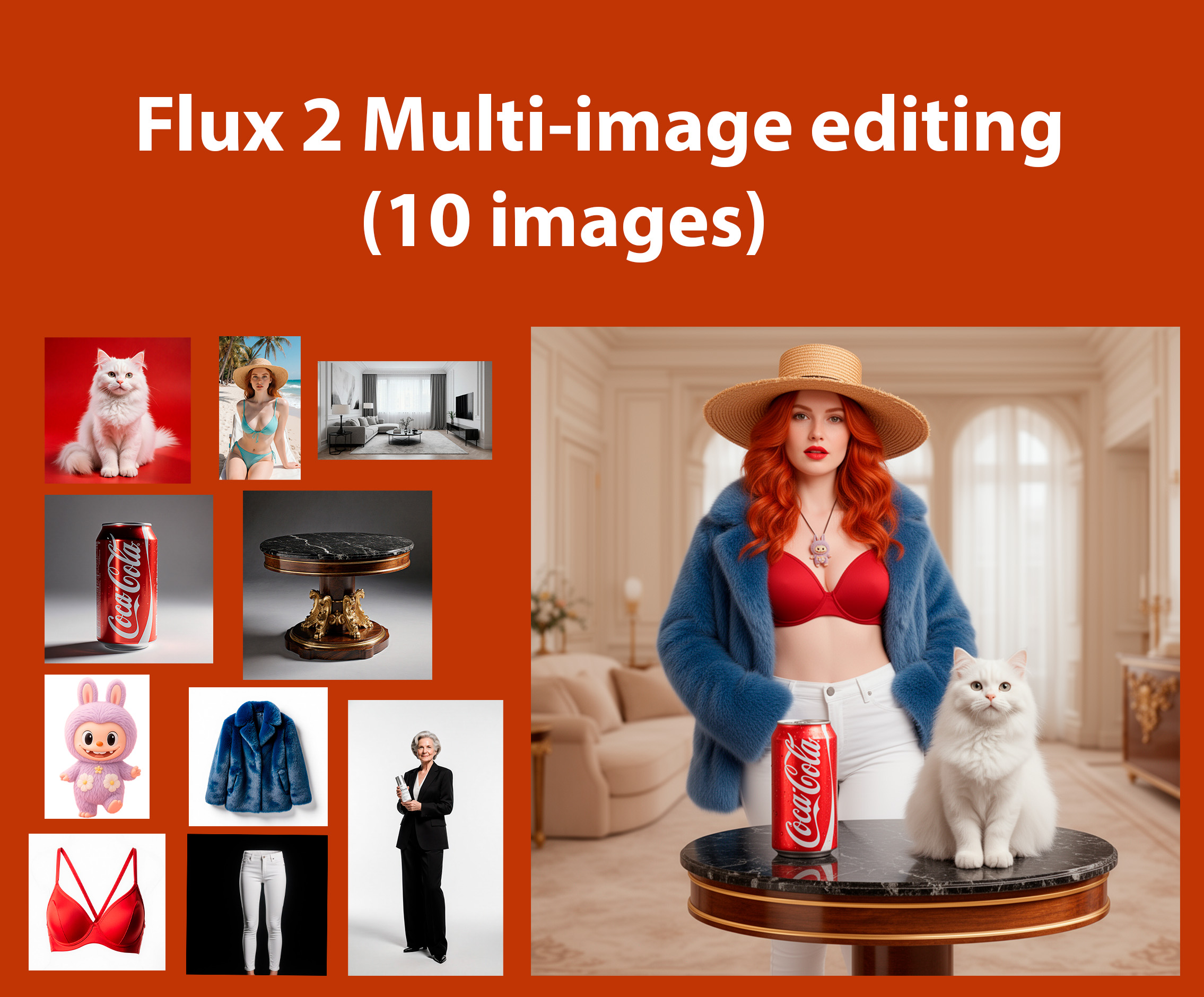
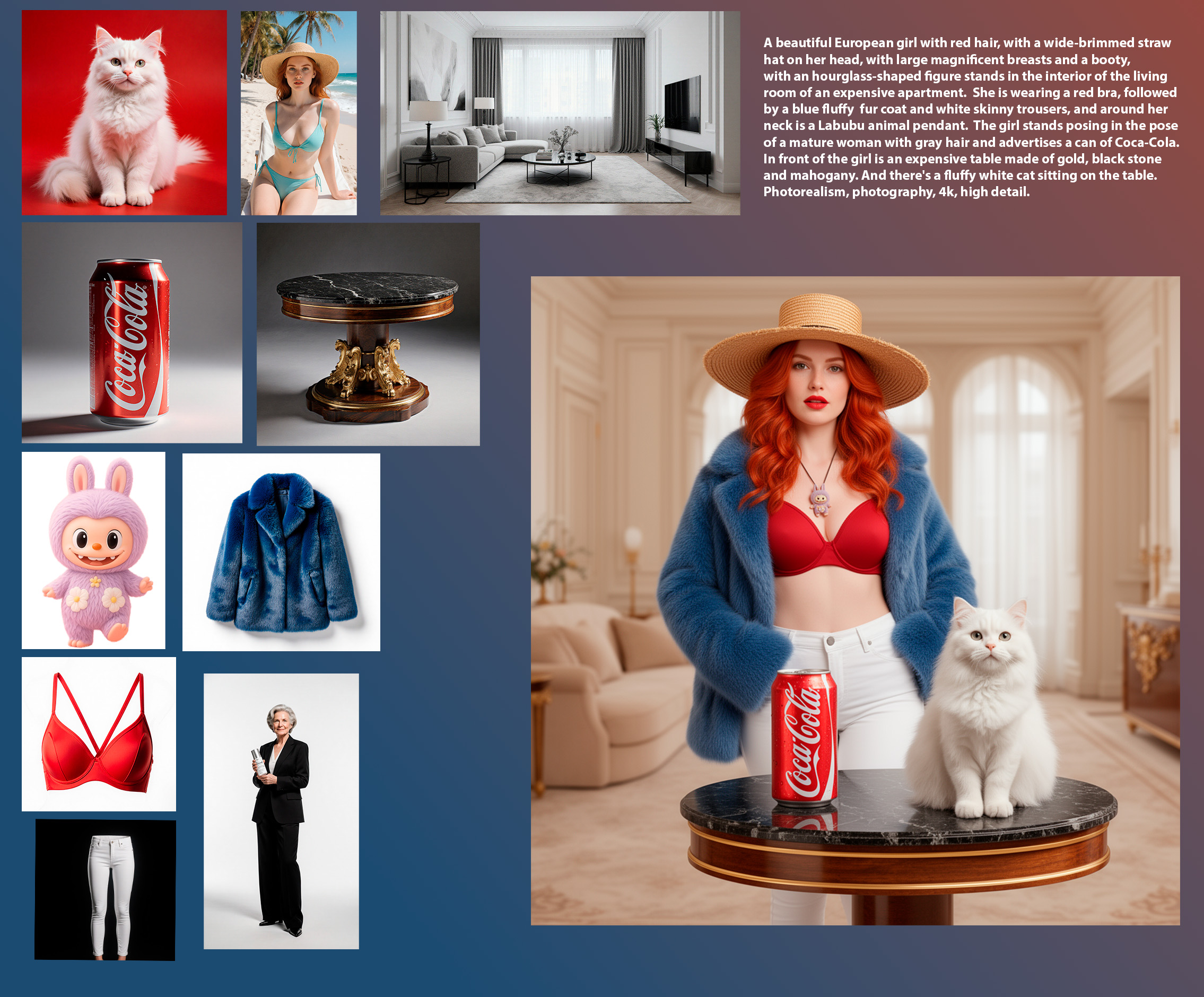
This workflow supports 10 images of different resolutions.
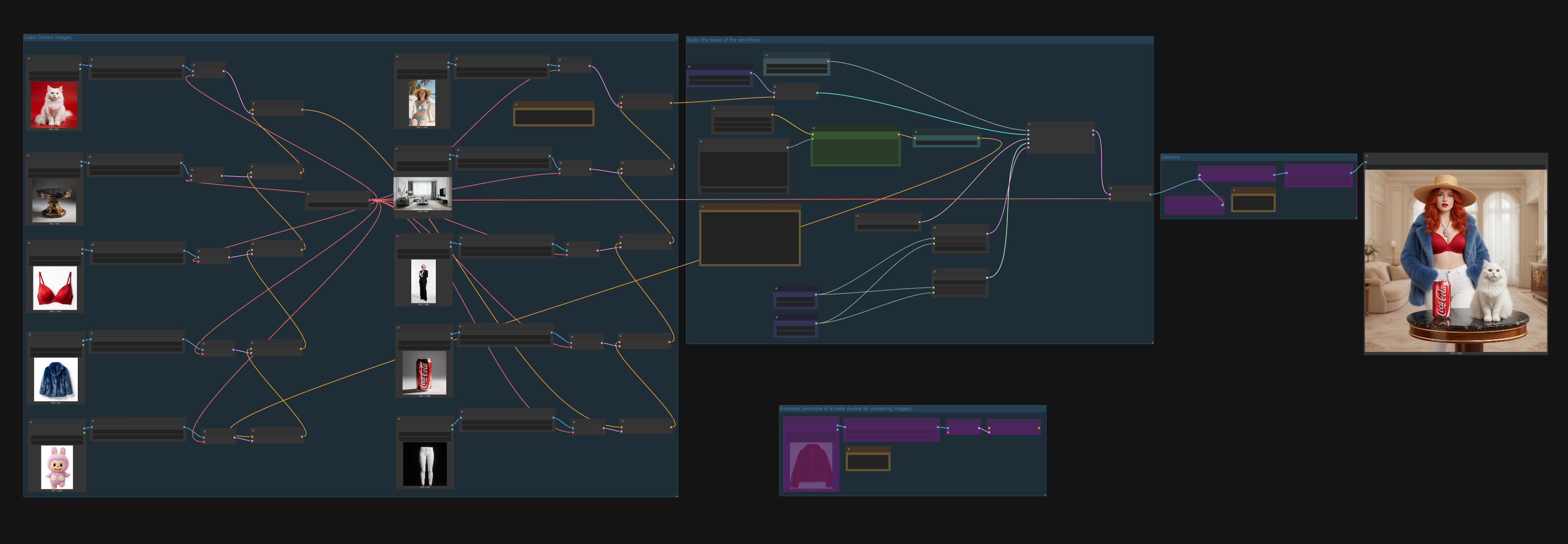
The main feature of this workflow is that it consists of 95% nodes that are originally in ComfyUI and do not need to be installed. The only thing is, I added the "Translate" node from the repository KayTool: https://github.com/kk8bit/KayTool
Otherwise, all nodes are the original nodes of ComfyUI. Inside the workflow, everything is signed, grouped, and you can find the "Note" nodes where links to the models that you will need are described.
This is a simple workflow, the main purpose of which is to train the structure and create workflows (nodes are specially placed so that you can track what they are starting from and where they are going). The nodes are connected based on a modular architecture (you can see the "example" group inside this workflow).
All the images shown in the examples (as sources for generating the final image - they themselves are the result of previous generations).
If you have any questions about usage or would like to talk about generation in Flux 2, you can write to me on YouTube: https://www.youtube.com/@dmitriidak (I work in the field of CGI + AI and teach others this)or my TG channel: https://t.me/photoudzen (the community)
Здравствуйте! Этот workflow для Flux 2 - поможет вам в редактировании и/или добавлении 10 разных объектов на 1 ваше изображение.
Внимание! Этот рабочий процесс предназначен ТОЛЬКО для тех у кого от 24гб VRAM + 64гб RAM.
Я проводил тестирование только на FP8, но GGUF тоже должны работать. (Ранее я запускал гораздо большие модели Q8 по типу Qwen или WAN 2.2 и всё работало).
В данном рабочем процессе реализована поддержка 10 изображений разного разрешения. Главная "фишка" данного workflow в том, что он на 95% состоит из узлов которые есть изначально в ComfyUI и не нуждаются в установке. Единственное, я добавил узел "Translate" из репозитория: https://github.com/kk8bit/KayTool
В остальном же, все узлы являются исходными узлами ComfyUI. Внутри рабочего процесса всё подписано, объединено в группы и вы можете найти узлы "Note", где описаны ссылки на модели которые вам понадобятся.
Это простой рабочий процесс главной целью которого является обучение структуры создание рабочих процессов (узлы специально размещены так, чтобы можно было проследить от чего и куда они идут).
Узлы соединены исходя из модульной архитектуры (вы можете посмотреть группу "example" внутри этого рабочего процесса).
Все изображения представленные на примерах (в качестве исходников для генерации итогового изображения) - сами являются результатом предыдущих генераций.
Sample usage scenarios (варианты использования):
multi-object replacement (замена нескольких объектов);
clothing/object swaps (смена одежды и объектов друг другом);
compositing multiple reference images (создание нескольких эталонных изображений);
building complex scenes for Flux 2 (создание сложных сцен для Flux 2).