ComfyUI CFG Sweep Analyzer – Dynamic CFG Range, Grid Preview, Text Overlay, Save Metadata




Details
Download Files (1)
About this version
Model description
Overview
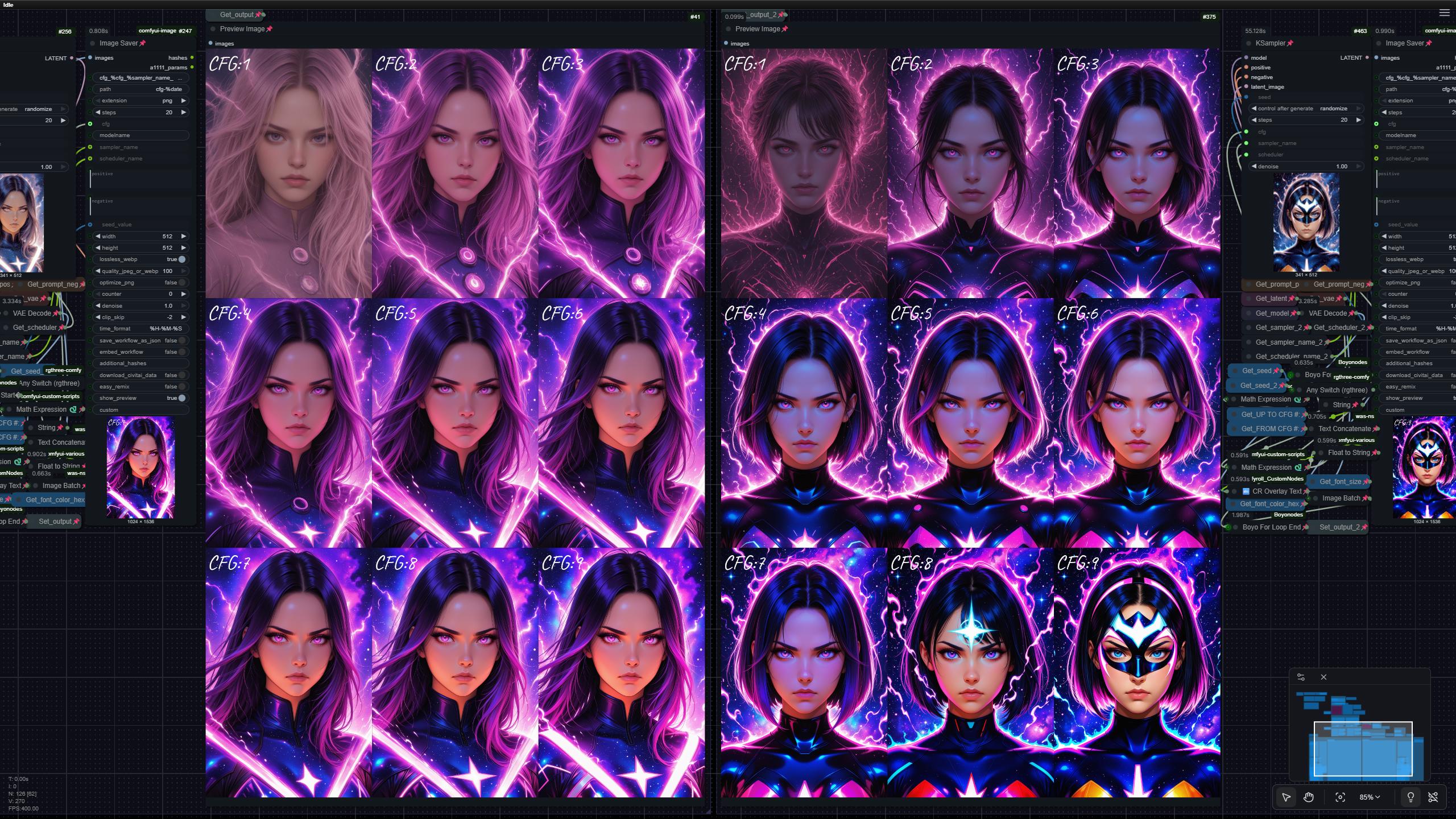
This ComfyUI workflow is a powerful visual analysis tool for comparing how different CFG values, samplers, and schedulers affect your output — all in one automated run.
It generates labeled CFG grids using loop logic and produces a clean, organized image sheet for rapid evaluation.
Perfect for testing new models, tuning consistency, and identifying the exact CFG “sweet spot” for your chosen checkpoint.
You can run:
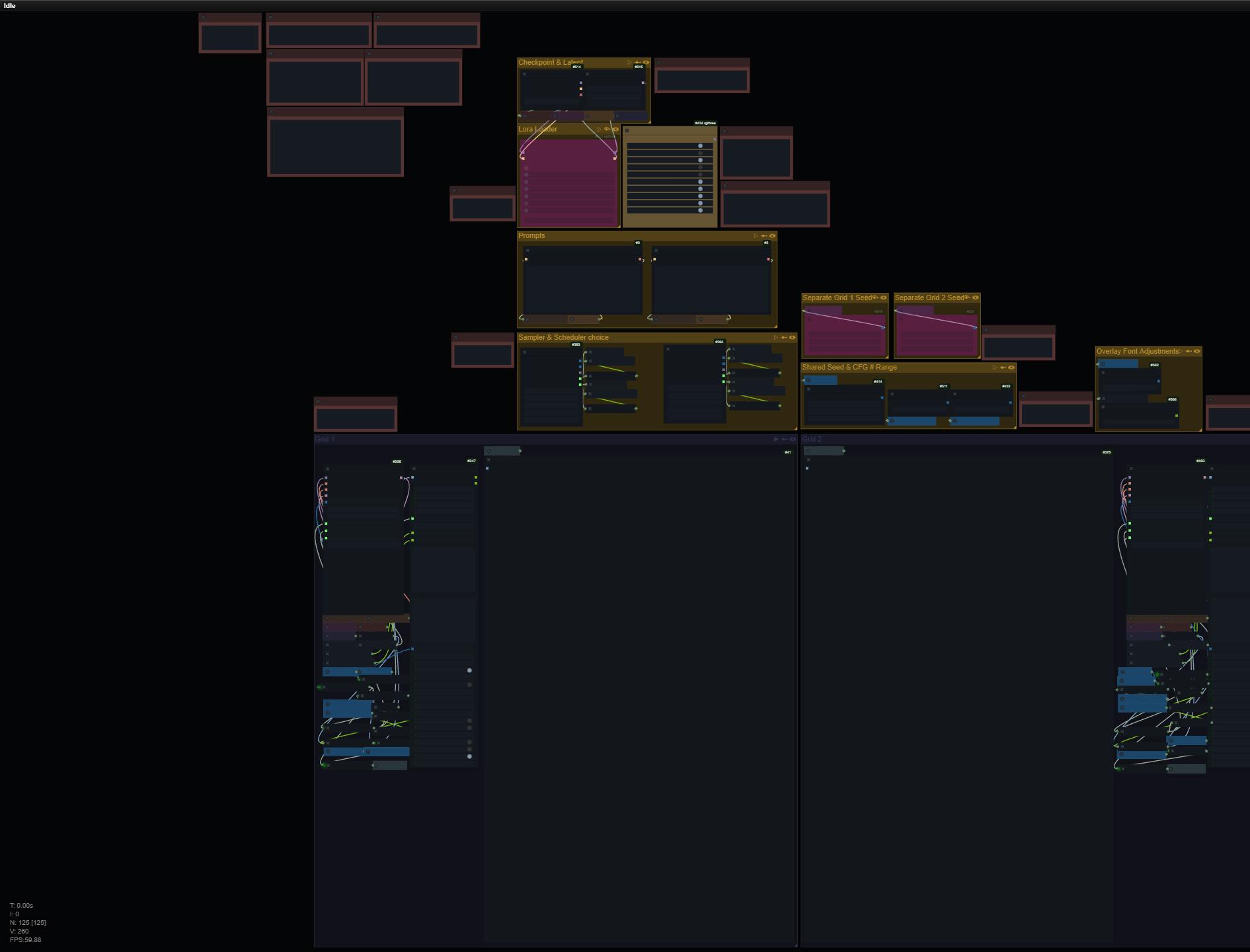
Grid 1 only
Grid 2 only
or both simultaneously for side-by-side testing
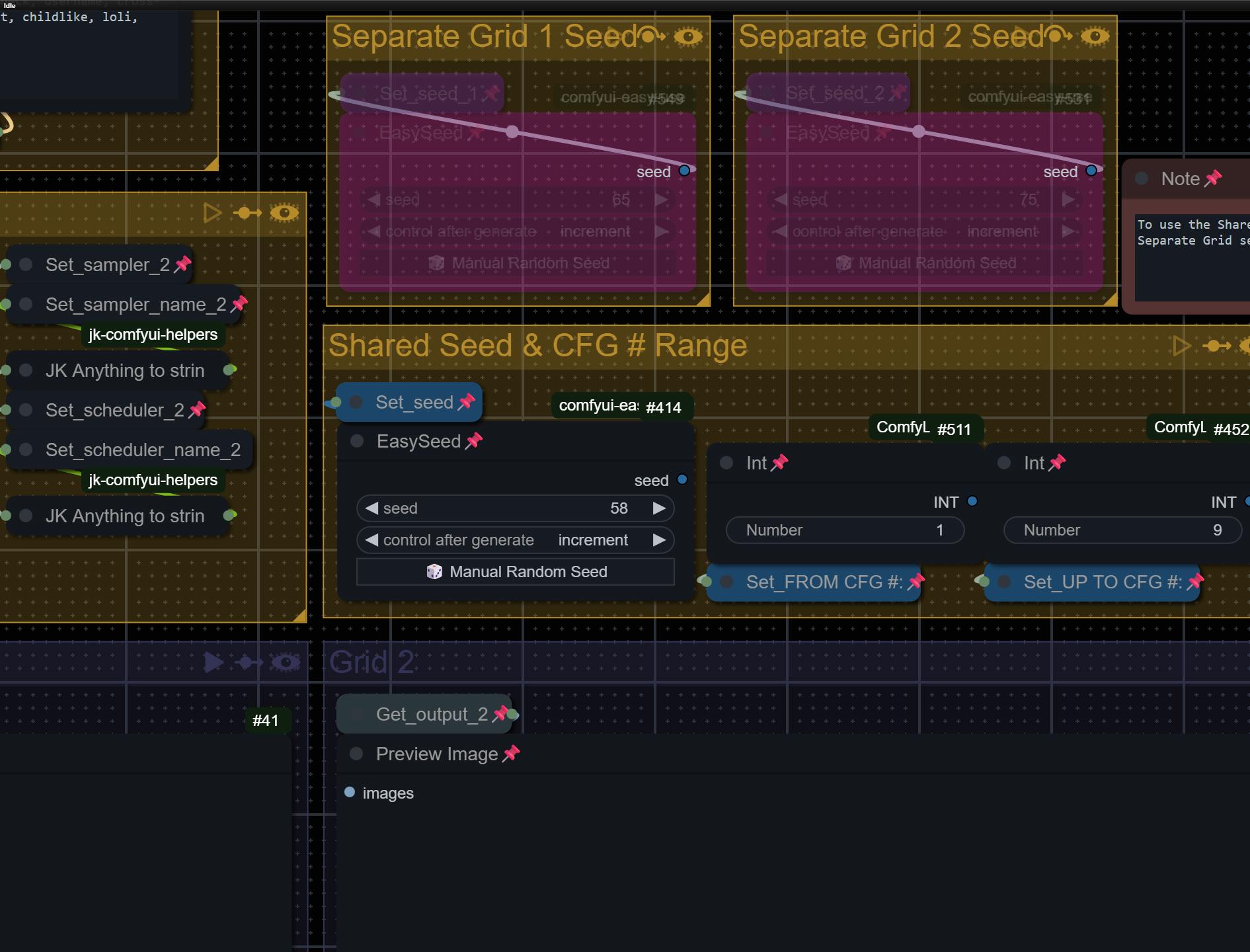
Each grid can have its own sampler, scheduler, seed, and CFG range, or you can sync them together.
The workflow supports:
Configurable CFG range (e.g., 4 → 16, or any range you choose)
Automatic text overlay on each tile (ex: “CFG: 3”)
Optional dual-grid output (Grid 1 & Grid 2)
Completely dynamic Sampler & Scheduler selection
Auto-saving with metadata tokens in file names
Support for any SDXL/SD1.5 checkpoint
Seed locking for consistency across all CFG values
Great for:
Finding the best CFG for a new model
Comparing samplers
Testing schedulers
Understanding model behavior at low vs high CFG
Building consistency pipelines for animation or character work
What This Workflow Does
For each CFG value in your range:
Runs a clean KSampler pass
Applies text overlay indicating the CFG
Places the result into a batch
Builds a final grid preview
Saves each image with metadata-rich filenames
All results come from:
The same seed
The same latent
The same prompt
Only CFG changes
This produces a perfectly controlled comparison panel.
Key Features
Dynamic CFG Range
Loop-based iteration
Auto-incrementing CFG via math expression
Works with any sampler & scheduler combo
No hardcoded values — completely flexible.
Use:
FROM CFG #: starting point
UP TO CFG #: ending point.
Example:
Set FROM = 1, TO = 9 → you get CFG 1 through 9 automatically generated.
Smart Text Overlay
Each tile automatically displays:
“CFG: #”
Uses CR Overlay Text for clean, sharp rendering.
Labels are dynamically generated inside the loop, matching the exact CFG value used.
(You can adjust color and size.)
Dual Independent Grids
You can:
Enable Grid 1
Enable Grid 2
Or run both grids (each with independent samplers/schedulers)
You can use this to run true A/B testing:
Comparing two different samplers > ex: Euler vs DPM++
Comparing two different schedulers > ex: Karras vs Simple
Compare how seed affects CFG output
Metadata-Rich Saving
Using the Image Saver extension, filenames can include:
%time%cfg%model_name%sampler_name%scheduler_name%seedAnd more
Example output:
22-24-21-perfectdeliberate_v40-cfg(3.0)-dpmpp_3m_sde-simple-79.png
Required Node Packs
This workflow uses the following custom nodes:
Boyo Nodes (ForLoopStart / ForLoopEnd)
rgthree Nodes (KSampler Config, Any Switch)
Comfyroll Custom Nodes (CR Overlay Text)
WAS Node Suite (Text Concatenate, Image Batch)
JK ComfyUI Helpers (AnythingToString)
ComfyUI Image Saver (for detailed filenames)
ComfyUI Easy Use (included — seed node)
If you use ComfyUI-Manager, simply install these via:
Manager → Installed → Search the package → Install
Below is a quick start guide, followed by a detailed step-by-step list.
How to Use - Quick Start:
Choose your checkpoint
Set prompts (positive & negative)
Hit Run
How to Use - Full List
Choose your checkpoint
Set your latent size
Set prompts (positive & negative)
Choose sampler & scheduler
Choose seed
Set “Generate up to CFG #”
Press Queue Prompt
After generation:
Preview grid appears in Comfy
Images are saved automatically
Filenames include CFG + metadata
Notes
Batch size must stay at 1 (important for proper CFG isolation)
Text overlay position can be changed in the CR Overlay Text node at each grid's side.
You can bypass saving or preview nodes depending on your needs
Two grids allow true A/B testing of sampler configurations