UH WanAnimate Starter Suite with Samples

Details
Download Files (1)
About this version
Model description
Even though it's called a "Starter Suite", it's not just for learning the basics—you can use it in many different ways depending on you. The reason this workflow package is as large as 500MB is because it includes six sample videos in a fully reproducible form. For installation and usage instructions, everything is explained in detail in the YouTube walkthrough below, so please check that first.
Due to compatibility issues between Node 2.0 and the rgthree nodes, I've removed rgthree from my workflow. It was only being used for seed generation, so it doesn't affect anything, but the workflow embedded in the sample videos still includes rgthree. If you want to try the samples, I recommend using the workflow.png file instead of dragging and dropping the video to open the workflow.
Here, I'll add some notes on things you should adjust depending on what you want to generate, points that were not covered in the video.
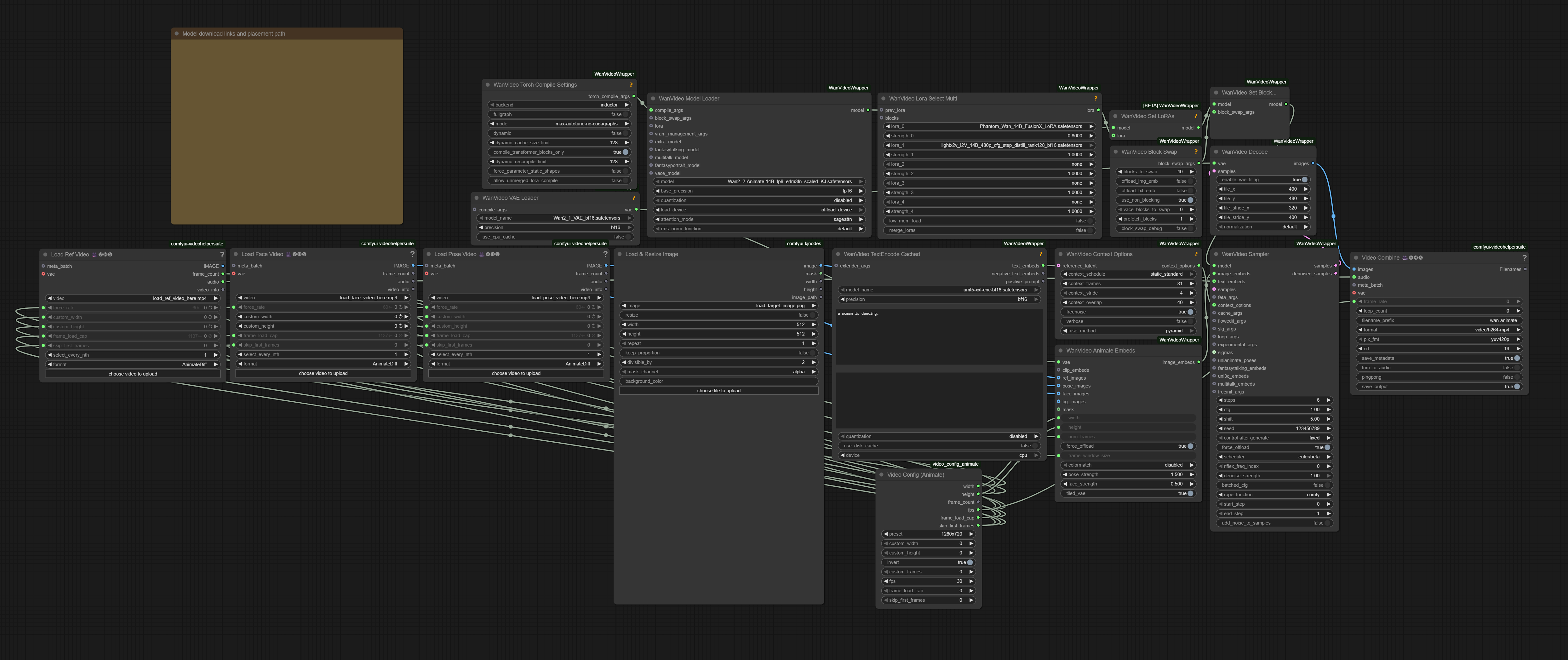
[WanVideoSampler: steps]
Adjust the values based on the complexity of the motion. Setting a high number of steps for simple motions with very little movement is just a waste of time.
6: This is the baseline value. Try using it first.
8: Select this when the character's movement is extremely fast, involves rotation, or moves significantly forward, backward, or sideways.
https://www.youtube.com/shorts/V3b8lLm9wF0 Example of extremely fast movement.
https://www.youtube.com/shorts/J8gyHmYRHlE Example of a character spinning repeatedly.
10: Select this for extremely difficult generation tasks, such as drawing the character's back view while keeping the outfit consistent even though it is not shown in the input image. Even then, the results will still depend on luck...
https://www.youtube.com/shorts/l2vxSoJSV3o The part where the back view continues for four seconds is extremely difficult, almost like a nightmare.
[WanVideo Context Options: context_overlap]
Increasing this value makes the motion flow more smoothly and reduces background warping, but it also increases the generation time.
[WanVideo Decode]
In my workflow, videos at a resolution of 720×1280 are decoded by splitting them into 8 tiles. Using more tiles reduces the load, but it also increases decoding time, so ideally you should adjust the settings to match the resolution you plan to generate. If you want a rough suggestion for values that fit your environment, you can ask ChatGPT to calculate them. If you're not sure what to use, the default node settings (tilex: 272, tiley: 272, stridex: 144, stridey: 128) should work fine.
[Lora: FusionX]
As a side effect of its very strong stabilization, it tends to generate similar-looking faces. This becomes especially noticeable in close-ups or smiling shots, so lowering the value or not using it at all can be an option. There are many types of speed LoRAs, so if you find good options or combinations, please let me know.
Thanks to all the model, node, and LoRA creators, and to the community and followers who give me motivation and inspiration.