Qwen Edit 2511 FP8 e4m3fn

Details
Download Files (1)
About this version
Model description

💜 Qwen Chat | 🤗 Hugging Face | 🤖 ModelScope | 📑 Tech Report | 📑 Blog
🖥️ Demo | 💬 WeChat (微信) | 🫨 Discord | Github
Introduction
We are excited to introduce Qwen-Image-Edit-2511, an enhanced version over Qwen-Image-Edit-2509, featuring multiple improvements—including notably better consistency. To try out the latest model, please visit Qwen Chat and select the Image Editing feature.
Key enhancements in Qwen-Image-Edit-2511 include: mitigate image drift, improved character consistency,integrated LoRA capabilities, enhanced industrial design generation, and strengthened geometric reasoning ability.
Quick Start
Install the latest version of diffusers
pip install git+https://github.com/huggingface/diffusers
The following contains a code snippet illustrating how to use Qwen-Image-Edit-2511:
import os import torch from PIL import Image from diffusers import QwenImageEditPlusPipelinepipeline = QwenImageEditPlusPipeline.from_pretrained(“Qwen/Qwen-Image-Edit-2511”, torch_dtype=torch.bfloat16) print(“pipeline loaded”)
pipeline.to(‘cuda’) pipeline.set_progress_bar_config(disable=None) image1 = Image.open(“input1.png”) image2 = Image.open(“input2.png”) prompt = “The magician bear is on the left, the alchemist bear is on the right, facing each other in the central park square.” inputs = { “image”: [image1, image2], “prompt”: prompt, “generator”: torch.manual_seed(0), “true_cfg_scale”: 4.0, “negative_prompt”: “ “, “num_inference_steps”: 40, “guidance_scale”: 1.0, “num_images_per_prompt”: 1, } with torch.inference_mode(): output = pipeline(**inputs) output_image = output.images[0] output_image.save(“output_image_edit_2511.png”) print(“image saved at”, os.path.abspath(“output_image_edit_2511.png”))
Showcase
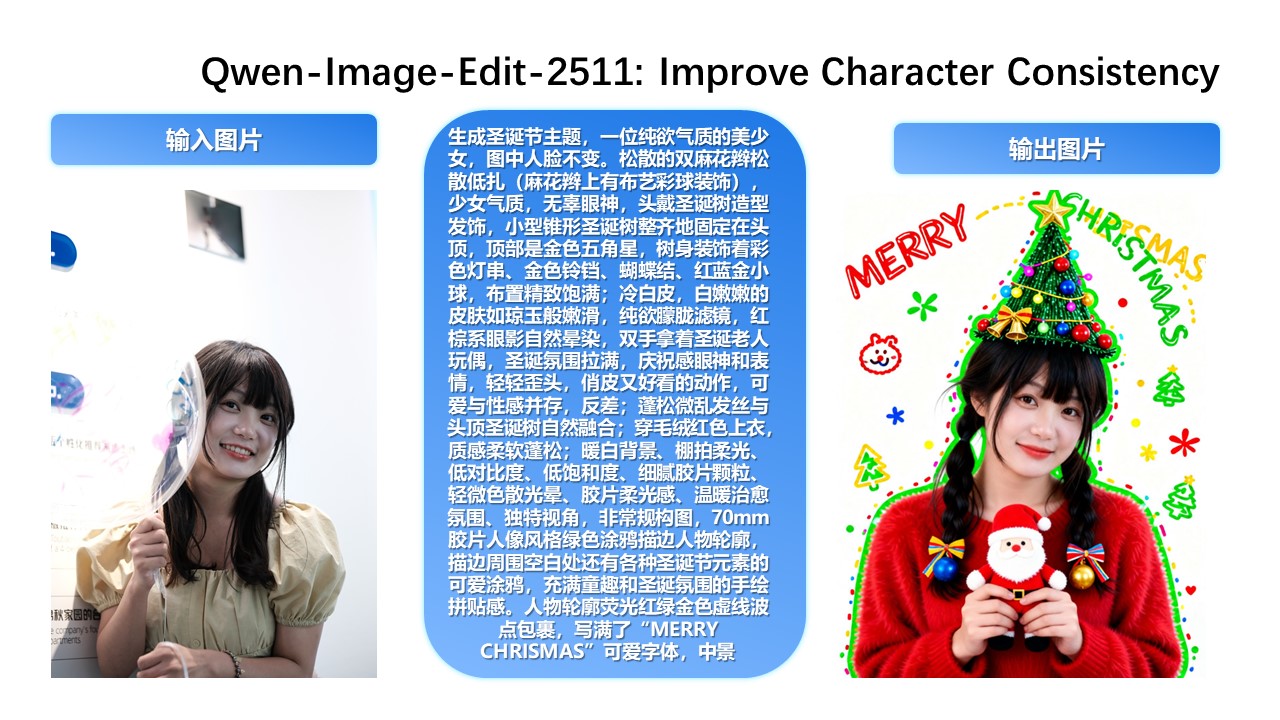
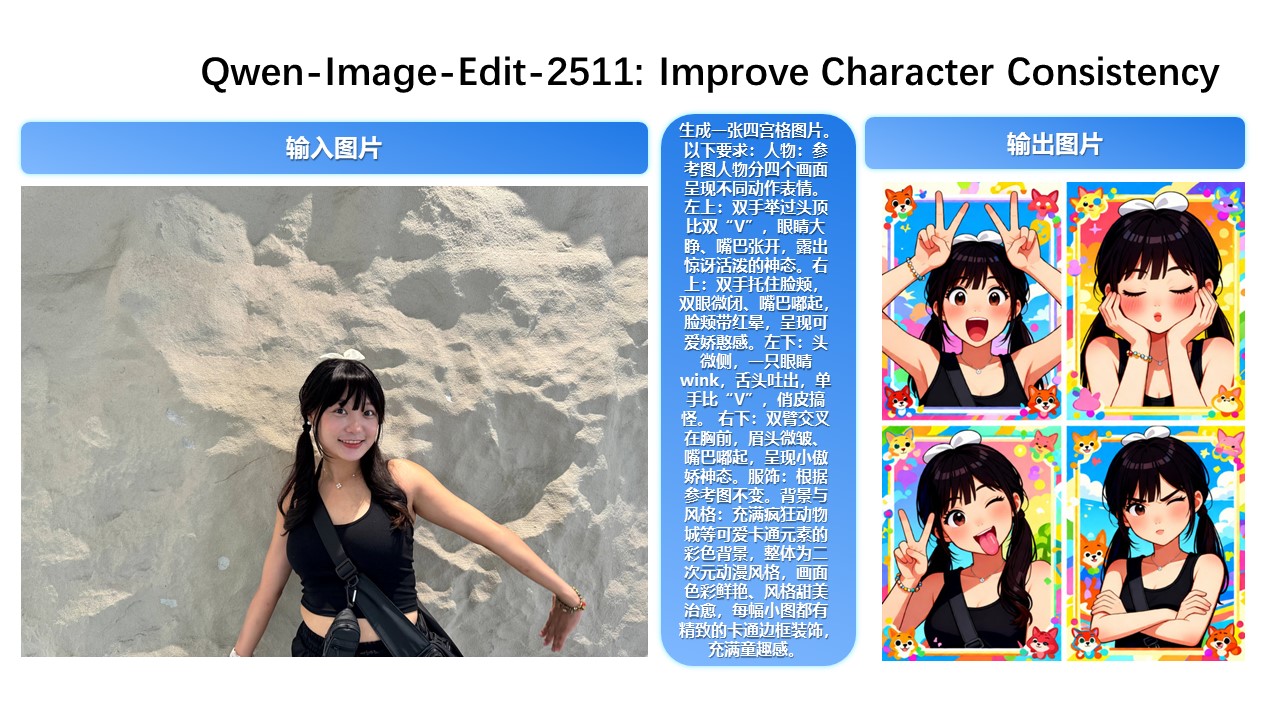
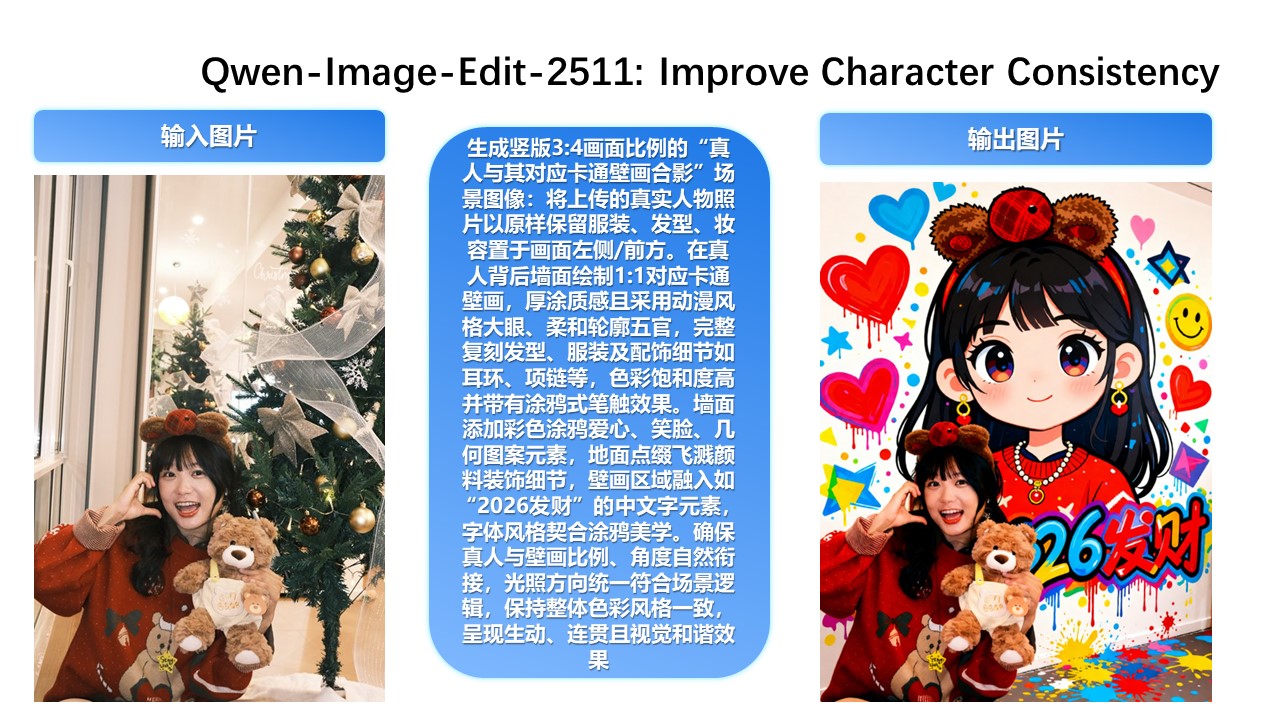
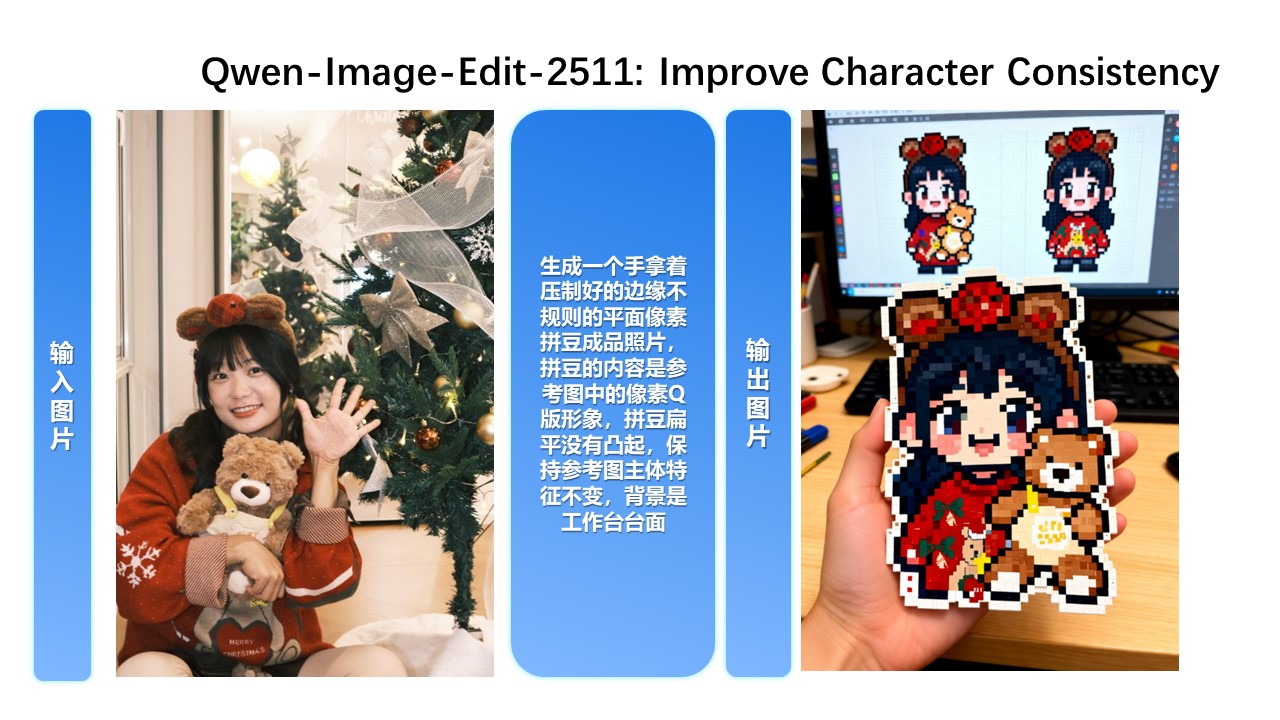
Qwen-Image-Edit-2511 Enhances Character Consistency In Qwen-Image-Edit-2511, character consistency has been significantly improved. The model can perform imaginative edits based on an input portrait while preserving the identity and visual characteristics of the subject.
Improved Multi-Person Consistency While Qwen-Image-Edit-2509 already improved consistency for single-subject editing, Qwen-Image-Edit-2511 further enhances consistency in multi-person group photos—enabling high-fidelity fusion of two separate person images into a coherent group shot: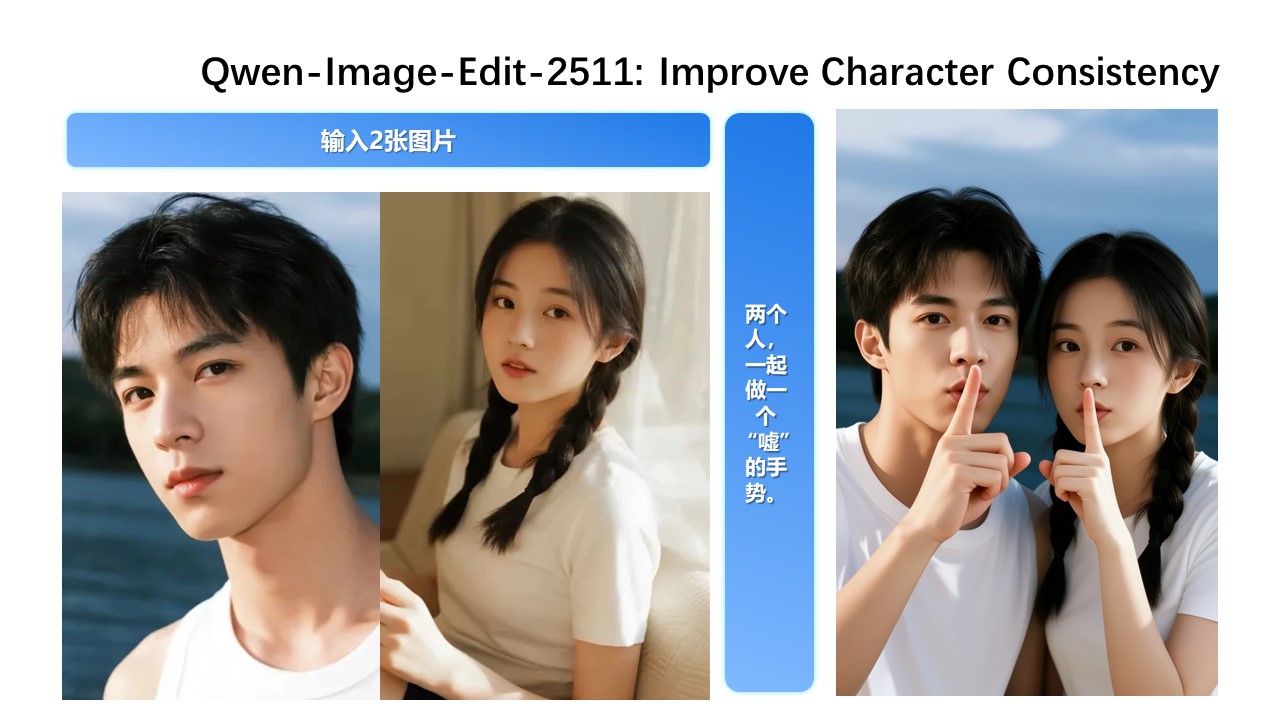
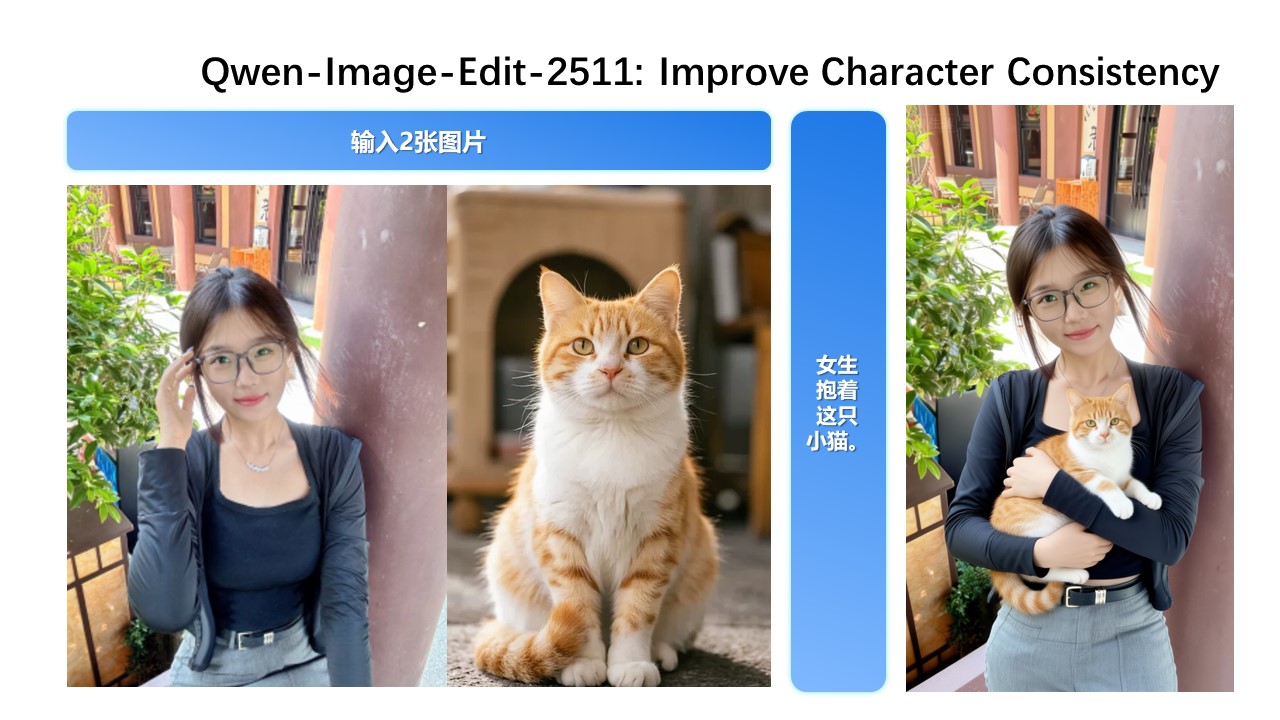
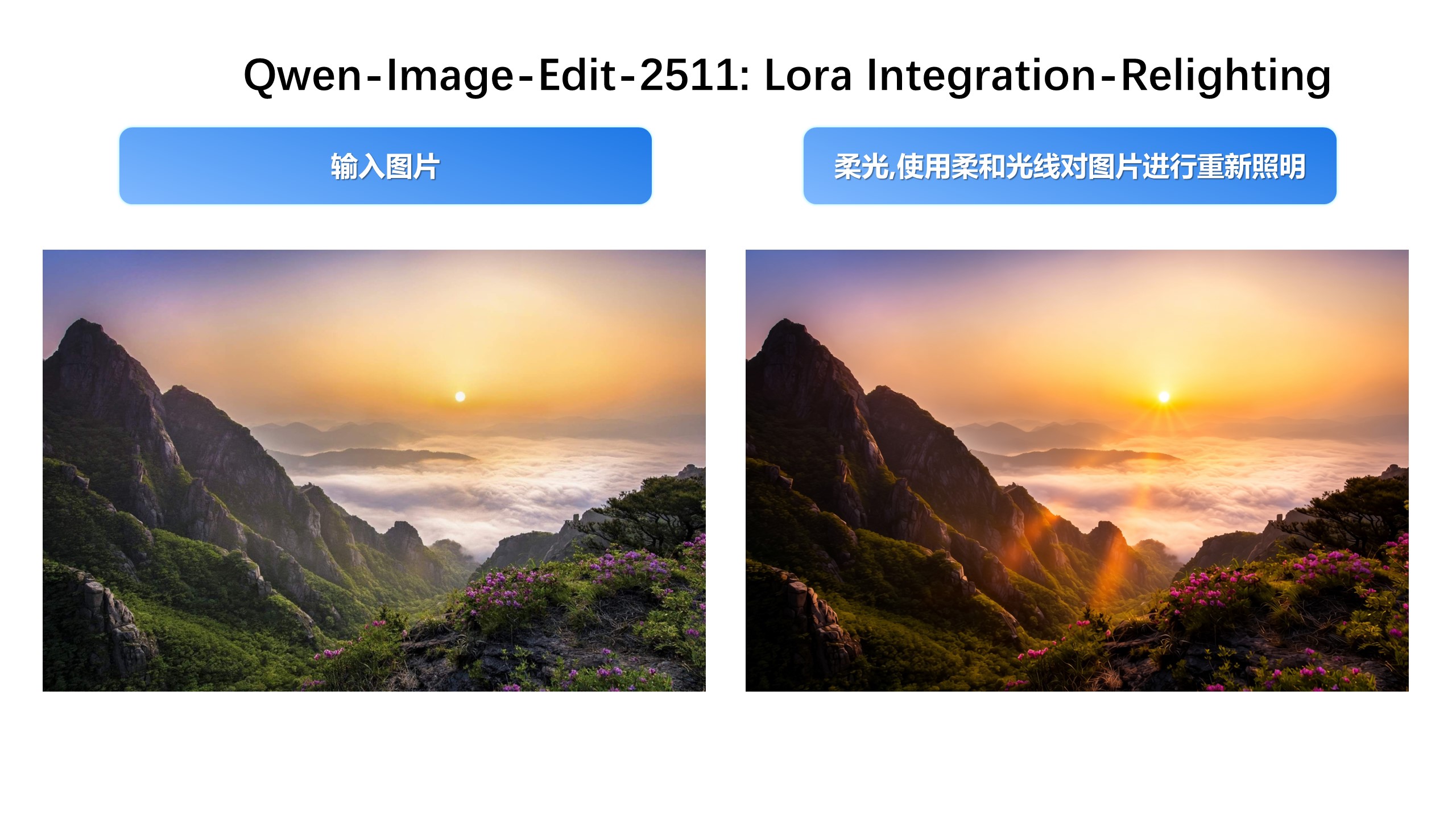
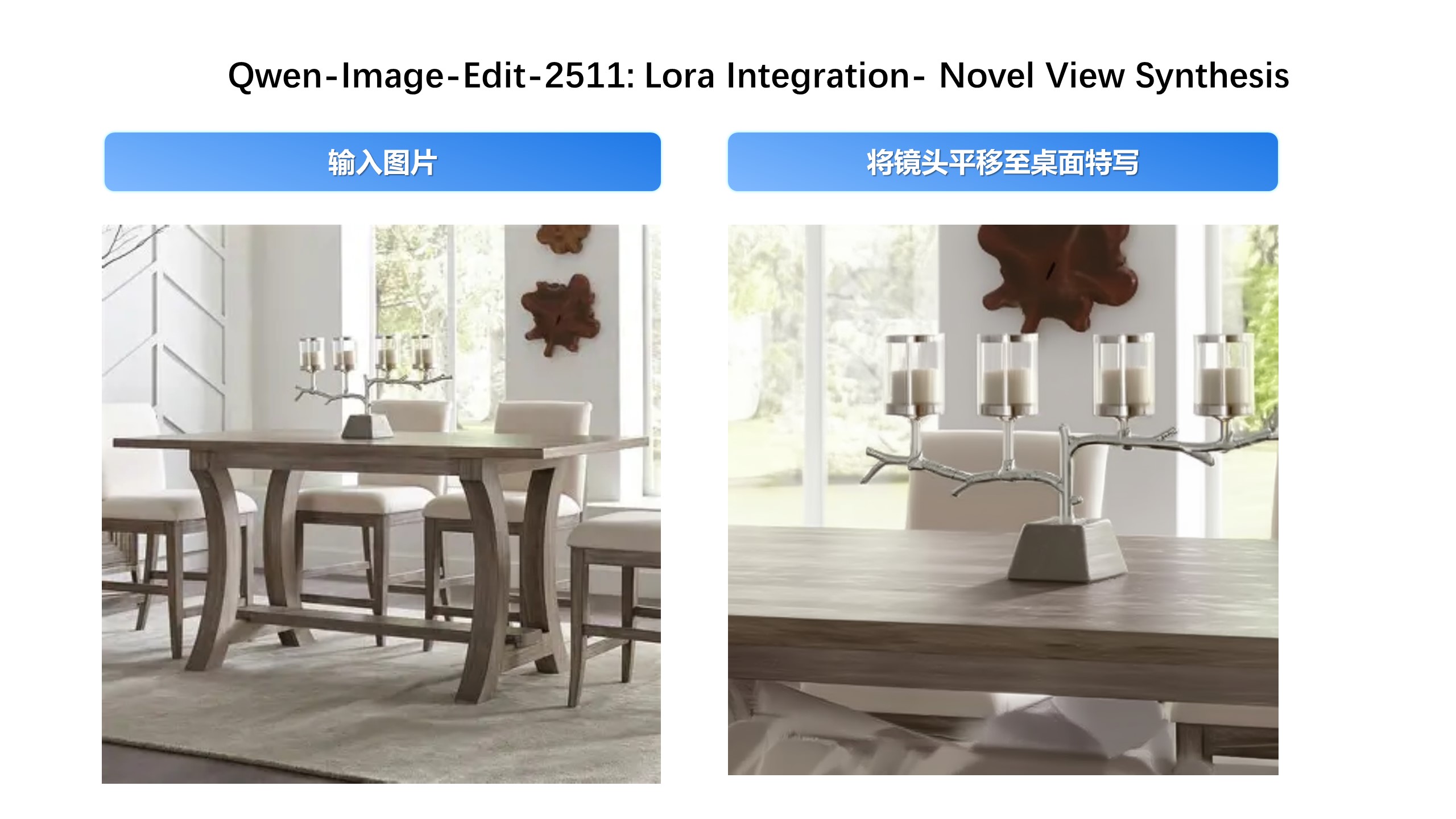
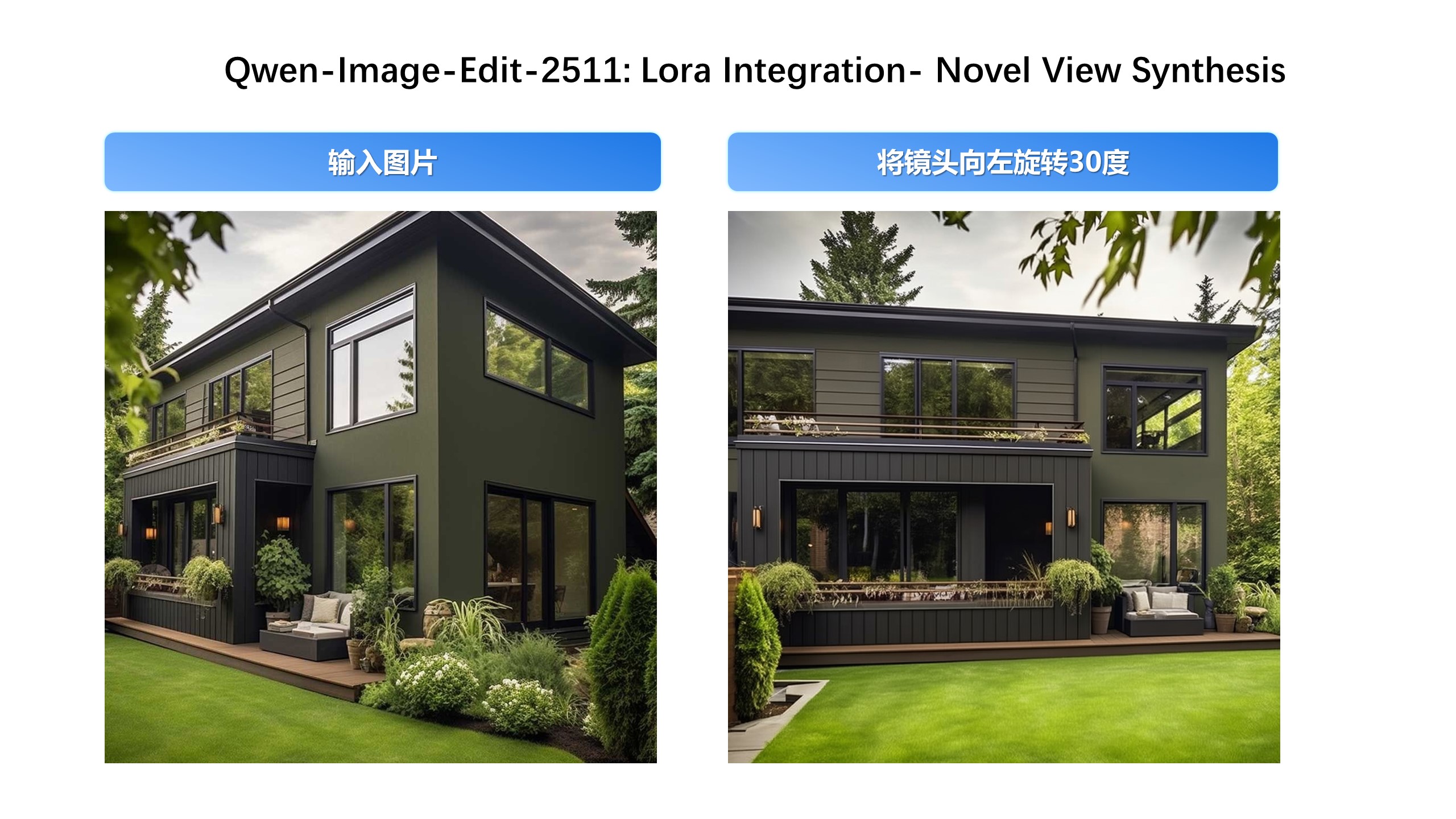
Built-in Support for Community-Created LoRAs Since Qwen-Image-Edit’s release, the community has developed many creative and high-quality LoRAs—greatly expanding its expressive potential. Qwen-Image-Edit-2511 integrates selected popular LoRAs directly into the base model, unlocking their effects without extra tuning.
For example, Lighting Enhancement LoRA Realistic lighting control is now achievable out-of-the-box: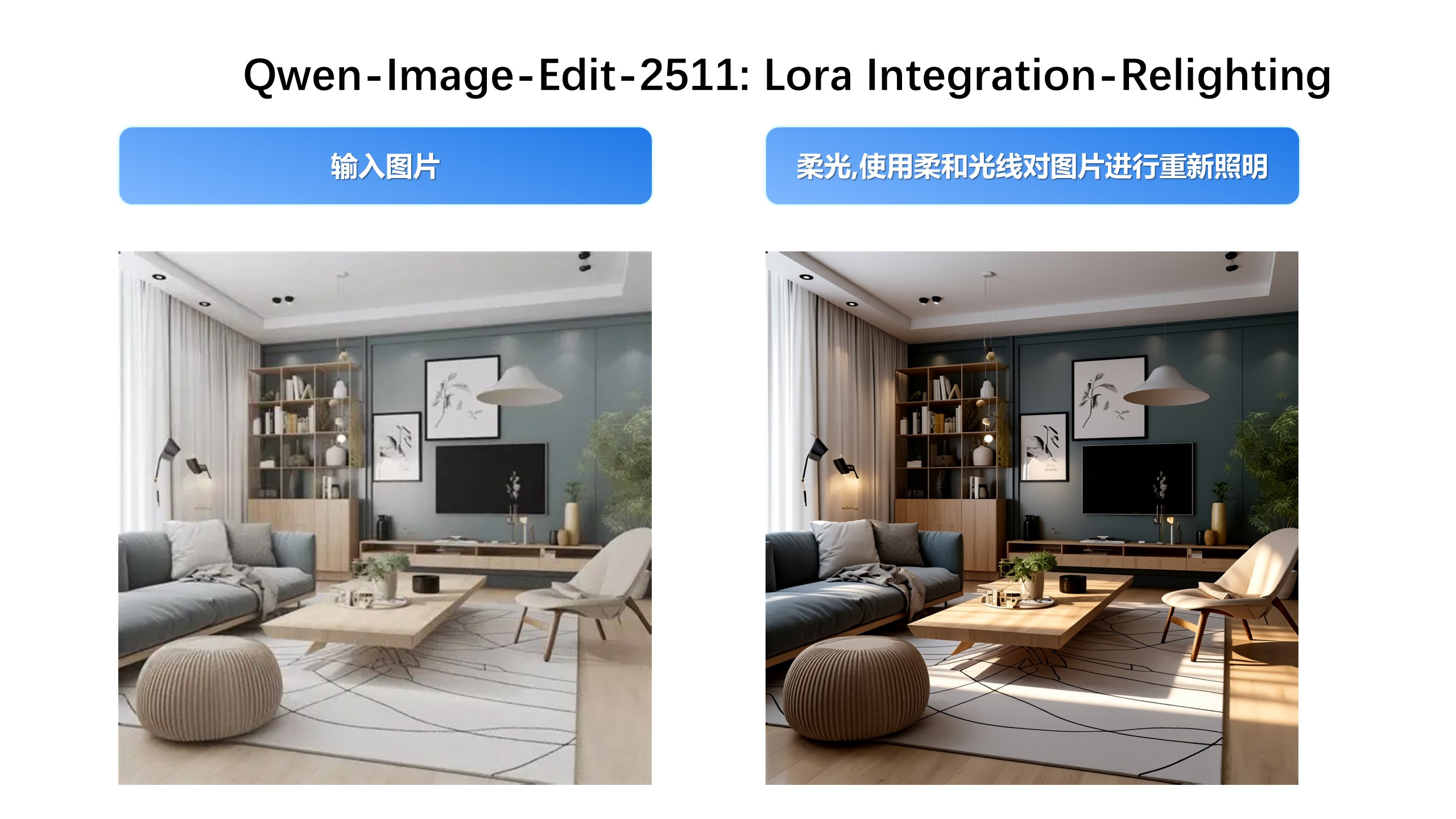
Another example, generating new viewpoints can now be done directly with the base model:
Industrial Design Applications
We’ve paid special attention to practical engineering scenarios—for instance, batch industrial product design:
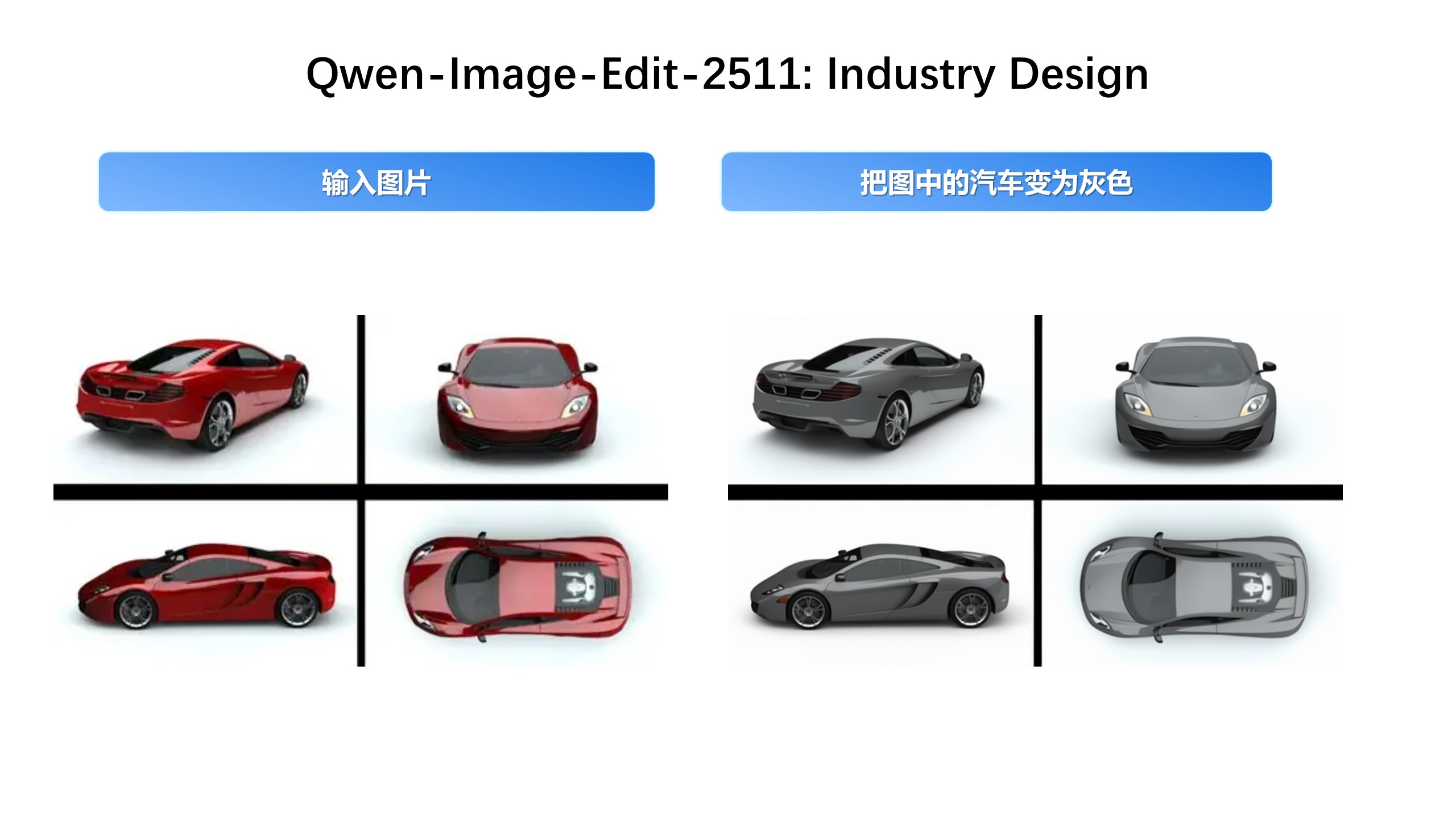
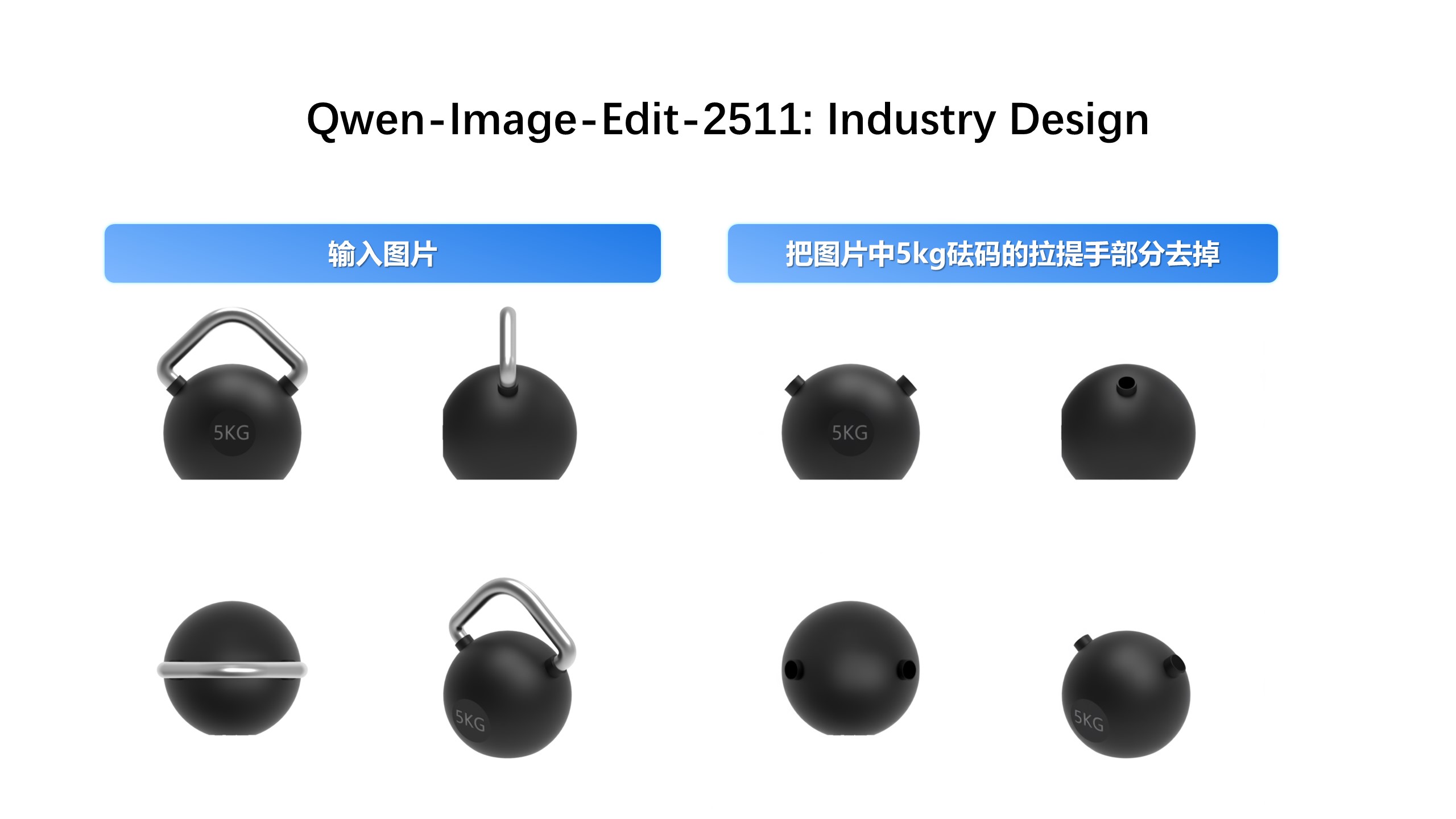
…and material replacement for industrial components: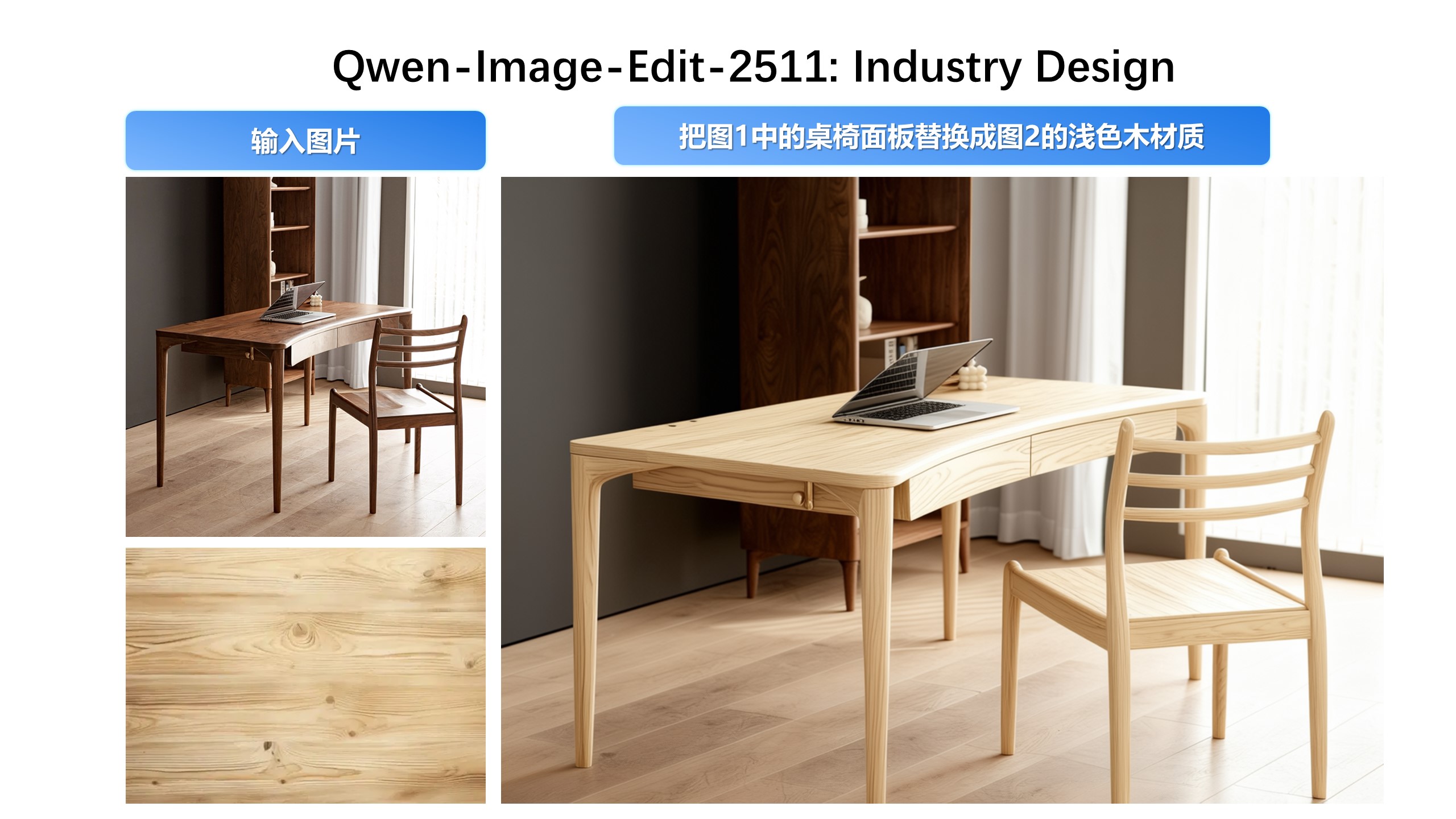
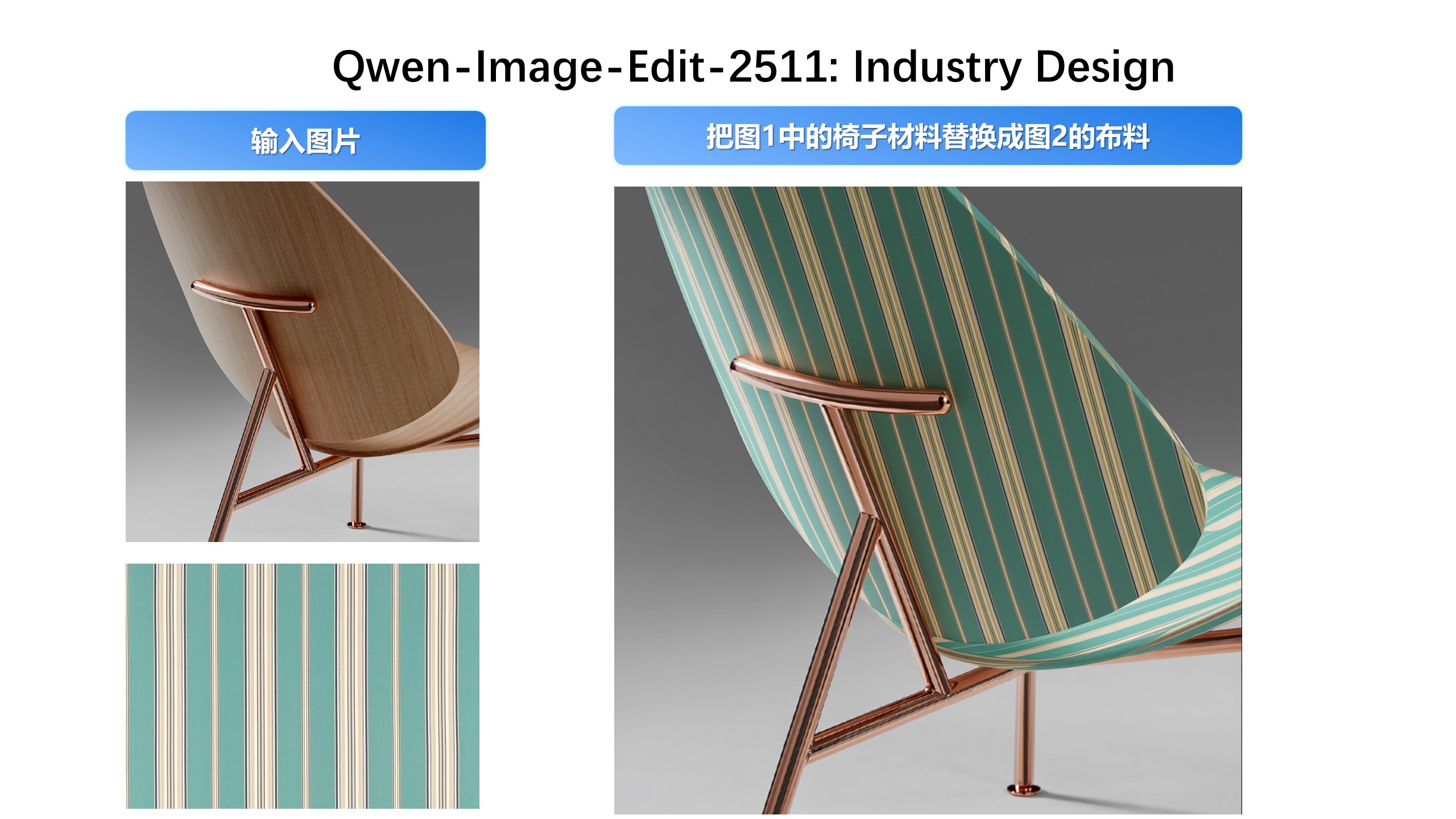
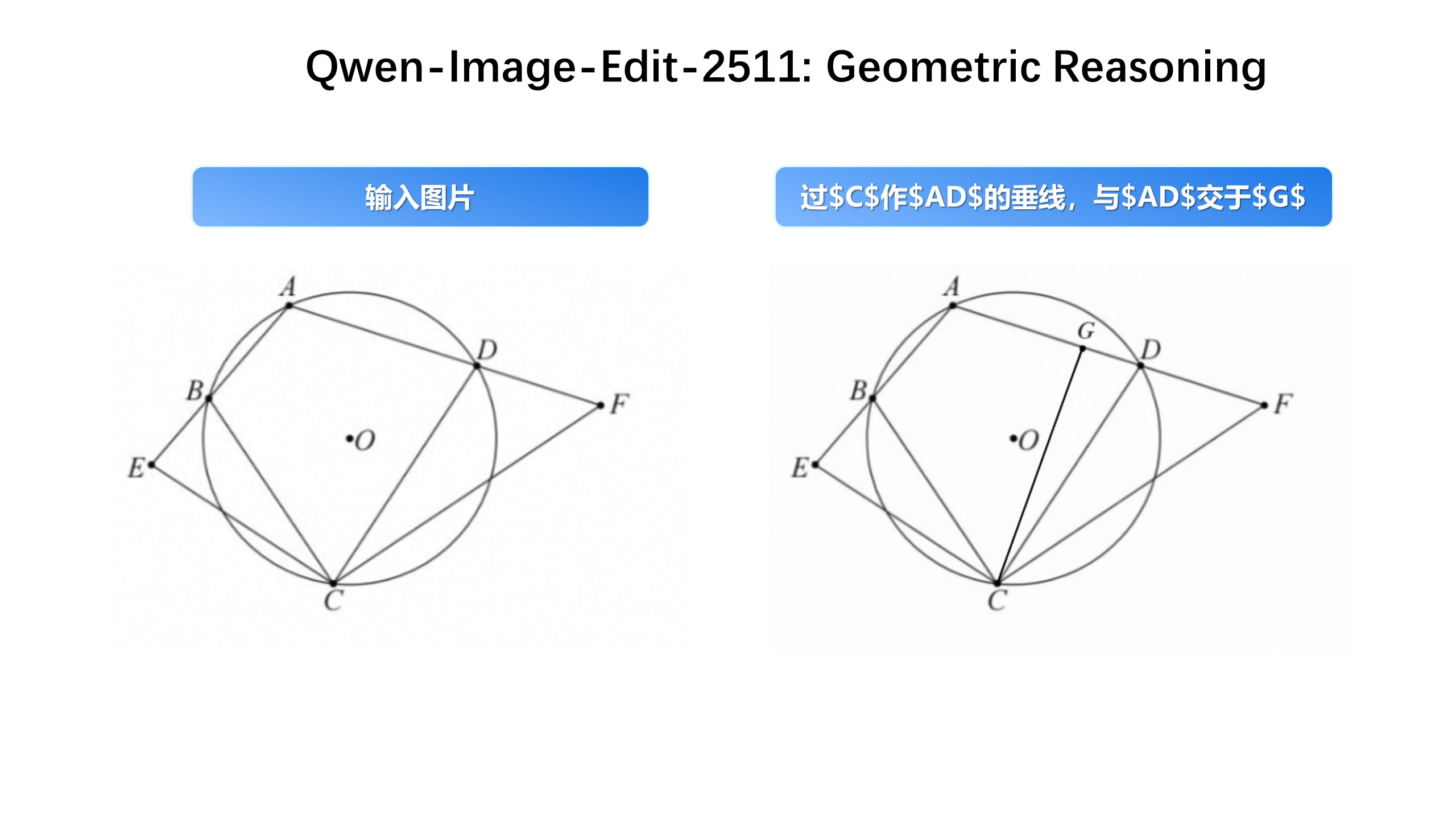
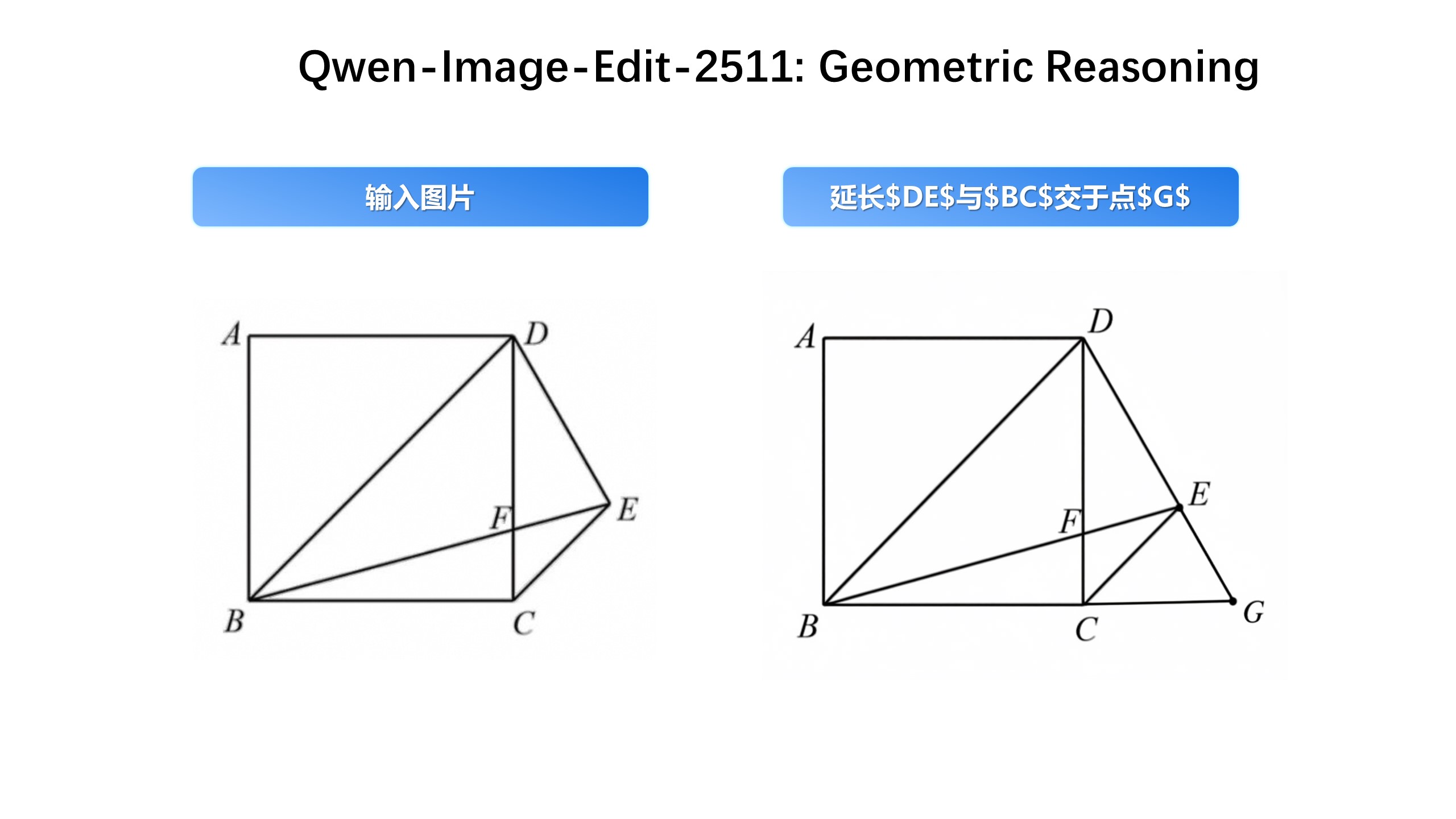
Enhanced Geometric Reasoning Qwen-Image-Edit-2511 introduces stronger geometric reasoning capability—e.g., directly generating auxiliary construction lines for design or annotation purposes:
That wraps up the major updates in Qwen-Image-Edit-2511. Enjoy exploring the new capabilities! 🎉
License Agreement
Qwen-Image is licensed under Apache 2.0.
Citation
We kindly encourage citation of our work if you find it useful.
@misc{wu2025qwenimagetechnicalreport,
title={Qwen-Image Technical Report},
author={Chenfei Wu and Jiahao Li and Jingren Zhou and Junyang Lin and Kaiyuan Gao and Kun Yan and Sheng-ming Yin and Shuai Bai and Xiao Xu and Yilei Chen and Yuxiang Chen and Zecheng Tang and Zekai Zhang and Zhengyi Wang and An Yang and Bowen Yu and Chen Cheng and Dayiheng Liu and Deqing Li and Hang Zhang and Hao Meng and Hu Wei and Jingyuan Ni and Kai Chen and Kuan Cao and Liang Peng and Lin Qu and Minggang Wu and Peng Wang and Shuting Yu and Tingkun Wen and Wensen Feng and Xiaoxiao Xu and Yi Wang and Yichang Zhang and Yongqiang Zhu and Yujia Wu and Yuxuan Cai and Zenan Liu},
year={2025},
eprint={2508.02324},
archivePrefix={arXiv},
primaryClass={cs.CV},
url={https://arxiv.org/abs/2508.02324},
}