Qwen-Edit-2511_LightingRemap_Alpha0.2




Details
Download Files (1)
Model description
Qwen-Edit-2511_LightningRemap_Alpha
介绍 / Introduction:
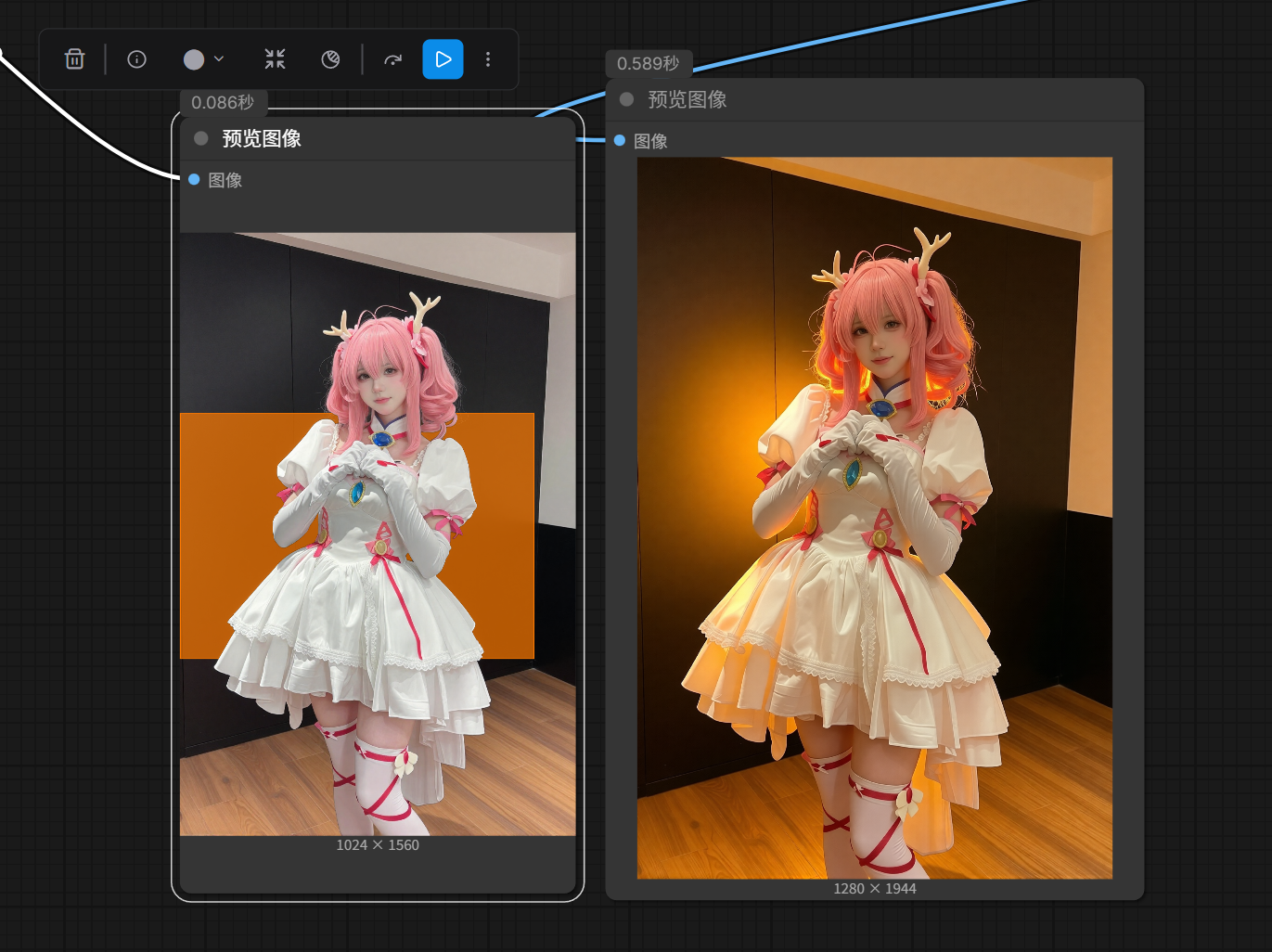
这是基于 Qwen-Edit-2511 模型训练的 Alpha 版本 LORA,专为实现 “色块引导式图像重打光” 而设计。该 LORA 能够根据图像中特定颜色的色块位置与颜色,智能地对人物或场景进行光影重构与氛围渲染,同时自动移除色块本身,生成自然、高质感的光照效果。
This is an Alpha-version LORA trained on the Qwen-Edit-2511 model, specifically designed for "color-block-guided relighting." The LORA intelligently reconstructs lighting and renders atmosphere on subjects or scenes based on the position and hue of color blocks in the input image, while automatically removing the blocks themselves to produce natural, high-fidelity illumination.
🌟 核心功能亮点 / Key Features:
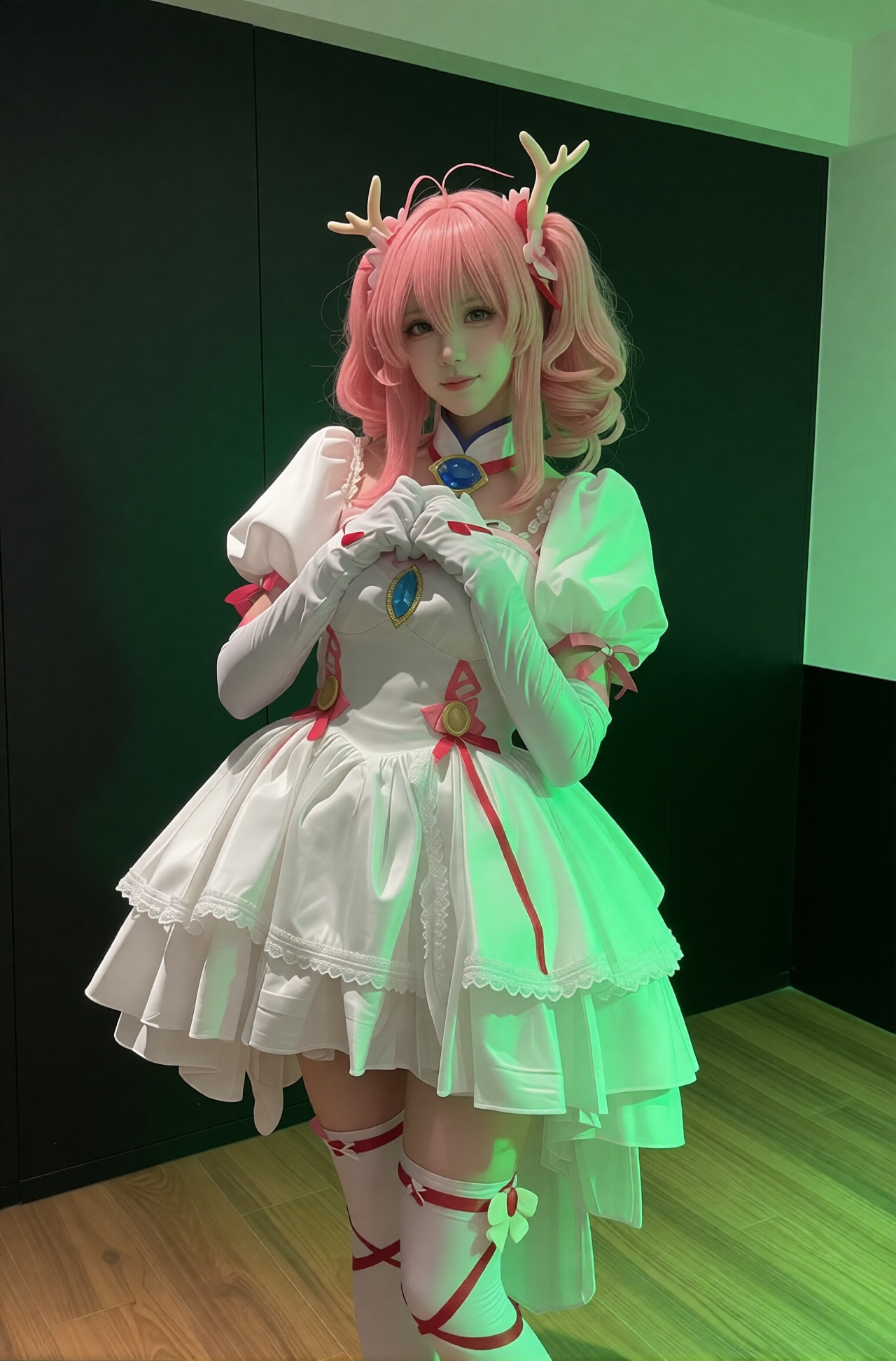
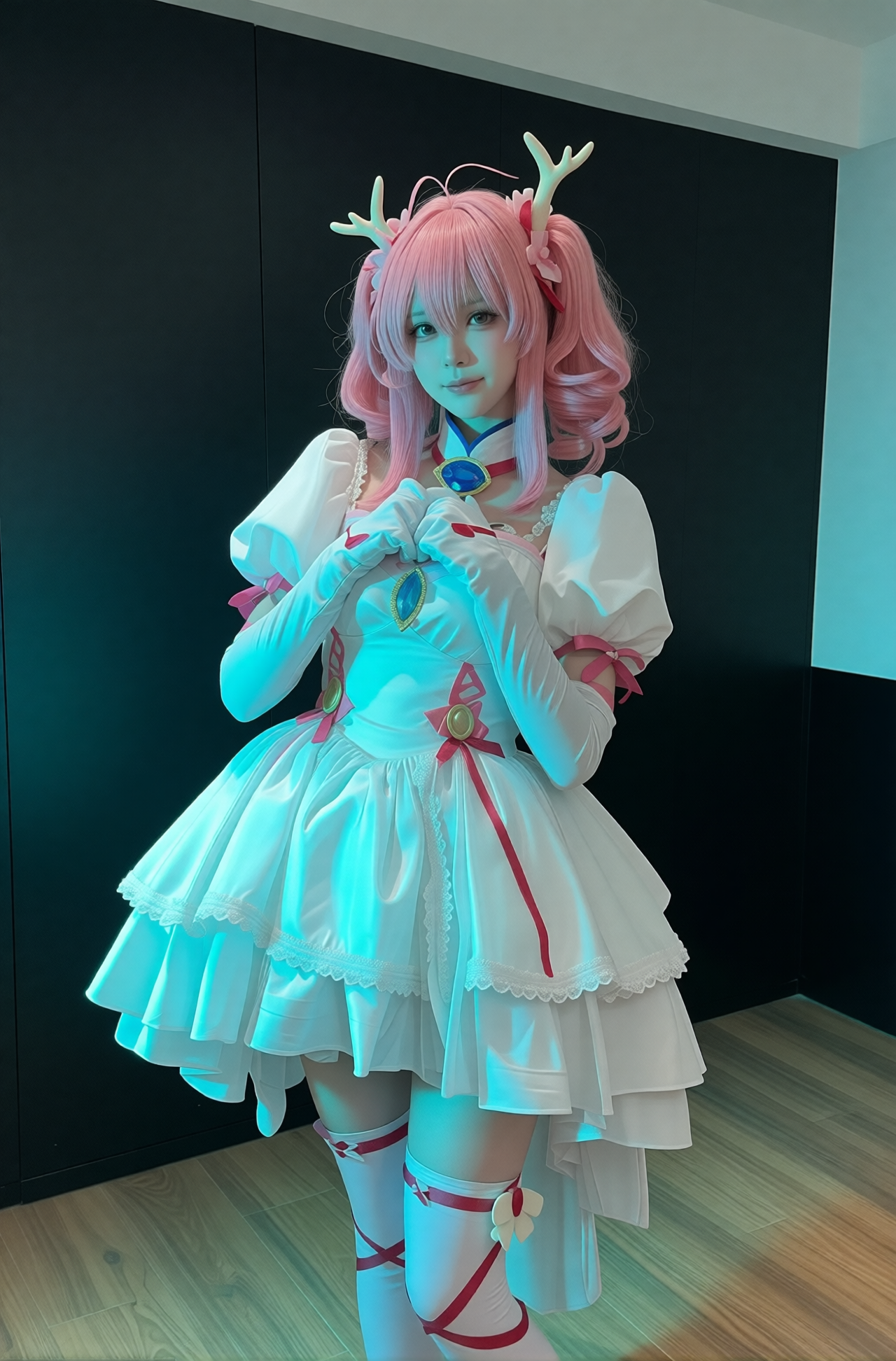
✅ 色块即光源 / Color Block = Light Source: Place a solid-color block (e.g., green, blue, red, yellow, orange) in your image to act as a “virtual light source,” triggering corresponding directional lighting and color tone.
✅ 自动去色块 / Automatic Block Removal: The output contains no trace of the color block—only the lighting effect it inspired.
✅ 多光效支持 / Multi-Lighting Styles: Supports various lighting moods—cool green, icy blue, warm red, soft yellow, sunset orange, and more.
✅ 高保真细节 / High-Fidelity Detail Preservation: Maintains original textures (fabrics, hair strands, facial features) while only modifying lighting logic.
✅ 兼容性强 / Strong Compatibility: Works seamlessly with the Mask-to-ColorBlock node for precise control.
推荐使用参数(Alpha 版) / Recommended Settings (Alpha): 参数 / Parameter 推荐值 / Recommended Value 基础模型 / Base Model qwen-edit-2511(BF16)
LORA 加速 / LORA Acceleration 启用 lightning 加速模式 / Enable lightning acceleration
步数(Steps) / Sampling Steps 10
LORA 强度 / LORA Weight 1.0
采样器 / Sampler DPM++ 2M Karras 或 Euler a
分辨率 / Resolution 建议 1024×1560 → 1280×1944(保持比例 / maintain aspect ratio)
使用方法说明 / Usage Guide:
准备图像 / Prepare Your Image:
使用 遮罩转色块节点 将你希望打光的区域转换为纯色方块(如绿、蓝、红、黄、橙等)。
Use the Mask-to-ColorBlock node to convert desired lighting areas into solid-color blocks (e.g., green, blue, red, yellow, orange).
确保色块位于画面边缘或角落,避免遮挡主体。
Place blocks near edges or corners to avoid occluding the main subject.
输入图像至 Qwen-Edit-2511 模型 / Input into Qwen-Edit-2511:
将带色块的图像送入模型,加载此 LORA。
Feed the image with color blocks into the model and load this LORA.
触发词(Prompt)建议 / Suggested Prompt:
"re-lighting based on color block, remove the color block, natural lighting, cinematic atmosphere, soft shadows, high detail"输出结果 / Output:
图像将根据色块颜色和位置生成对应光效(如绿光→冷调、红光→暖调),并自动清除色块痕迹。
The output will render lighting effects matching the block’s color and position (e.g., green → cool tone, red → warm tone), with the block fully removed.
示例效果展示 / Example Effects:
绿色色块 / Green Block → 冷调荧光感,适合科幻/神秘氛围 / Cool fluorescent look, ideal for sci-fi or mysterious moods
蓝色色块 / Blue Block → 清澈冷光,突出清爽感 / Crisp cool light, emphasizing freshness
红色色块 / Red Block → 暖调戏剧光,增强情绪张力 / Warm dramatic lighting, heightening emotional intensity
黄色色块 / Yellow Block → 柔和阳光,模拟午后光线 / Soft sunlight, mimicking afternoon glow
橙色色块 / Orange Block → 夕阳余晖,温暖而浪漫 / Sunset hues, warm and romantic
注意事项(Alpha 版) / Notes (Alpha Version):
⚠️ 此版本为 Alpha 测试版,可能存在以下情况:
⚠️ This is an Alpha test version; the following issues may occur:
极少数情况下色块未完全移除 / Color blocks may rarely persist in output
光影过渡在复杂背景中可能轻微失真 / Lighting transitions may slightly distort on complex backgrounds
不建议用于商业级最终输出,推荐用于预览与创意实验 / Not recommended for commercial final output; best for previews and creative experimentation
未来更新计划 / Roadmap:
支持更多色块组合(双色光) / Support multi-block combinations (e.g., dual-color lighting)
增加阴影强度调节 / Add shadow intensity control
优化边缘光晕处理 / Improve halo handling at edges
提供更精细的光照角度控制 / Enable finer directional lighting control
结语 / Closing Note:
Qwen-Edit-2511_LightningRemap_Alpha 是一次对“AI 光影控制”的大胆探索。它让创作者无需复杂后期,仅通过一个色块,即可完成从“平光”到“电影级打光”的跃迁。
🔧 搭配 ZoeyTool 的遮罩转色块节点,你将拥有前所未有的 非破坏性光影编辑能力!
Qwen-Edit-2511_LightningRemap_Alpha represents a bold step toward AI-powered lighting control. With just a single color block—no complex post-production—you can transform flat lighting into cinematic-grade illumination.
🔧 Paired with ZoeyTool’s Mask-to-ColorBlock node, you gain unprecedented non-destructive lighting editing power!
📥 下载地址(后续发布) / Download (Coming Soon): GitHub Releases
🔗 节点工具 / Node Tool: comfyui-ZoeyTool
💬 如有任何反馈或测试结果,欢迎在 GitHub Issues 中提交!
Let us know your feedback or test results via GitHub Issues!
让我们一起点亮 AI 的光影世界 ✨
Let’s illuminate the world of AI together ✨
Trigger words
You should use 根据图中是色块方向和颜色打光,并移除色块。 to trigger the image generation.
Download model
Download them in the Files & versions tab.