QIE2511 Ain't Another Head Swap



Details
Download Files (1)
Model description
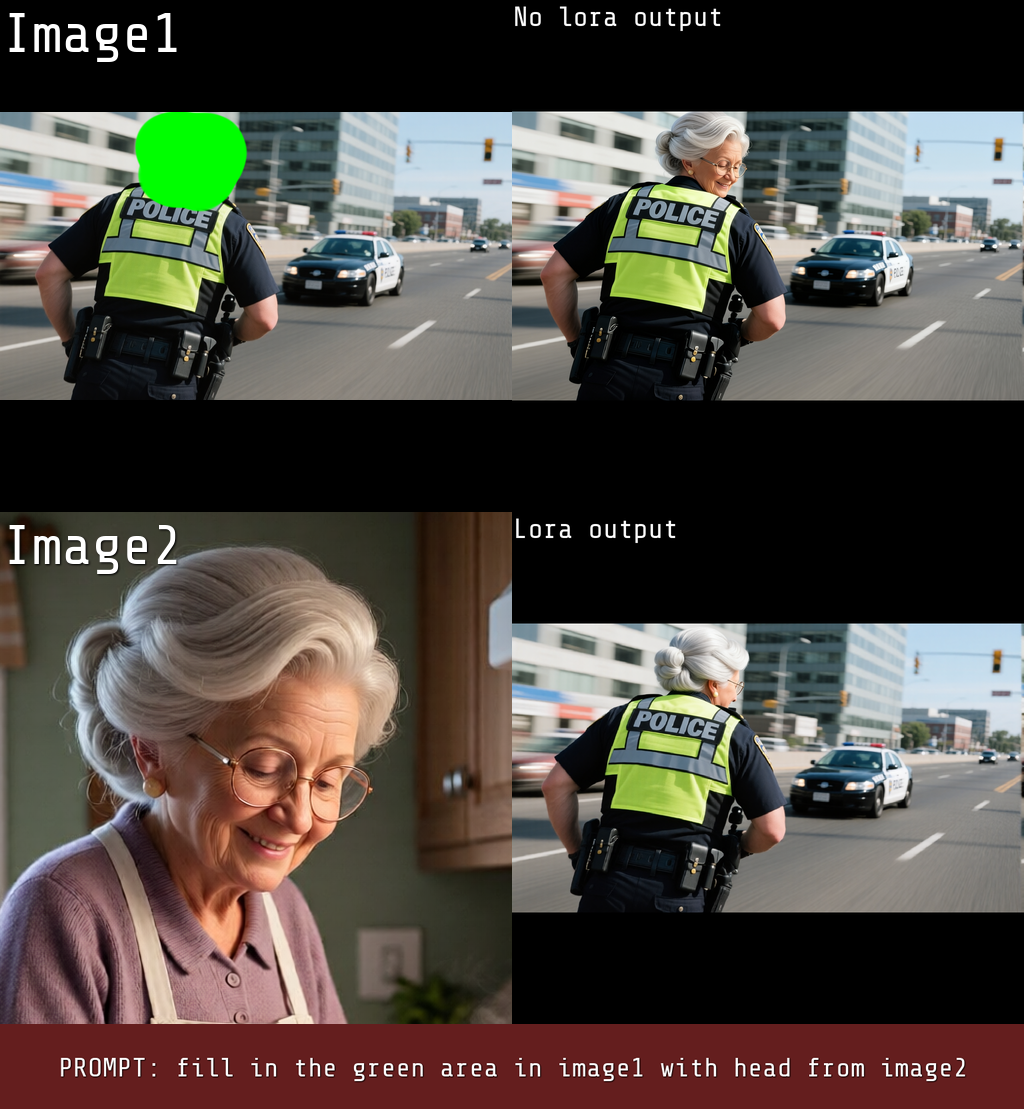
This LoRA contextually fills in the green area in image1 with head from image2.
Basic prompt:
fill in the green area in image1 with head from image2
Sometimes it helps to expand the basic prompt a bit:
fill in the green area in image1 with head from image2, maintain correct anatomy (maintain identity, from back)
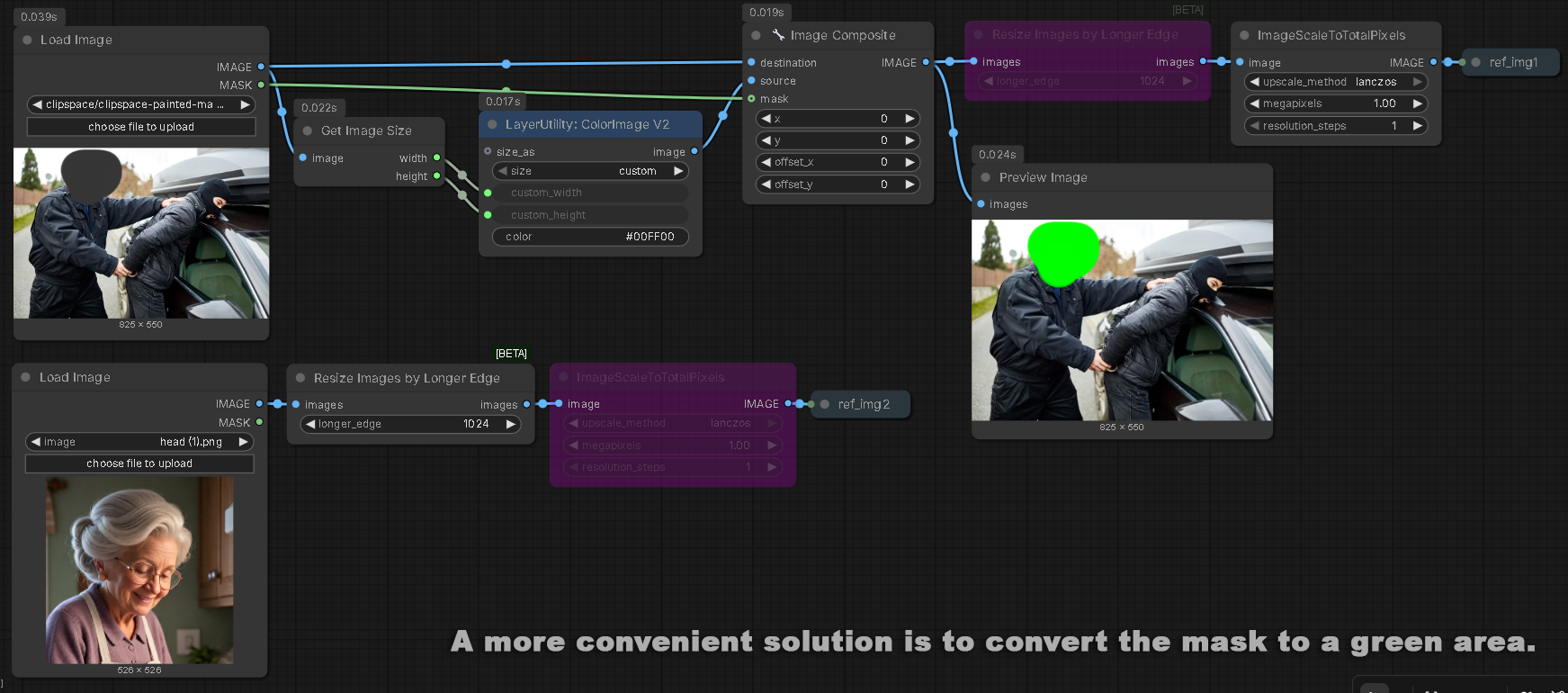
Mix with other face swap or consistence LoRA sometimes helps sometimes not. The green area should be specifically RGB(0,255,00). You guys can do it with Mask Editor in ComfyUI (latest), but personally I convert mask to area with RGB(0,255,0).
Best resolution for image2 (source head) is 1024 x 1024. There are no rules about background, zoom nor pose of the source head.
Workflow i'm using:
https://civitai.com/models/2307457/aint-another-head-swap-workflow?modelVersionId=2596183