* The interface design has been changed.
* More detailed information about the file to be downloaded is provided.
* A version information file and preview image will be generated even if a file is not selected for download.
You can use the "Downloaded Model Information Tab" without actually downloading the file.
Please note that even if you have not downloaded the file, it will be recognized as downloaded.
* The "open folder" function provided in the information tab may be inaccurate if the same file is downloaded multiple times from different locations.
Please use the "Downloaded Model Information Tab" for accurate information.
* There is an error in the "Downloaded Model Information Tab" where downloading files with the same filename will be recognized as all downloaded.
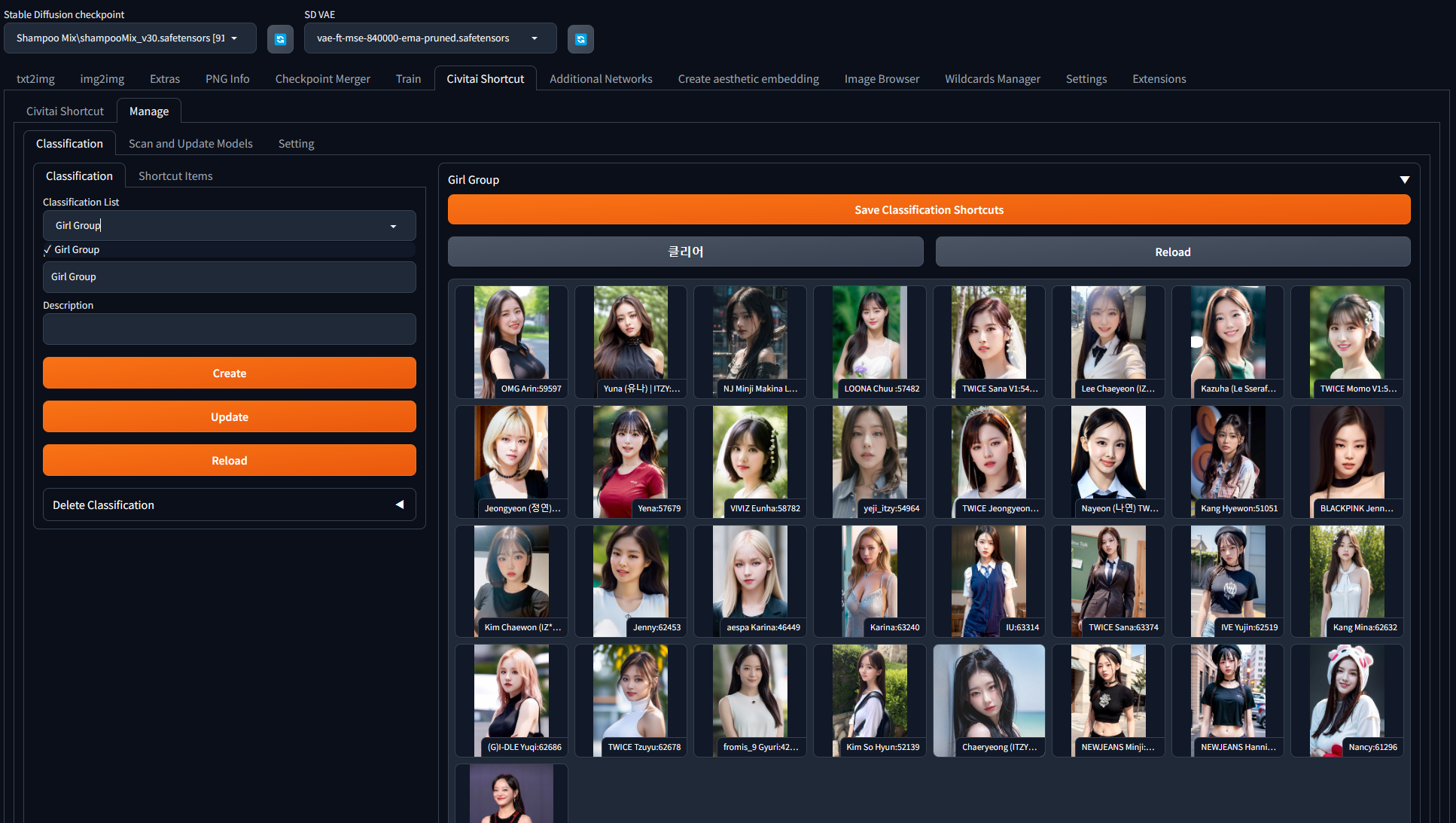
* There have been some design and functionality changes to the Manage -> Classification section.
* The create, modify, delete, and update functions for classification have been integrated with the "Shortcut Item" section on the left.
- The update function only updates the name and description of the classification.
- Saving shortcut items registered to the classification should be done using "Save Classification Shortcuts".
* The "Screen Style" option has been added to Manage -> Setting.
You can adjust the ratio between Shortcut Browser and Information Tab according to your monitor or work preference, and apply it.
I recommend combining this feature with the Shortcut Browser and Information Images options to find a suitable combination.
* A new option has been added to set the download folder location for LyCORIS in "Download Folder for Extensions" settings.
Previously, LoRA folder was used together, but now it has been added to allow appropriate modifications since LyCORIS extension can also be recognized in extra networks. (Thank you for letting me know.)
* A "Reload UI" button has been added. It reloads the SDUI.
However, please note that it does not include a feature to save settings. Please use the "Save Setting" button next to it for that purpose. :)
* The internal format of the uploaded files in the Upload section has been slightly modified.
The format of "url=civitai model url" has been modified to be recognized.
e.g.)
sample.txt:
url=https://civitai.com/models/64863/cute-oil-impasto-chibi
url=https://civitai.com/models/64850/koga-tomoe-from-bunny-girl-senpai
url=https://civitai.com/models/64849/blackwhite
* Drag & drop feature in Upload does not work properly in Linux environment.
I apologize for the inconvenience, but please use the textbox above for the time being.