Nipple Adetailer for Anime Girls


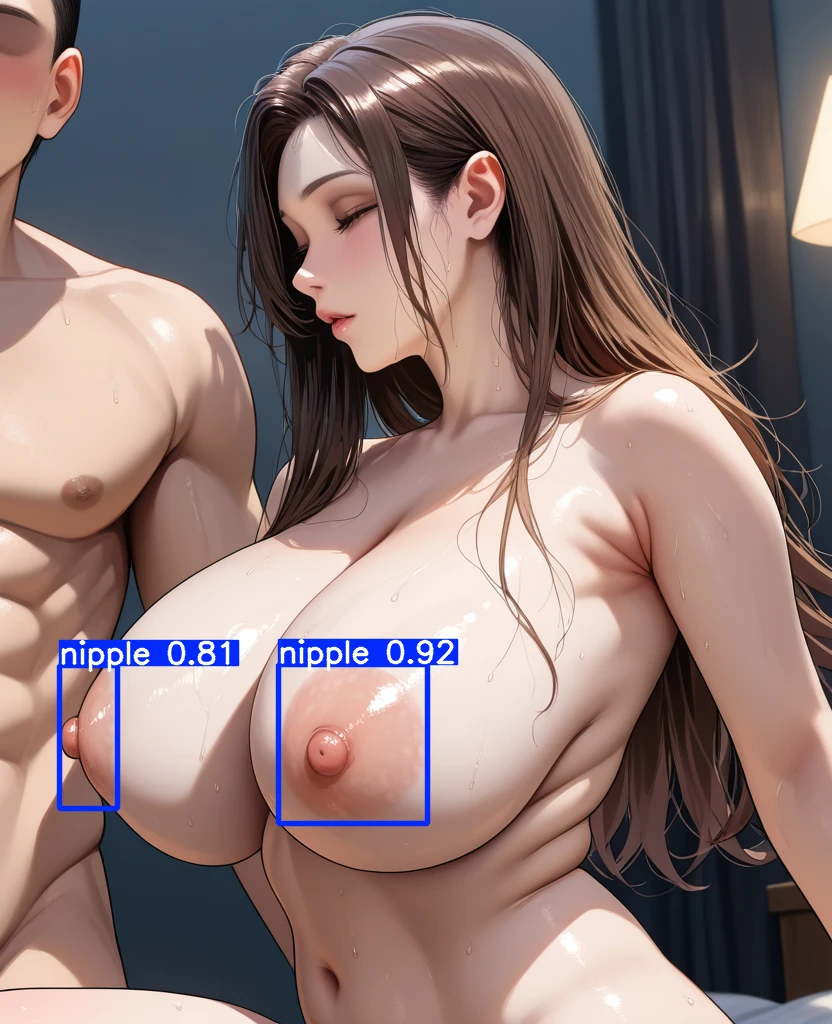
Details
Download Files (1)
Model description
初心者が作ったので精度は期待しないでください。
使い方
「stable-diffusion-webui\models\adetailer」に.ptファイルを配置。
WebUIをリロード。AdetailerタブのADetailer modelにモデルが増えてると思います。
なお、Stable-Diffusion-WebUI-ReForgeでの動作を確認しています。A1111のAdetailerやComfyUIでの動作は分かりません。
Please do not expect accuracy as it was made by a novice.
Please note: This was created by a beginner, so accuracy cannot be guaranteed.
How to Use:
Place the .pt files in the stable-diffusion-webui\models\adetailer directory.
Reload the WebUI. You should see additional models listed under the "ADetailer model" section in the ADetailer tab.
Note that we have confirmed that it works with Stable-Diffusion-WebUI-ReForge; we do not know if it works with A1111's Adetailer or ComfyUI.
・色付きの肌について
dark、Green、Red、Pink、Blueなど、色付きの肌も学習データに加えましたが、乳輪の色が濃すぎると検出精度が下がります。
その場合、乳輪の色を先に「Pink Nipple」などのプロンプトで出力し、Adetailer側のプロンプトで乳輪の色(例:Green Nipple)を指定してください。
うまく色がつかない場合、下記を試してください。
・プロンプトの強度を上げる
・AdetailerのネガティブプロンプトにPink Nipplesなどを指定する
・Adetailer内のInpaint > Inpaint denoising strengthの値を初期値の0.4から0.45など少し上げる(高い数値は破綻します)
・検出の強度などについて
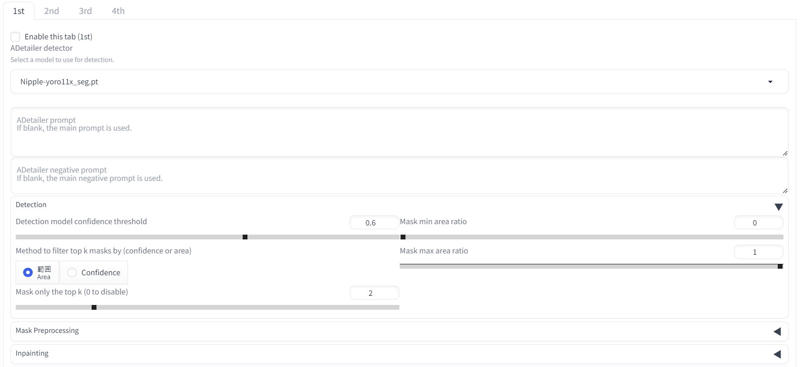
下記(英文のところにある画像)を参考にしてください。
おおよそ0.6がいい感じだと思いますが、効きが良くないと感じたら0.5などに下げてください。ただし、その場合男性の乳首が移っていると誤検出する可能性があります。
被写体が1girl(かつ乳首が2つの時)の時は、Adetailer内のDetection > Mask only the top k (0 to disable)の値を「2」にすることで、検出閾値が高い2つだけをインペイントするので、状況に応じてこの値を変えてみてください。
・男性の乳首について
学習の際に女性の乳首のみを検出するように学習させたつもりですが、それでも誤検出するときはします。ご容赦ください。
また、下記ページに指定したパートのみをインペイントする方法あります。誤検出が邪魔してうまくインペイント出来ないときは参考にしてみてください。
https://github.com/Bing-su/adetailer/wiki/Advanced
乳首検出モデルは他の方も既に作成されていますが、自分が使うプロンプト・モデルではうまく検出できなかったため作りました。このモデルで思うような結果が得られなかった場合、ほかの方のモデルも試してみてください。
About Colored Skin
The model has been trained with skin tones such as dark, green, red, pink, and blue. However, if the areola color is too intense, detection accuracy may decrease.In such cases, first generate the areola color using prompts like "Pink Nipple," and then specify the desired areola color (e.g., "Green Nipple") in the ADetailer prompt.If the desired color is not applied properly, try the following steps:
Increase the strength of the prompt.
Add negative prompts like "Pink Nipples" in ADetailer.
Adjust the Inpaint > Inpaint denoising strength value in ADetailer slightly above the default of 0.4 (e.g., 0.45). Be cautious, as higher values can cause artifacts.
About Detection Strength and Other Settings
Refer to the example images provided for guidance on ADetailer settings.
A detection threshold around 0.6 generally works well. If it seems ineffective, try lowering it to around 0.5. However, note that reducing this value increases the risk of false positives, such as incorrectly detecting male nipples.When working with a subject like "1girl" (with two nipples), setting Detection > Mask only the top k (0 to disable) to "2" will mask only the top two detected areas for inpainting. Adjust this value based on your specific situation.
About Male Nipples
The model was trained to detect only female nipples, but false positives may still occur. Please understand this limitation.
Additionally, there are methods to inpaint specific areas only, which can be helpful if false positives interfere with proper inpainting. Refer to additional resources for more details.
https://github.com/Bing-su/adetailer/wiki/Advanced
Although other nipple detection models have already been created by others, I developed this model because the existing ones did not work well with the prompts and models I use.If this model does not produce the desired results, please consider trying other models as well.
English is a machine translation.