Automatic Upscale workflow for ComfyUI

Details
Download Files (1)
About this version
Model description
注意:本工作流未经许可严禁转移至其他平台(liblib已进驻:https://www.liblib.art/userpage/a68d8219ddf245ecbd3e1da465409eaa/publish ),若发现会立刻联系平台相关方进行下架处理。
Notice: Unauthorized transfer of this workflow to other platforms is strictly prohibited (liblib has been authorized: https://www.liblib.art/userpage/a68d8219ddf245ecbd3e1da465409eaa/publish). If discovered, the relevant platform will be contacted immediately for removal.
免责声明:本工作流的使用者需严格遵守所在地的法律法规,合法合规地使用ai技术。若使用者因违反所在地法律法规等原因所造成的各类不良后果本人概不负责。
Disclaimer: Users of this workflow must strictly comply with the laws and regulations of their respective locations and use AI technology in a lawful and compliant manner. The creator shall not be held responsible for any adverse consequences arising from users' violation of local laws and regulations or other reasons.
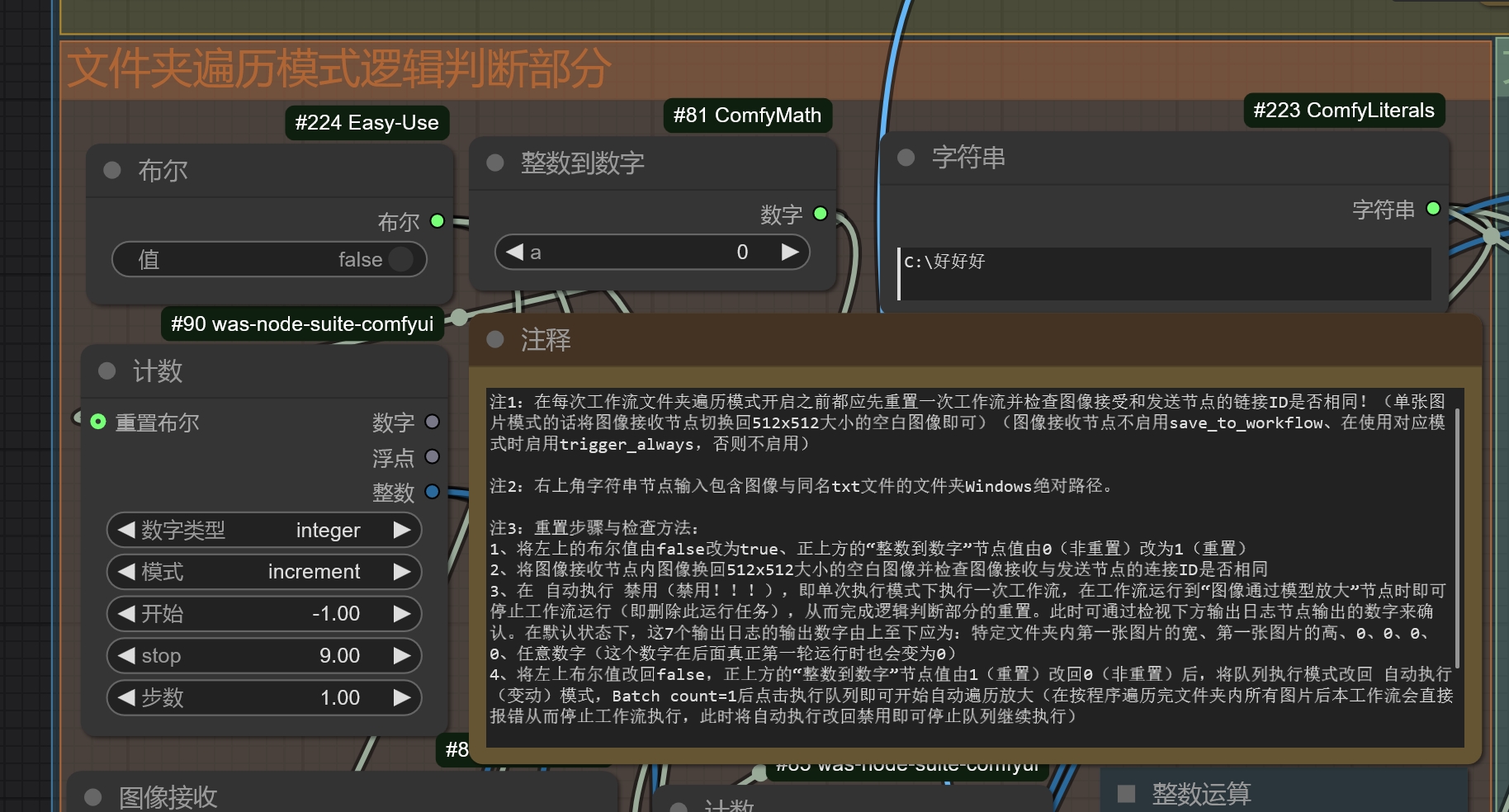
2025.4.7加注:由于ComfyUI版本的变更,部分节点(例如logic)组无法继续使用,因此此处的布尔值节点更换为Easy-use节点包内的布尔值节点。
2025.4.7 Addendum: Due to changes in the ComfyUI version, some node groups (e.g., logic) can no longer be used. Therefore, the Boolean node here has been replaced with the Boolean node from the Easy-use node pack.
此为由于不想天天看码,所以突发奇想把后端功能搬前端干的单图片\文件夹自动遍历双模式自动4K分辨率放大脱裤子放屁工作流。在工作流运行完之后,一张大小为1024x1536的图片可以以最小的损耗自动放大3次(前两次放大1.5倍,最后一次放大2倍)到4608x6912(超4k接近6k)的大小。而其中每次放大的倍数与所选取的放大模型与放大方法均可调!而在文件夹遍历模式开启后,你要做的事只有:
1、按格式将图像和内含图像正面prompt的txt文件放在文件夹里
2、按项目教程检查工作流是否在运行前已经重置,并在教程表明的路径栏内输入文件夹的Windows绝对路径
3、将ComfyUI的队列执行模式调至 自动执行(变动) 模式
4、剩下的就交给电脑吧,它会全部干完的。
This is an unconventional workflow conceived out of a desire to avoid daily coding, whimsically shifting backend functionalities to the frontend for the purpose of single-image or folder-traversing dual-mode automatic 4K resolution upscaling—essentially a redundant process. Upon completion of the workflow, an image sized 1024x1536 can be automatically upscaled three times with minimal loss (the first two upscales by a factor of 1.5, and the final upscale by a factor of 2), reaching a size of 4608x6912 (approaching 6K, surpassing 4K). The magnification factor for each upscale, as well as the selected upscaling model and method, are all adjustable! When the folder traversal mode is activated, all you need to do is:
1. Place the images and the accompanying text files containing the image's positive prompts into the folder according to the specified format.
2. Follow the project tutorial to ensure the workflow is reset before running, and input the Windows absolute path of the folder in the designated path field as indicated by the tutorial.
3. Set ComfyUI's queue execution mode to "Auto-execute (on change)" mode.
4. Then, simply leave the rest to the computer; it will handle everything automatically.
工作流项目原址:https://github.com/GHOSTLXH/Automatic-workflows-for-ComfyUI
workflow's github
工作流新增的节点包(虽然节点包有6个节点,但在本工作流中只用了5个,你可以发挥你的想象和创造力发明更多其他的用法):https://github.com/GHOSTLXH/ComfyUI-Counternodes/tree/main
The workflow introduces a new node package (although the package contains 6 nodes, only 5 are used in this workflow. You can unleash your imagination and creativity to invent other uses for them):
节点导入方法:将https://github.com/GHOSTLXH/ComfyUI-Counternodes/tree/main 中的6个节点文件夹全部复制黏贴到ComfyUI的Custom_nodes文件夹内即可使用。
Node Import Method: Copy and paste all 6 node folders from https://github.com/GHOSTLXH/ComfyUI-Counternodes/tree/main into the Custom_nodes folder of ComfyUI to start using them.