tutu's makeup/图图的妆造


세부 정보
파일 다운로드 (1)
이 버전에 대해
모델 설명
Created with Tutu AI Workflow
Tagged with Tutu Annotator. Trained with Tutu Trainer.
This LoRA is part of my Tutu AI workflow. Tutu Trainer is used for LoRA training, model resource management, parameter presets, and training checks. Tutu Annotator is used for dataset annotation, prompt reverse engineering, English-friendly tags, and cleaner searchable captions.
For a makeup LoRA, clean annotation is especially important. The model should modify makeup and facial finish without turning into a new face, a new art style, or a background filter.

- Official website: https://zhaotutu.xyz/
- Tutu Trainer: https://zhaotutu.xyz/downloads/tututrainer/
- Tutu Annotator: https://zhaotutu.xyz/downloads/tutuannotator/
- Bilibili: https://space.bilibili.com/431046154
- YouTube: https://www.youtube.com/@zhaotutu/videos
- Telegram: https://t.me/zhaotutu
- TikTok: https://www.tiktok.com/@zhaotututu
- Reddit: https://www.reddit.com/user/zhaotututu/
- GitHub: https://github.com/zhaotututu
- Email: [email protected]
- QQ: 331506796
Tutu Makeup
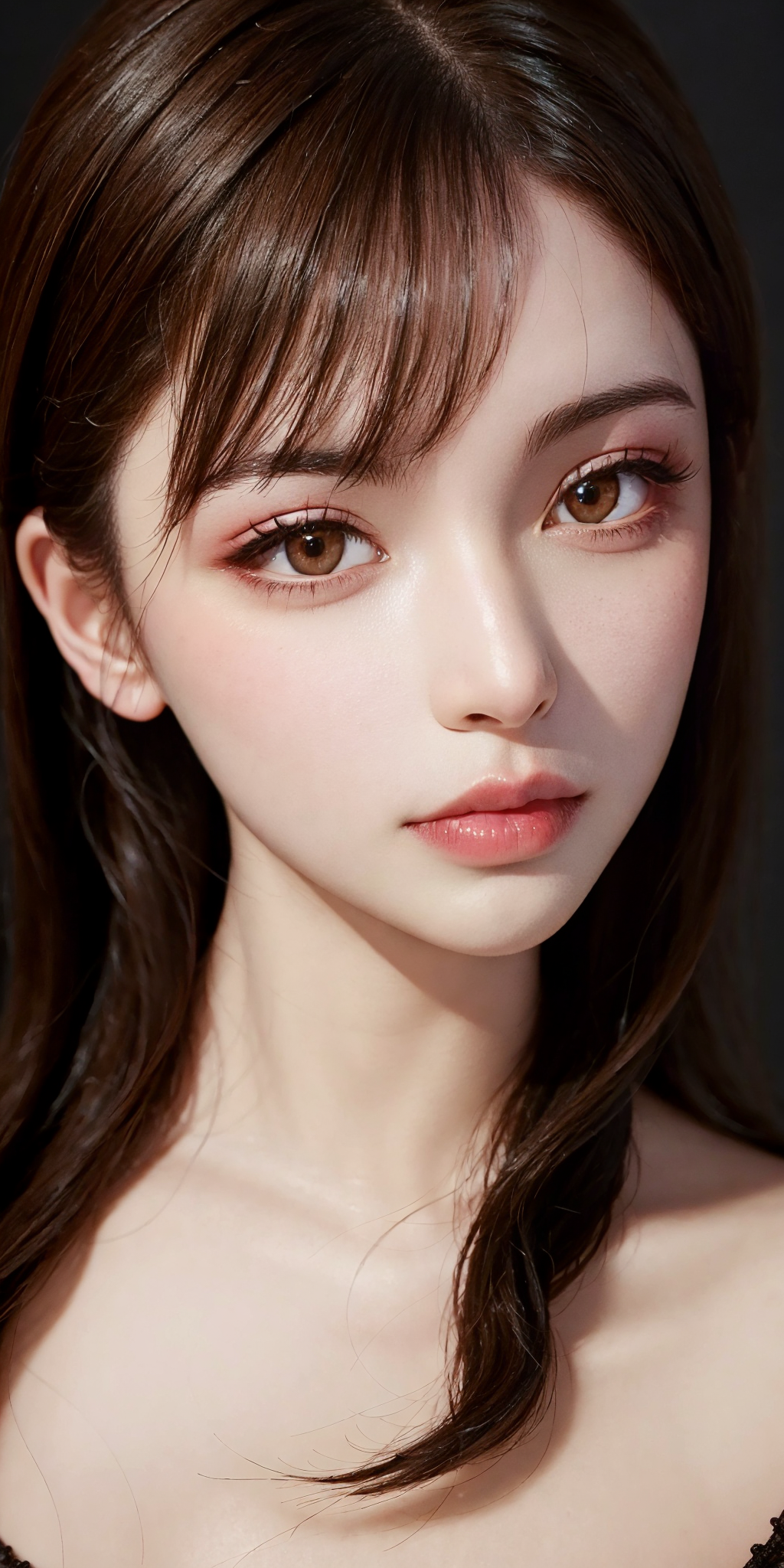
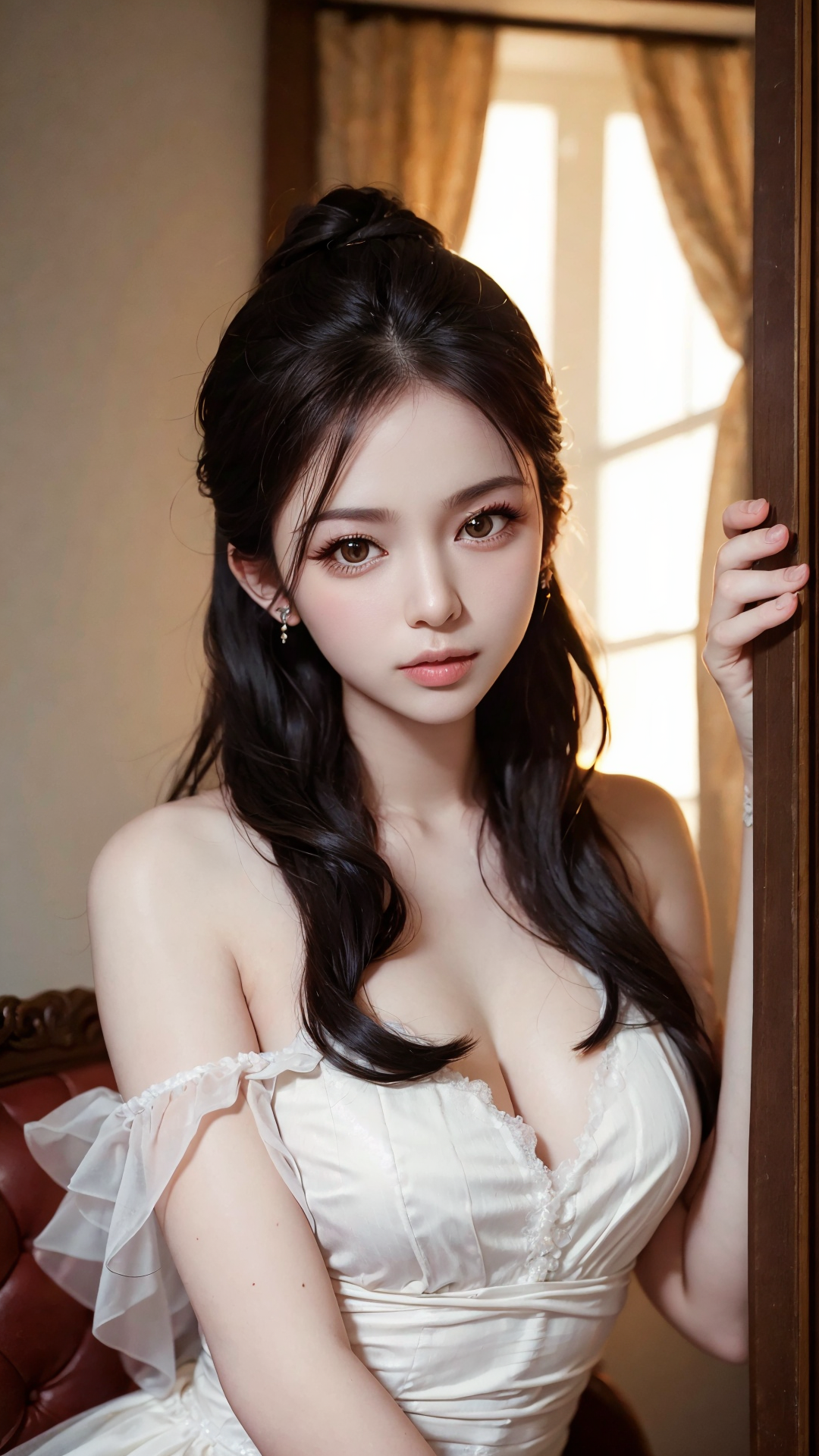
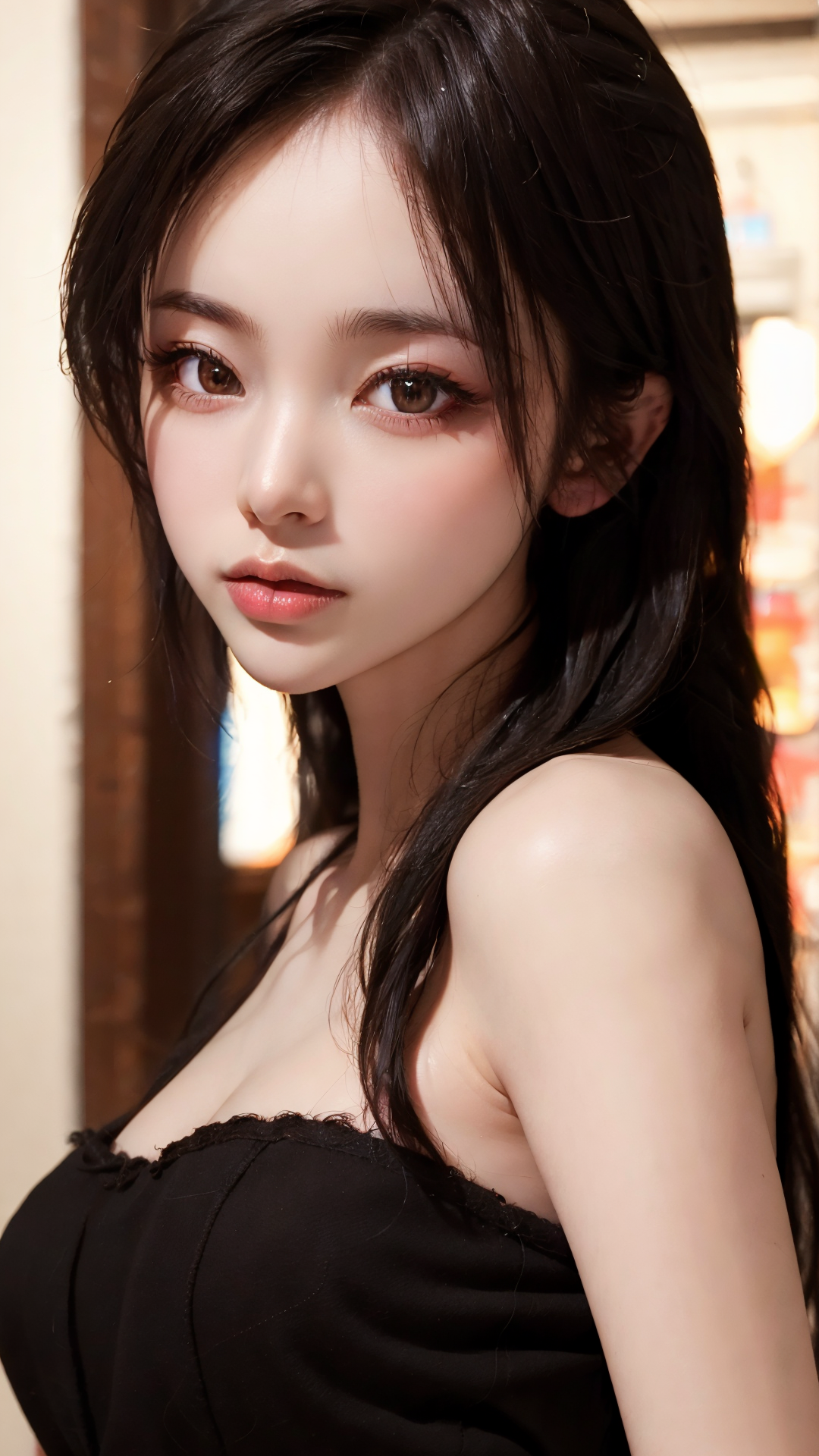
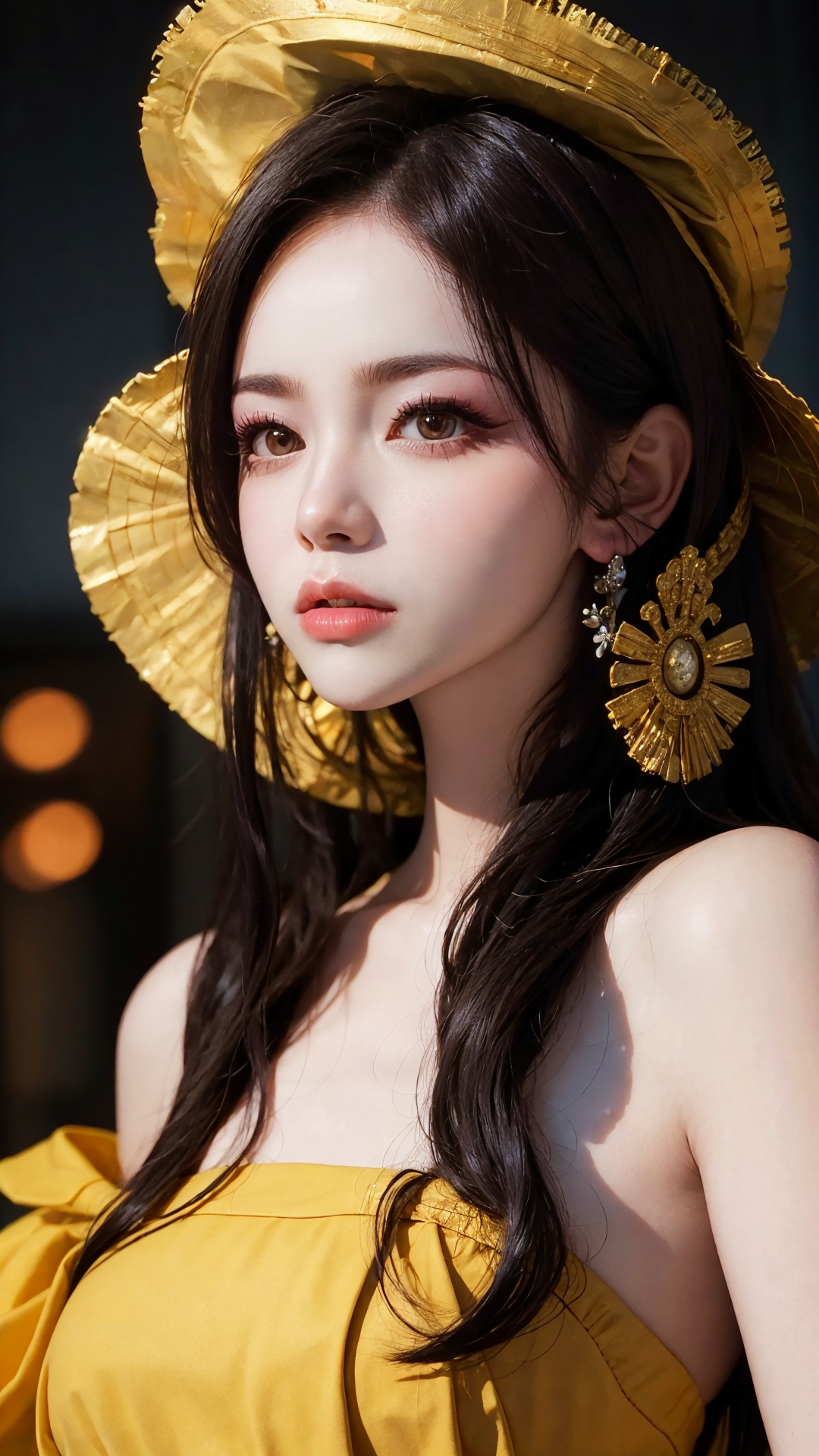
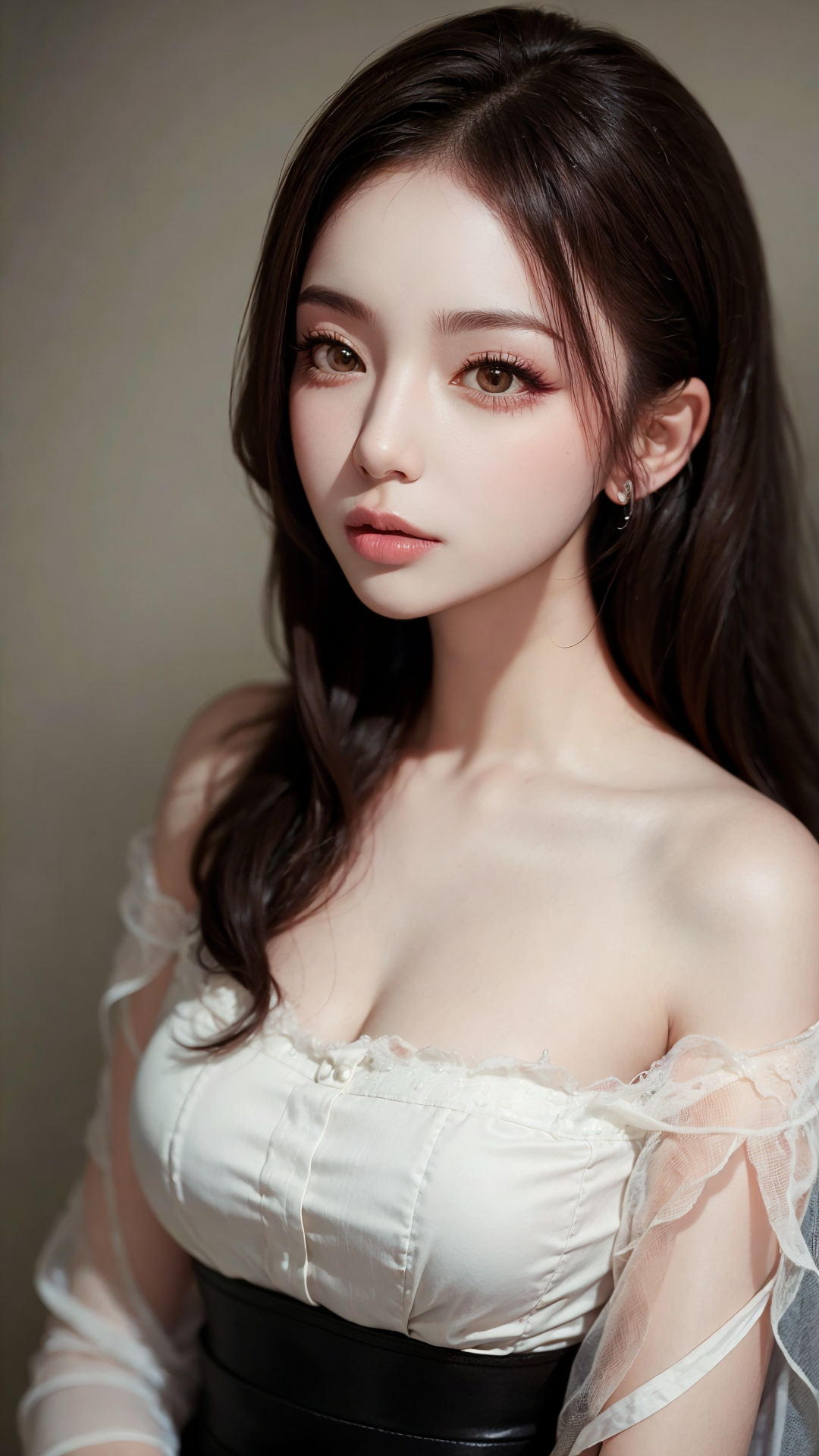
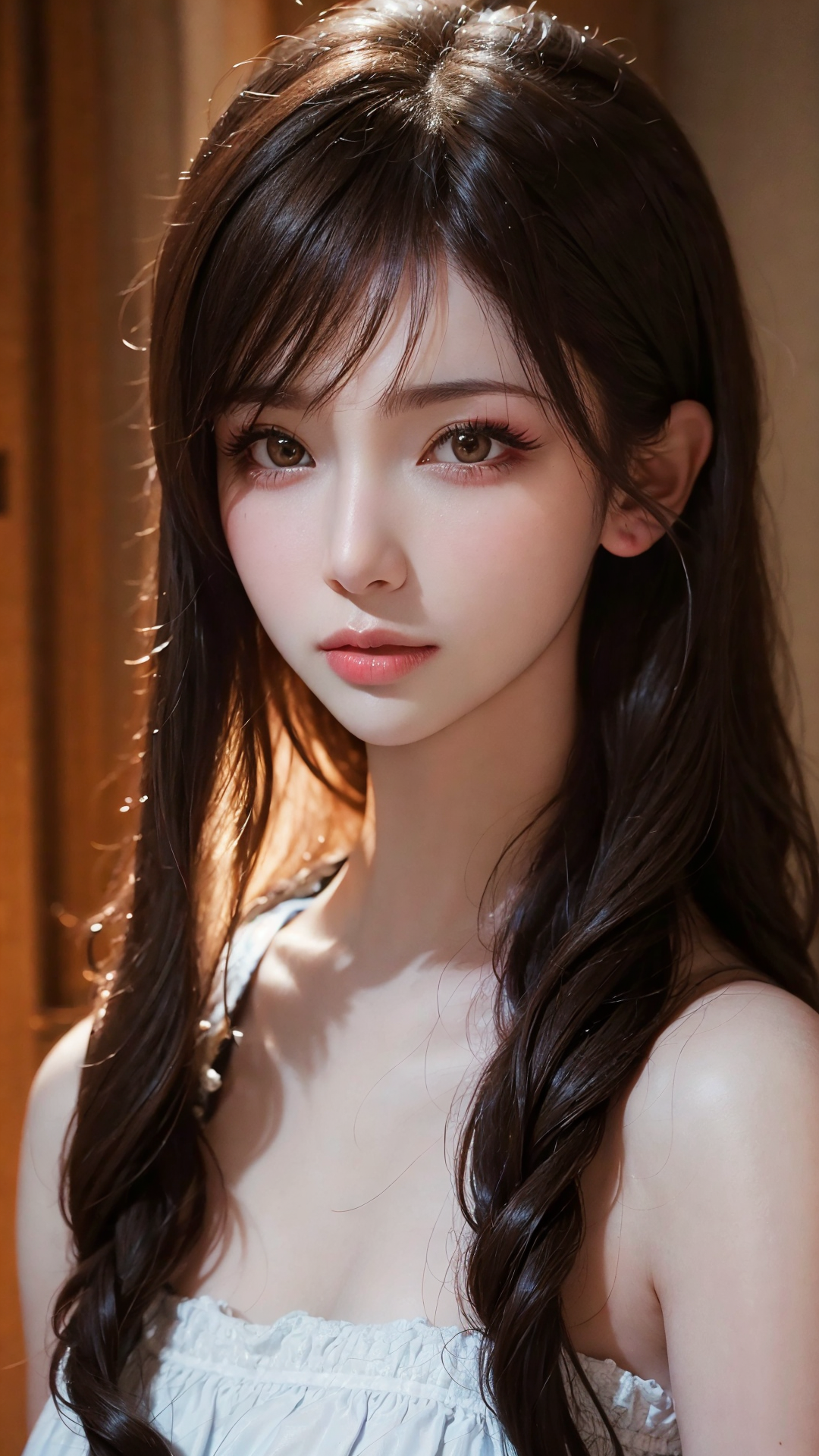
This is a makeup LoRA, especially suitable for generating Asian female characters. It is designed to improve facial finish and makeup details while keeping the original face, clothing, pose, background, and style as stable as possible.
The goal is not to replace the character's face. The goal is to add a clean makeup layer: brighter skin, clearer facial details, better eyes, eyelashes, and glossy lips.
- Type: makeup / face refinement LoRA
- Base model: SD 1.5
- Trigger word:
tutuzz - Useful LoRA weight range: 0.1-1.0
- Recommended use: use only the LoRA and trigger word first; do not add extra makeup tags unless you need a very specific result
Main effects
- Skin whitening / brighter facial finish.
- Enhanced facial details.
- Facial feature correction, with some face-slimming and smaller-head effect.
- Eyeliner and eye shadow effect.
- More three-dimensional eyelashes.
- Some improvement for uneven eye size or weak eye structure.
- Water-gloss lip effect.
Training notes
This LoRA was made with a difference extraction workflow so the makeup effect can stay clean and easy to use. Even at a relatively high weight, it usually has little pollution to painting style, background, clothing, pose, and body movement.
I also improved the fusion and production method and intentionally kept the file precision higher, around 144M. It looks a bit more "in line with the crowd", but the real point is to keep the makeup modification cleaner.
Recommended settings
- Make sure the LoRA is loaded correctly.
- Use
tutuzz. - The LoRA weight can be adjusted from 0.1 to 1.0.
- Lower weight gives lighter retouching; higher weight makes the makeup effect more obvious.
- You can add weight to the trigger word if you want the effect to be more visible, such as
(tutuzz:1.2). - Important: besides the LoRA and trigger word, extra makeup tags are usually not needed. Adding many extra tags may reduce the final effect.
Prompt keywords
Main trigger:
tutuzz
tutuzz(tutuzz:1.2)asian female characterclean makeupglossy lipseyelinereye shadow
Start with only tutuzz. Add extra keywords only after you confirm the base effect. This model is more like a makeup and retouching layer than a prompt keyword pile.
Recommended companion LoRAs
These are suitable to search or combine depending on your scene direction:
- 【麻瓜lora】日料店
- 【麻瓜lora】扶梯视角
- 【麻瓜lora】夜店蹦迪酒吧,一起来喝酒
- 【麻瓜lora】副驾驶女友
- 【麻瓜lora】落地窗/法式大窗户
- 【麻瓜lora】真实试衣间自拍
- 图图的嗨丝(40D空姐灰连裤袜)
- 图图的嗨丝(8D黑色油亮长筒袜)
- 图图的嗨丝(40D假吊带格纹白色连裤袜)
- 图图的嗨丝(爱丽丝8D假吊带白色连裤袜)
- 图图的嗨丝(极光5D黑色连裤袜)
- LEOSAM's Instant photo 拍立得/Polaroid
- LEOSAM's FilmGirl 胶片风 LoRA - VELVIA
- LEOSAM's Clothing +/- Adjuster 服装增减
FAQ
Why does the result change too much?
Lower the LoRA weight first. This model can be used very lightly, even around 0.1-0.3, if you only want subtle makeup refinement.
Why does adding many makeup tags make the result worse?
This LoRA already contains the makeup direction. Extra tags may fight the LoRA and make the face unstable. Start with tutuzz only.
Why does it not look exactly like the sample images?
Different base models, LoRA combinations, samplers, and settings will all change the result. Please use the examples as a direction, not as something you must copy exactly.
Responsible use
- You are fully responsible for any creative work made with this model.
- Do not use this model to create or share illegal, harmful, malicious, defamatory, fraudulent, or political content.
- Commercial use is not allowed without explicit permission. For custom LoRA or cooperation, please contact me first.
中文说明
这是一个 妆造 LoRA,更适合生成亚洲女性人物时使用。它的目标是改善面部妆容和五官细节,同时尽量保持原本脸型、衣服、姿势、背景和画风稳定。
它不是用来直接换脸的,而是给人物加上一层比较干净的妆造修饰:更亮的肤色、更清楚的面部细节、更好的眼妆、睫毛和水光唇。
- 类型:妆造 / 面部修饰 LoRA
- 基础模型:SD 1.5
- 触发词:
tutuzz - 可用 LoRA 权重范围:0.1-1.0
- 推荐使用方式:先只使用 LoRA 和触发词,不要额外堆妆容 tag,除非你需要非常具体的效果
主要效果
- 美白 / 提亮肤色。
- 增强面部细节。
- 修正五官,有一定瘦脸、小头效果。
- 眼线、眼影效果。
- 更立体的睫毛效果。
- 对大小眼或眼部结构偏弱也会有一定改善。
- 水光唇效果。
训练思路
这个 LoRA 使用差异提取流程制作,让妆容效果尽量干净、少污染、使用方便。即使权重相对较高,对画风、背景、着装、肢体动作等影响也通常比较少。
我也改进了融合方法和制作方法,并故意把文件精度提高到 144M 左右。看起来比较“合群”,但真正目的还是让妆容修饰更干净。
推荐参数
- 确保正确加载 LoRA。
- 使用
tutuzz。 - LoRA 权重可以在 0.1 到 1.0 之间调整。
- 低权重是轻微修饰,高权重会让妆容效果更明显。
- 如果希望效果更突出,可以给触发词加权,例如
(tutuzz:1.2)。 - 重要:除了 LoRA 和触发词以外,通常不需要额外添加妆容 tag。堆太多 tag 反而可能影响最终效果。
出图关键词
主触发词:
tutuzz
tutuzz(tutuzz:1.2)asian female characterclean makeupglossy lipseyelinereye shadow
建议先只用 tutuzz 看基础效果,确认后再少量增加关键词。这个模型更像一层妆造和精修层,不是靠堆提示词生效的模型。
推荐搭配 LoRA
下面这些适合根据场景方向搜索或组合使用:
- 【麻瓜lora】日料店
- 【麻瓜lora】扶梯视角
- 【麻瓜lora】夜店蹦迪酒吧,一起来喝酒
- 【麻瓜lora】副驾驶女友
- 【麻瓜lora】落地窗/法式大窗户
- 【麻瓜lora】真实试衣间自拍
- 图图的嗨丝(40D空姐灰连裤袜)
- 图图的嗨丝(8D黑色油亮长筒袜)
- 图图的嗨丝(40D假吊带格纹白色连裤袜)
- 图图的嗨丝(爱丽丝8D假吊带白色连裤袜)
- 图图的嗨丝(极光5D黑色连裤袜)
- LEOSAM's Instant photo 拍立得/Polaroid
- LEOSAM's FilmGirl 胶片风 LoRA - VELVIA
- LEOSAM's Clothing +/- Adjuster 服装增减
常见问题
为什么效果变化太大?
先降低 LoRA 权重。如果你只想要轻微妆容修饰,0.1-0.3 也可以使用。
为什么加了很多妆容 tag 以后反而变差?
这个 LoRA 本身已经包含妆造方向,额外 tag 可能会和 LoRA 打架,让脸部变得不稳定。建议先只用 tutuzz。
为什么出不了和示例图一样的照片?
不同底模、LoRA 组合、采样器和参数都会影响结果。请把示例图当作方向,不要追求完全一样。
声明
- 你需要对使用本模型生成的任何作品承担全部责任。
- 不要使用本模型制作或传播非法、有害、恶意、诽谤、诈骗或政治用途内容。
- 未经明确许可,不允许商业使用。如需定制 LoRA 或合作,请提前联系我。
日本語説明
これは makeup / face refinement LoRA です。特にアジア系女性キャラクターを生成する時に使いやすく、元の顔、服、ポーズ、背景、画風をできるだけ保ちながら、顔の仕上げと makeup detail を改善します。
目的は顔を別人にすることではありません。肌を明るくし、顔の detail、eye makeup、eyelashes、glossy lips をきれいにする makeup layer として使うモデルです。
- Type: makeup / face refinement LoRA
- Base model: SD 1.5
- Trigger word:
tutuzz - Useful LoRA weight range: 0.1-1.0
- Recommended use: まず LoRA と trigger word だけで試し、必要な時だけ追加の makeup tags を使ってください
主な効果
- 肌を明るくする / whitening effect。
- 顔の detail を強めること。
- 顔立ちの補正、少しの face-slimming / smaller-head effect。
- eyeliner と eye shadow effect。
- より立体的な eyelashes。
- 目の大きさや eye structure の弱さを少し改善すること。
- water-gloss lip effect。
制作意図
この LoRA は差分抽出ワークフローで作りました。makeup effect を clean に保ち、使いやすくするためです。比較的高い weight でも、painting style、background、clothing、pose、body movement への影響は少なめです。
fusion method と production method も改善し、file precision を意図的に 144M 前後にしています。少し「みんなに合わせた」感じもありますが、本当の目的は makeup refinement をより clean にすることです。
推奨設定
- LoRA が正しく読み込まれていることを確認してください。
tutuzzを使ってください。- LoRA weight は 0.1 から 1.0 の間で調整できます。
- 低い weight は軽い retouch、高い weight は makeup effect が強くなります。
- 効果を強くしたい時は
(tutuzz:1.2)のように trigger word に weight を付けられます。 - Important: LoRA と trigger word 以外の makeup tags は通常不要です。追加しすぎると効果が不安定になることがあります。
プロンプト例
Main trigger:
tutuzz
tutuzz(tutuzz:1.2)asian female characterclean makeupglossy lipseyelinereye shadow
まず tutuzz だけで効果を確認してください。このモデルは prompt keywords を大量に入れるタイプではなく、makeup / retouching layer として使う方が安定します。
おすすめ組み合わせ LoRA
scene direction に合わせて検索・組み合わせしやすい LoRA です:
- 【麻瓜lora】日料店
- 【麻瓜lora】扶梯视角
- 【麻瓜lora】夜店蹦迪酒吧,一起来喝酒
- 【麻瓜lora】副驾驶女友
- 【麻瓜lora】落地窗/法式大窗户
- 【麻瓜lora】真实试衣间自拍
- 图图的嗨丝(40D空姐灰连裤袜)
- 图图的嗨丝(8D黑色油亮长筒袜)
- 图图的嗨丝(40D假吊带格纹白色连裤袜)
- 图图的嗨丝(爱丽丝8D假吊带白色连裤袜)
- 图图的嗨丝(极光5D黑色连裤袜)
- LEOSAM's Instant photo 拍立得/Polaroid
- LEOSAM's FilmGirl 胶片风 LoRA - VELVIA
- LEOSAM's Clothing +/- Adjuster 服装增减
FAQ
なぜ変化が強すぎますか?
まず LoRA weight を下げてください。軽い makeup refinement だけなら 0.1-0.3 でも使えます。
なぜ makeup tags を増やすと悪くなりますか?
この LoRA 自体に makeup direction が含まれています。追加 tags が LoRA とぶつかり、顔が不安定になることがあります。まず tutuzz だけで試してください。
なぜ sample images と同じになりませんか?
base model、LoRA combination、sampler、settings によって結果は変わります。sample は方向として見てください。