Cubbi Gummi - PDXL (Adventures of the Gummi Bears)


세부 정보
파일 다운로드 (1)
이 버전에 대해
모델 설명
Main prompt tags: cubbigummixl, anthro, solo, pink bear, striped tunic, blue hat with feather <------ should always be included
Additional tags for style choice:
for the retro TV show style add following positive prompts: cartoon, toony, retro
to avoid the retro cartoon style put cartoon, toony, retro into negative prompt
for mixed style only put cartoon into positive prompt
Recommended samplers:
Sampler: DPM++ 2M SDE Scheduler: Karras CFG: 6.0-7.0 Steps: 20-25 Lora strength: 1.0
Sampler: Euler Ancestral Scheduler: Normal CFG: 6.0 Steps: 20 Lora strength: 1.0
Sampler: euler_ancestral_cfg_pp Scheduler: Normal CFG: 1.0 Steps: 20-25 Lora strength: 1.0
Prompt tips (green - positive, red - negative):
- score_9, score_8_up, score_7_up, score_6_up - always include the Pony score tags
- belt, leather strap, strap in negatives if the generation gives him a leather strap around his waist
- base attire: striped tunic, blue hat with feather, wooden sword --> add or remove these depending what you want to achieve
- pajama version: red onesie ==> you need to include no hat in positives and hoodie in negatives for this to work correctly
- no hat to remove the hat or remove blue hat with feather from positives
- black eyes will help reinforce cartoon style since Illustrious likes giving him detailed colored eyes
- 4 fingers should help to get the canonical version of Gummi hands
- white collar if his collar turns blue
- no tail to help the canonical lack of tails for Gummi bears
- vhs filter will give the style even more retro feel closer to the original cartoon
The LoRa should support all kinds of PonyXL checkpoints. Tested working well with the following:
AutismMix SDXL
IndigoFurryMix XL v3.0
Luminaverse PonyXL
To improve details:
- generate using higher base resolution (e.g. 1216x1216) or use upscaling / highres fix - especially when trying to do full body poses
- for fixing wonky face/eyes I use FaceDetailer node (comfyui) + Adetailer Face finder model
Last image in the gallery can be imported into ComfyUI with a basic workflow: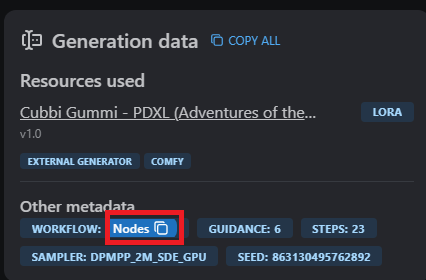
Just Copy&Paste into ComfyUI (you might be required to download missing nodes)