Three Step Face Swap Workflow in ComfyUI

세부 정보
파일 다운로드 (1)
이 버전에 대해
모델 설명
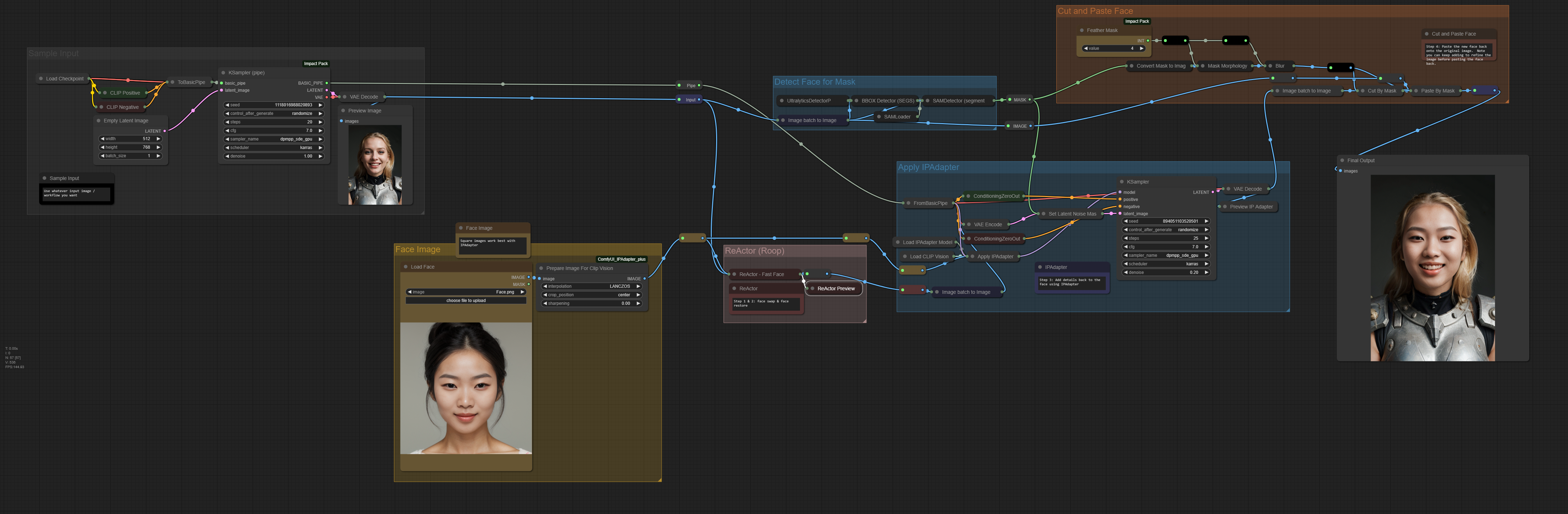
Showing an example of how to do a face swap using three techniques:
ReActor (Roop) - Swaps the face in a low-res image
Face Upscale - Upscales the face to a high-res image
IPAdapter - Used to add some details back to the face
ControlNet - We add a depth map before passing to the final KSampler to try to keep to the face upscale version and just use IPAdapter for adding back details
Using IPAdapter
If the emotion on the face is snapping too much to your input face image, lower the weight on IPAdapter. Alternatively lower the denoise on KSampler
Did you find this useful? Feel free to leave me a tip: https://www.buymeacoffee.com/bjew