Simple Text2Image Workflow for Beginners





Details
Download Files (1)
Model description
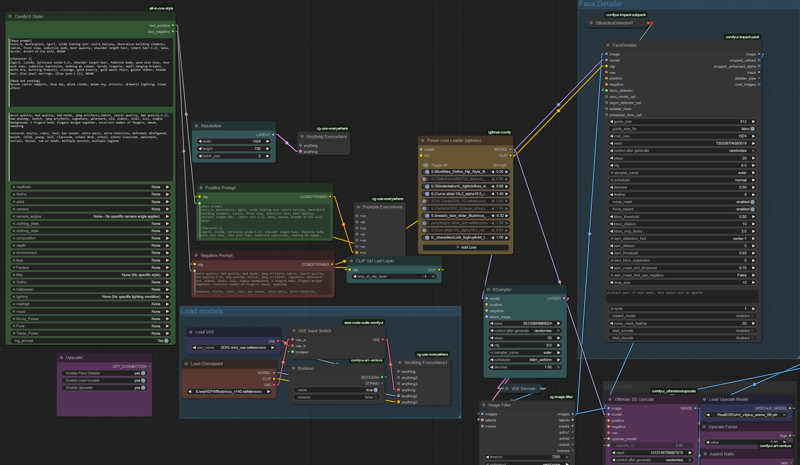
For those just starting out who want a simple workflow to generate large high-quality images with detailed faces. Plus, when generating larger batches, you save some time by choosing which pictures are greenlit to go through the detailer and upscaling!
I'm pretty new to ComfyUI myself, so I know how confusing most of the "Simple Workflows" are, so I really did my best to simplify this to what I think are base essentials to start getting good pictures. Just download the missing nodes and use the upscaler and VAE of your choice. If you're not sure, just search for the ones I'm using, they've worked pretty well for me so far.
V1.1
The anything everywhere nodes seemed to not work when loading the workflow, so I uploaded a version without them. It's less neat, but does all the same things.
V1.0
Prompt & Styling node
Checkpoint, VAE and multiple Lora loaders
Basic render settings
Image filter (choose which pictures you want to be refined and upscaled)
Face detailer
Upscaler
Image comparisons