SDXL Creative Upscaler




詳細
ファイルをダウンロード (1)
このバージョンについて
モデル説明
The Ultimate SDXL Upscale Workflow: Transform Your Images!
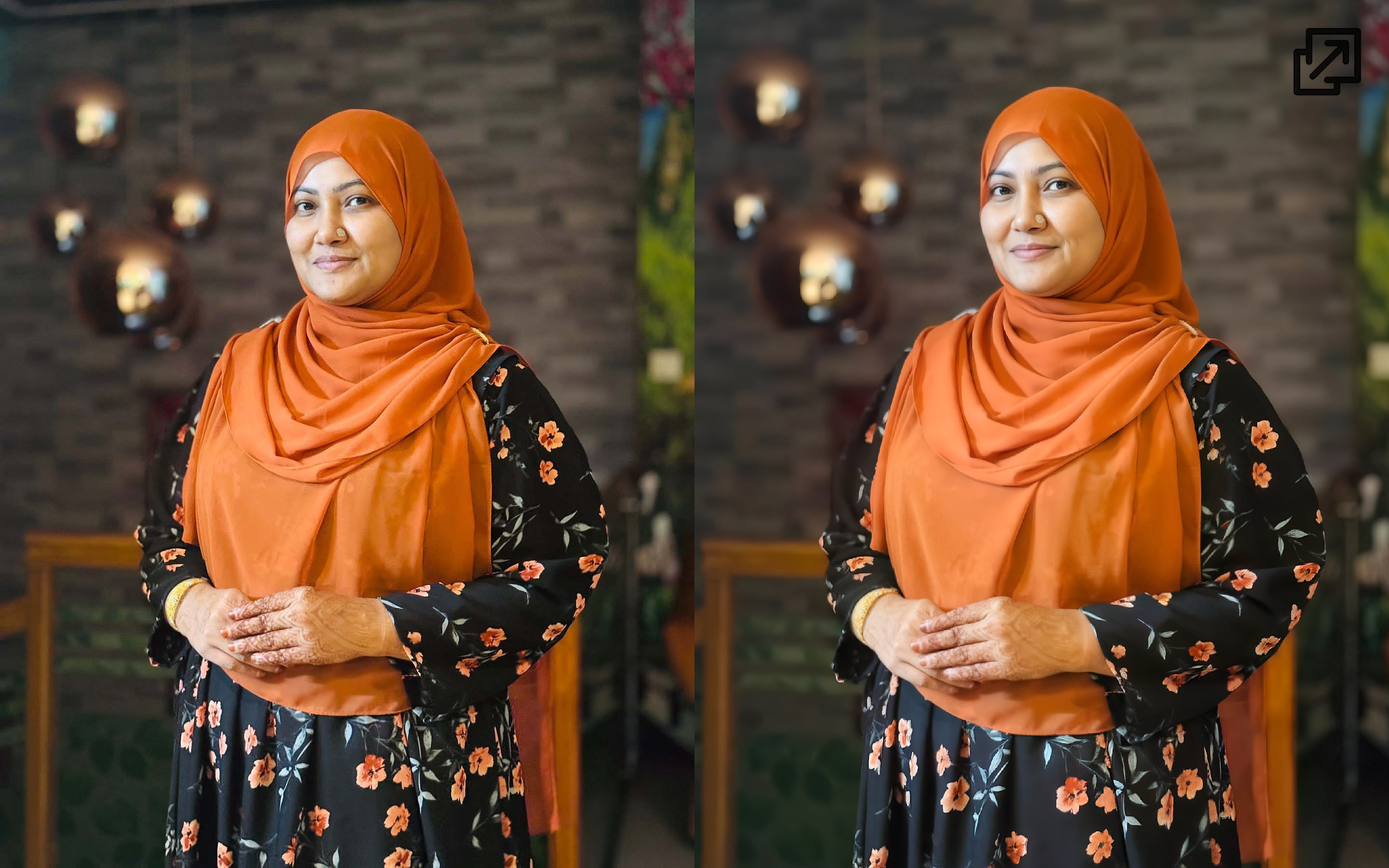
Tired of blurry, low-res images? This ComfyUI workflow is your secret weapon! I've spent hours fine-tuning this setup to not only upscale your images to a stunning 4MP resolution but also to enhance them with incredible detail and a professional look. It's not just an upscaler; it's a quality enhancer.
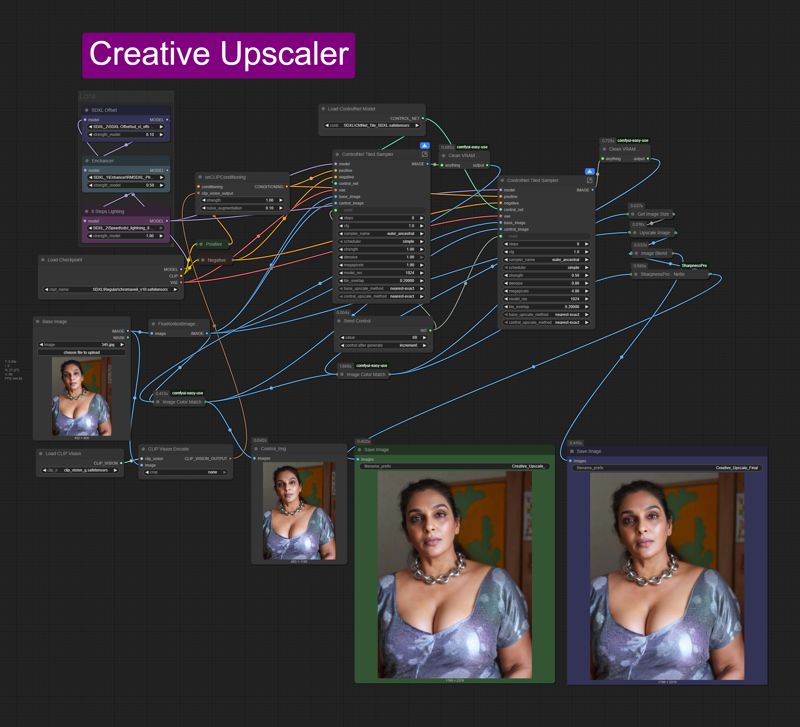
Models:
This isn't your average one-node solution. This workflow is a carefully crafted pipeline that uses a few key models and LoRAs to work its magic:
Any SDXL Model: The backbone of the process. I recommend a quality realism-focused model to get the best results.
SDXL Lightning 8 Steps LoRA: This incredible LoRA accelerates the generation process, giving you high-quality results in fewer steps.
RMSDXL Photo XL LoRA: This is the secret sauce for adding a realistic, photographic quality to the final image. It sharpens details and improves textures, making the upscaled image look genuinely high-end.
SDXL Offset LoRa: Helps to adjust the color and lighting, especially useful for ensuring consistent tones in the final high-resolution output.
SDXL Tiled ControlNet: This is the real game-changer. It allows the model to process the image in a tiled manner, maintaining consistent detail across the entire image and preventing the "blurry" look that often happens with standard upscaling.