SDXL nsfw inpainting
Details
Download Files (1)
Model description
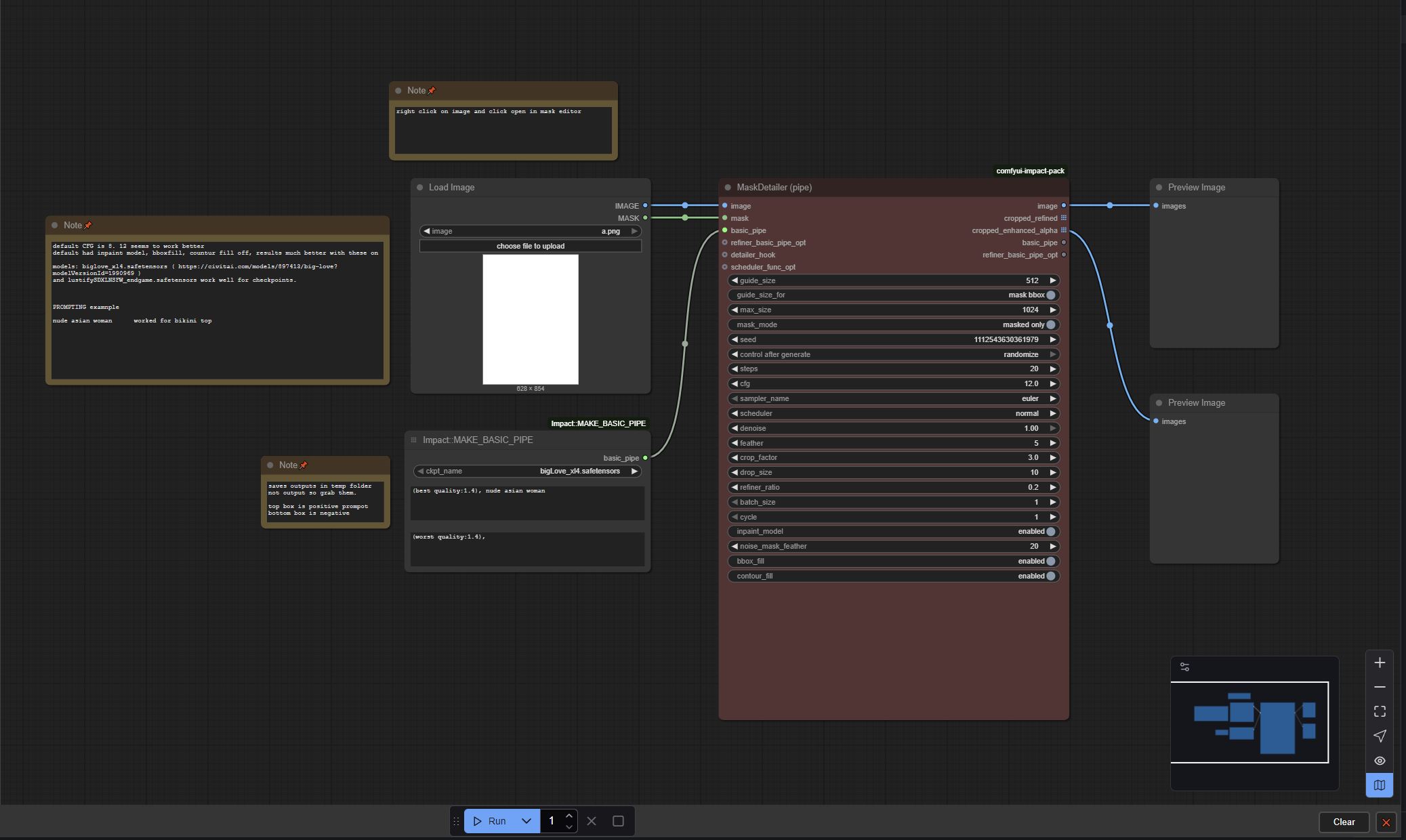
I may have stumbled upon a great solution to edit your ai generations to be more nsfw with inpainting... I have a lot of flux generated images that come out with terrible nsfw parts, but this workflow allows me to mask the areas I want make more nsfw and fix up those images. After trying lots of other workflows that gave me disappointing results, I tweaked a default workflow's settings within comfy ui and have been getting surprisingly good results. I didn't really do all that much, but changing a few settings made a huge difference.
I've tried biglove_xl4.safetensors and lustifySDXLNSFW_endgame.safetensors so far and they work well, but this will probably work with a lot of sdxl checkpoints.
Version 1.0 was missing a save image node, so it was saving outputs in the temp folder which would get deleted if you didn't back them up quickly. Version 1.1 adds the save image node so the images save in the output folder now.
EDIT: 10/16/25 A comfy ui update broke a node in this workflow.
Here is how I fixed it for myself: I did step 1 and then step 2.
Step 1 (possibly optional, you can try just skipping to step 2)
I tried steps here: https://github.com/ltdrdata/ComfyUI-Impact-Pack/issues/1113 . They said to "Replace this file "impact_pack.py" at: ComfyUI\custom_nodes\comfyui-impact-pack\modules\impact" . I first tried this... but it broke other nodes in the workflow for me. The impact_pack.py file is able to be downloaded in that thread.
Step 2
Open "manager" at the top in comfy ui, then click on "custom nodes manager". Search for "ComfyUI Impact Pack". Hit update. Restart comfy ui and it should start working.
Please let me know if that fixes it for you as well.