The Loom – NSFW Piercing Library







詳細
ファイルをダウンロード (1)
モデル説明
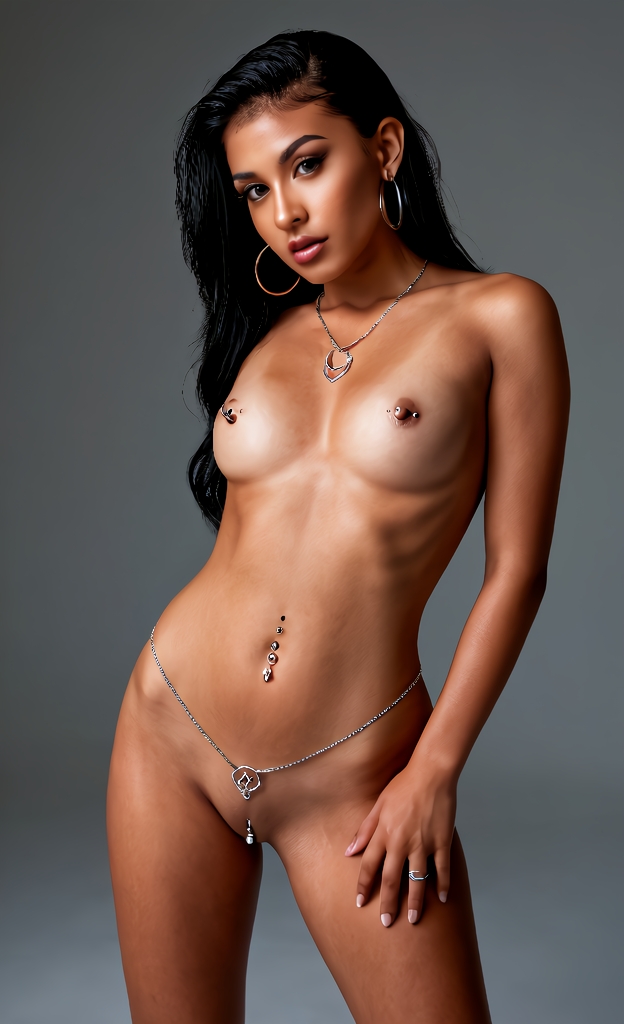
Introducing: The Loom – NSFW Piercing Library
Welcome to The Loom, a modular wildcard system designed to create complex, detailed, and cohesive characters. The name The Loom was chosen because, like a loom weaving individual threads into a rich tapestry, this system interlaces specific traits into a complete, vivid final image.
Module 11.1: Piercing Library (NSFW)
This module is a comprehensive collection of wildcards and blueprints dedicated to creating realistic, diverse, and high‑quality piercings. It is designed to combine both explicit NSFW piercings and the SFW wildcards from the previous module, giving you full creative flexibility.
What’s Inside
This is far more than a simple word list – it’s a compact prompt engine with over a dozen interconnected components, including:
Detailed piercing placements – from nose and lip to navel and intimate piercings.
Distinct styles – dedicated wildcards for aesthetics such as Minimalist, Jeweled, and Goth.
Modular material system – wildcards that intelligently combine materials like gold, steel, and bioplast.
Smart combinations – blueprints that logically and creatively merge placements, styles, and materials.
How It Works
The system is built on two file types for maximum flexibility:
Wildcards (.wc) – the threads: each file contains a wide range of specific traits (e.g., dozens of placements or styles).
Blueprints (.BP) – the weave patterns: these files combine traits from the wildcards in logical, creative ways.
The Master Blueprints
This module includes four master blueprints, giving you complete control over the type of content generated. Choose the one that fits your needs:
Female NSFW piercings:
__COPS_BP-FEMALE-PIERCINGS-NSFW__Female SFW piercings:
__COPS_BP-FEMALE-PIERCINGS-SFW__Male NSFW piercings:
__COPS_BP-MALE-PIERCINGS-NSFW__Male SFW piercings:
__COPS_BP-MALE-PIERCINGS-SFW__
Think of them as conductors of an orchestra – they call on all other wildcards and blend them into harmonious, varied, and creative results.
Getting Started
Step 1 – Installation Copy all .txt files from this package into your wildcards folder.
Step 2 – Prompt Call Simply add the desired blueprint to your prompt:
__COPS_BP-FEMALE-PIERCINGS-NSFW____COPS_BP-FEMALE-PIERCINGS-SFW____COPS_BP-MALE-PIERCINGS-NSFW____COPS_BP-MALE-PIERCINGS-SFW__
That’s it. Each generation uses one of many internal logic paths to produce a complete, detailed, and unique piercing description.
Important Compatibility Note
Not every checkpoint model will be able to accurately render the prompts generated by this system. For best results, use a realistic or semi‑realistic checkpoint with strong accessory rendering capabilities, and consider pairing it with a dedicated LoRA trained for piercings.
Recommended LoRA:
Realistic Piercings LoRA – available on Civitai, trained specifically for facial and body piercings, works well with photorealistic models. (Search for “piercing” on Civitai and filter for LoRAs with high realism ratings.)
For Advanced Users
For even richer and more varied results, you can insert the chosen blueprint multiple times in your prompt.
This tool is intended for the creation of adult characters only. Please use it responsibly and in accordance with Civitai’s terms of service.