Change Head and Face Lora for qwenedit2509 【换脸换头】





詳細
ファイルをダウンロード (1)
このバージョンについて
モデル説明
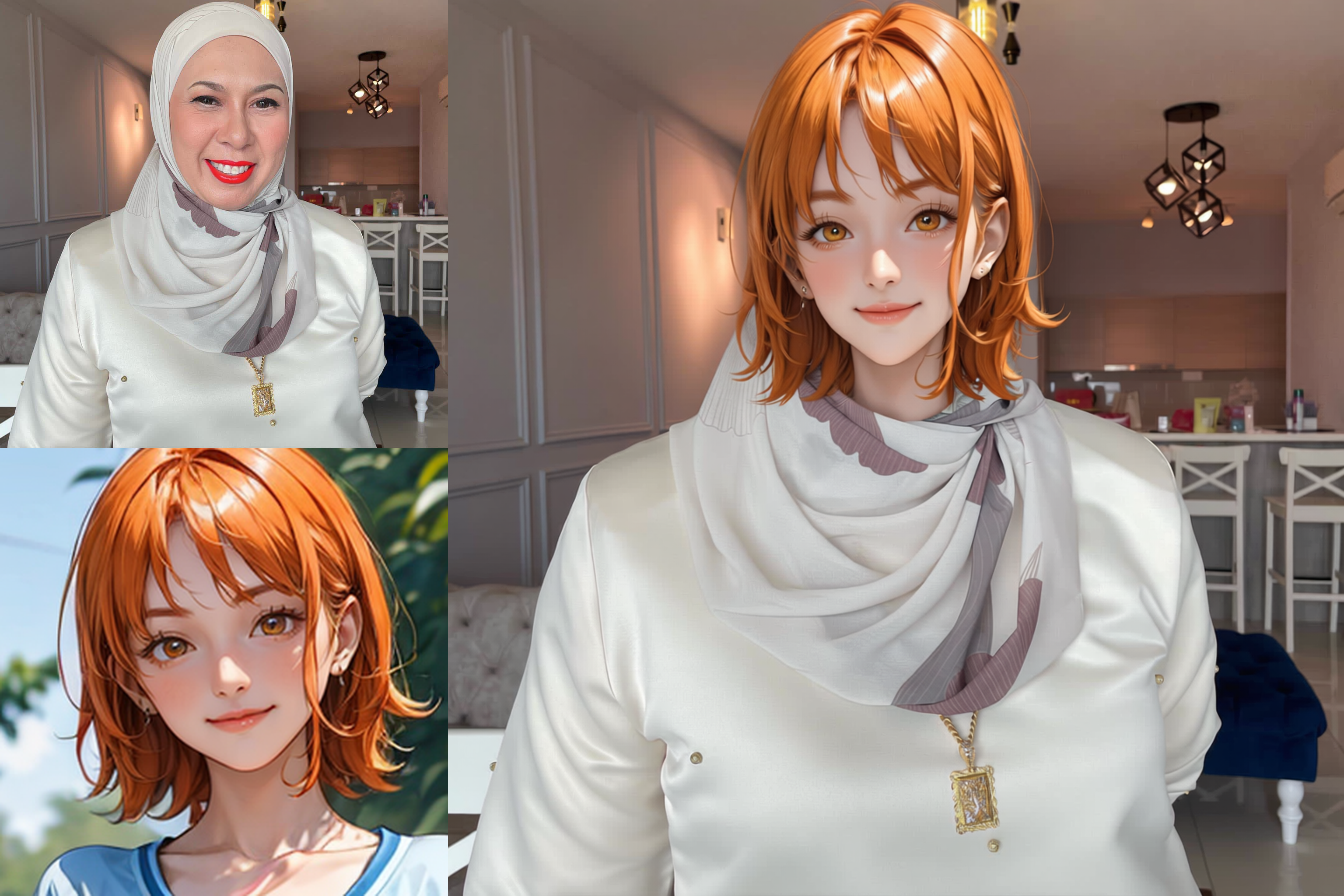
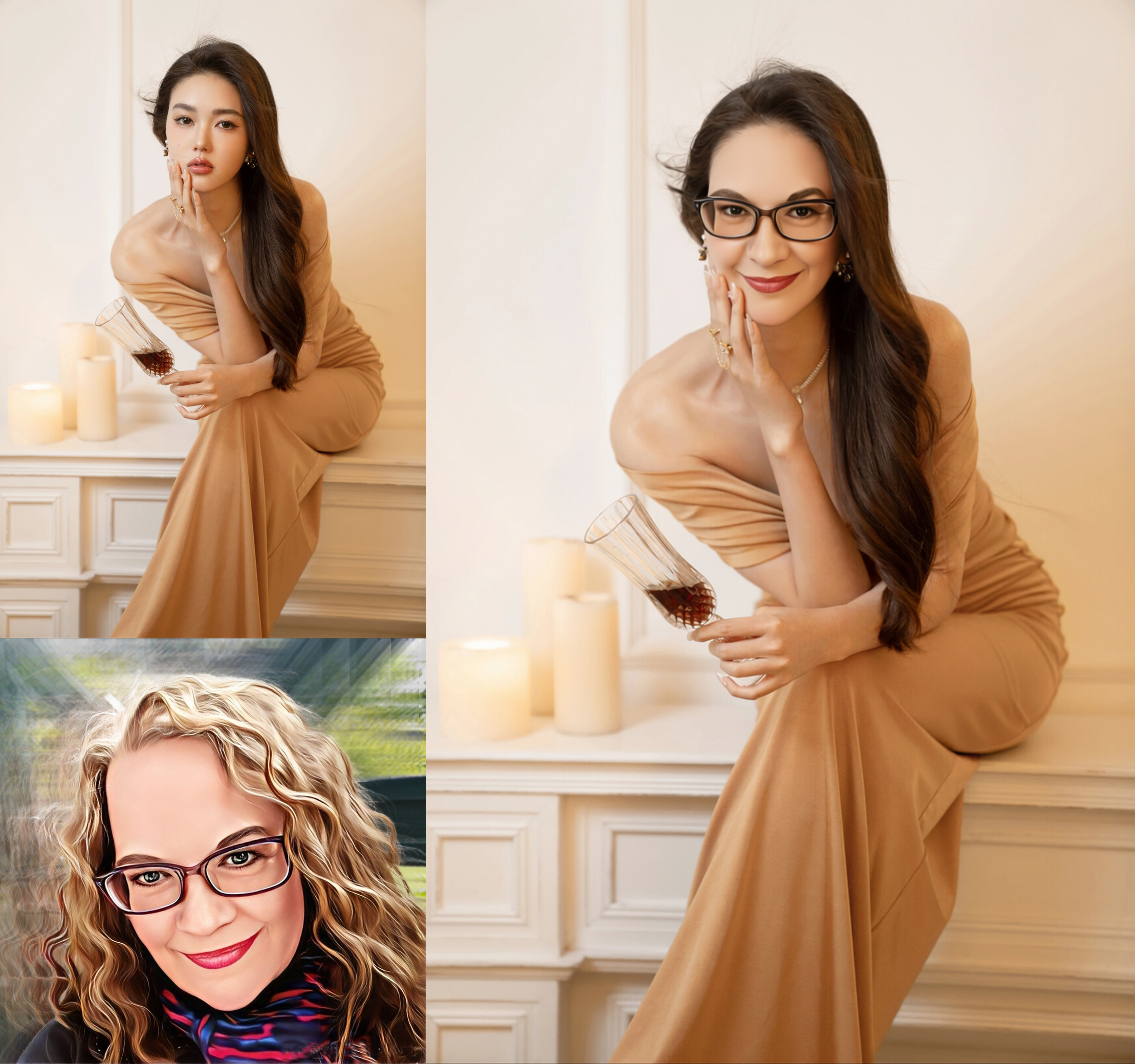
easy to change head with lora
v3 video:
换头换脸V3版本lora发布,增强换头能力,同时增加只换脸的工作流_哔哩哔哩_bilibili
多人换头工作流搭建讲解:
https://www.bilibili.com/video/BV1kHCEBAE1o/
v3工作流在线运行和免费下载:(workflow online run and download for free)
换头(change head) https://www.runninghub.ai/post/1982452159784591362/?inviteCode=rh-v1284
换脸(change face) https://www.runninghub.ai/post/1982452463880028162/?inviteCode=rh-v1284
多人换头(change head from more than one person) https://www.runninghub.ai/post/1974368355002003458/?inviteCode=rh-v1284
高清图换头的效果演示(注,还未开发完全,只可在线运行,后期提供工作流下载)
https://www.runninghub.cn/ai-detail/1989135201211125762/?inviteCode=rh-v1284
Demo for HD-image change head:
https://www.runninghub.ai/ai-detail/1989135201211125762/?inviteCode=rh-v1284
实验中的有空可以在线试试,可以输入4k,5k的图,出来看看画质怎么样
V3变化:
使用全量模型重新训练
成功更高
增加只换脸功能
v3 base prompt:
移除图1人物的头发、耳环、项链、帽子等头部配饰;
将图1人物的脸替换为图2人物的脸(完全覆盖原图人脸,无残留);
将图1人物的发型替换为图2人物的发型:(长短、颜色与图2完全一致,无原图发型残留);
同步替换为图2人物的表情(眼神、脸部朝向与图2一致);
新脸、新发型需适配图1场景光影,自然融合,过渡无痕迹。
建议权重:0.7-1 (融合度高到低,依据两张图片相差的光线,颜色等情况)
如果融合度还不高也可继续降低
v3网盘下载:
我用夸克网盘给你分享了「神都猫换头换脸V3」,点击链接或复制整段内容,打开「夸克APP」即可获取。
/~cb8a3960hL~:/
链接:https://pan.quark.cn/s/04bdfb676edc?pwd=F45b
提取码:F45b
V3常见问题:
1 为什么头会变大
解决方法,用局部重绘处理,参考上面的多人换头工作流,遮罩区域沿原人物头部范围画,防护换头后头变大。
2 为什么不成功
要换的头最佳的质量是正对镜头,脸部无遮挡,清晰,如果要换的头有遮挡或角度奇怪就有失败可能,请尽量用优质的换头素材,或者用其它模型先处理成优质素材
3 换头后光线不统一
可增加提示词,替换后面部与其它皮肤保持肤色一致
可替换前增加追色调整节点
可替换后增加LBM relight重打光节点
V1 video
神都猫Qwen2509训练lora之换头lora分享_哔哩哔哩_bilibili
workflow and running in the web
https://www.runninghub.ai/post/1982452159784591362/?inviteCode=rh-v1284
V1
我用夸克网盘给你分享了「换头模型及工作流」,点击链接或复制整段内容,打开「夸克APP」即可获取。 /~bc6638qtXl~:/ 链接:https://pan.quark.cn/s/135a54ba809b 提取码:cuCE
prompt提示词:
替换图1的人物的头为图2的头
(try to copy the chinese prompt to use beacause it is train prompt)
20 step
2.5 CFG
without lighting lora to get a best effect
V2:
V2 update
用更多的图集重新训练,包括了中国人和西方人以及不同性别
更多的训练步数
请确保图2中的人物的头部脸没有遮挡且完整清楚(Please ensure that the head and face of the character in Figure 2 are unobstructed and complete and clear)
测试环境参数:(Test environment parameters:)
qwen2509fp8 + 8 step lighting lora + 12 steps +cfg1 + euler +beta
仍存的在问题:
大多数时候脸部会变替换(Most of the time, the face will be replaced)
有些时候发型不能完整的替换 留给V3解决(Sometimes the hairstyle cannot be completely replaced and left to V3 to solve)
头或许变大,或许重要的话可以用ps液化调整一下( bigger head ,also can photoshop it if important )
可以换头或只换脸,下面是示例指令(中英文选其一即可)
You can change your head or just your face. Here are example instructions (choose one in Chinese or English,but Prioritize using Chinese because this is a large Chinese model)
简单指令:(Simple prompt)
不改变图1的背景和人物姿势,把图1中的人物的头换成图2中人物的头,要把图2人物的脸,头发和饰品都换到图1中现在人物的头部位置,替换后尽量保持图2人物的脸部特征和发型不变,并且融合图1环境的光影。
Without changing the background and posture of the character in image1, replace the head of the character in image1 with the head of the character in image2. The face, hair, and accessories of the character in image2 should be moved to the current position of the character's head in image1. After replacement, try to keep the facial features and hairstyle of the character in image2 unchanged, and integrate the light and shadow of the environment in image1.
以下是优化后的参考指令(可跟据每条修改):(The following are optimized reference instructions (can be modified according to each one):)
换头全换指令:(Head replacement instruction:)
去掉图1中人物的头发、耳环(如果有)、项链(如果有),去掉图1中人物的帽子(如果有)。
把图1中的人物的脸换成图2中人物的脸。
把图1中人物的发型换成图2中人物的发型,长短和颜色与图2中的人物一致。
把图1中人物的表情换成图2中人物的表情,眼神和脸的方向均与图2中的人物一致。
检查最终效果的人物的脸要变成图2中人物的脸,不要再保留图1中的人物的脸。
检查最终效果的人物的发型要变成图2中人物的发型,不要在保留图1的人物的发型。
融合图1环境的光影
Remove the hair, earrings (if any), necklace (if any), and hat (if any) of the character in Figure 1.
Replace the face of the character in Figure 1 with the face of the character in Figure 2.
Replace the hairstyle of the character in Figure 1 with the hairstyle of the character in Figure 2, with the same length and color as the character in Figure 2.
Replace the facial expressions of the characters in Figure 1 with those in Figure 2, with eye contact and face orientation consistent with those of the characters in Figure 2.
The face of the character in the final effect should be changed to the face of the character in Figure 2, and the face of the character in Figure 1 should no longer be retained.
The hairstyle of the character checking the final effect should be changed to the hairstyle of the character in Figure 2, rather than retaining the hairstyle of the character in Figure 1.
Integrating the light and shadow of the environment in image1
只换脸指令:
把图1中的人物的脸换成图2中人物的脸。
保持图1中人物的发型和颜色,不要换成图2中人物的发型和颜色
把图1中人物的表情换成图2中人物的表情,眼神和脸的方向均与图2中的人物一致。
检查最终效果的人物的脸要变成图2中人物的脸,不要再保留图1中的人物的脸。
检查最终效果的人物的发型和颜色仍是原图1中人物的发型,不要变成图2中的人物的发型和颜色。
Only face changing instruction:
Replace the face of the character in Figure 1 with the face of the character in Figure 2.
Maintain the hairstyle and color of the character in Figure 1, and do not switch to the hairstyle and color of the character in Figure 2
Replace the facial expressions of the characters in Figure 1 with those in Figure 2, with eye contact and face orientation consistent with those of the characters in Figure 2.
The face of the character in the final effect should be changed to the face of the character in Figure 2, and the face of the character in Figure 1 should no longer be retained.
Check that the hairstyle and color of the character in the final effect are still the same as those in Figure 1, and do not change to the hairstyle and color of the character in Figure 2.
--
当然更多玩法可以自己去体验一下,比如表情保留图1还是换成图2,跟据需要参考指令试一下吧
Of course, you can experience more gameplay by yourself, such as whether to keep the emoji in Figure 1 or switch it to Figure 2. Please refer to the instructions as needed and try it out