SillyTavern Expression pack generator, QWEN Image Edit 2509, 12GB VRAM Workflow


Details
Download Files (1)
About this version
Model description
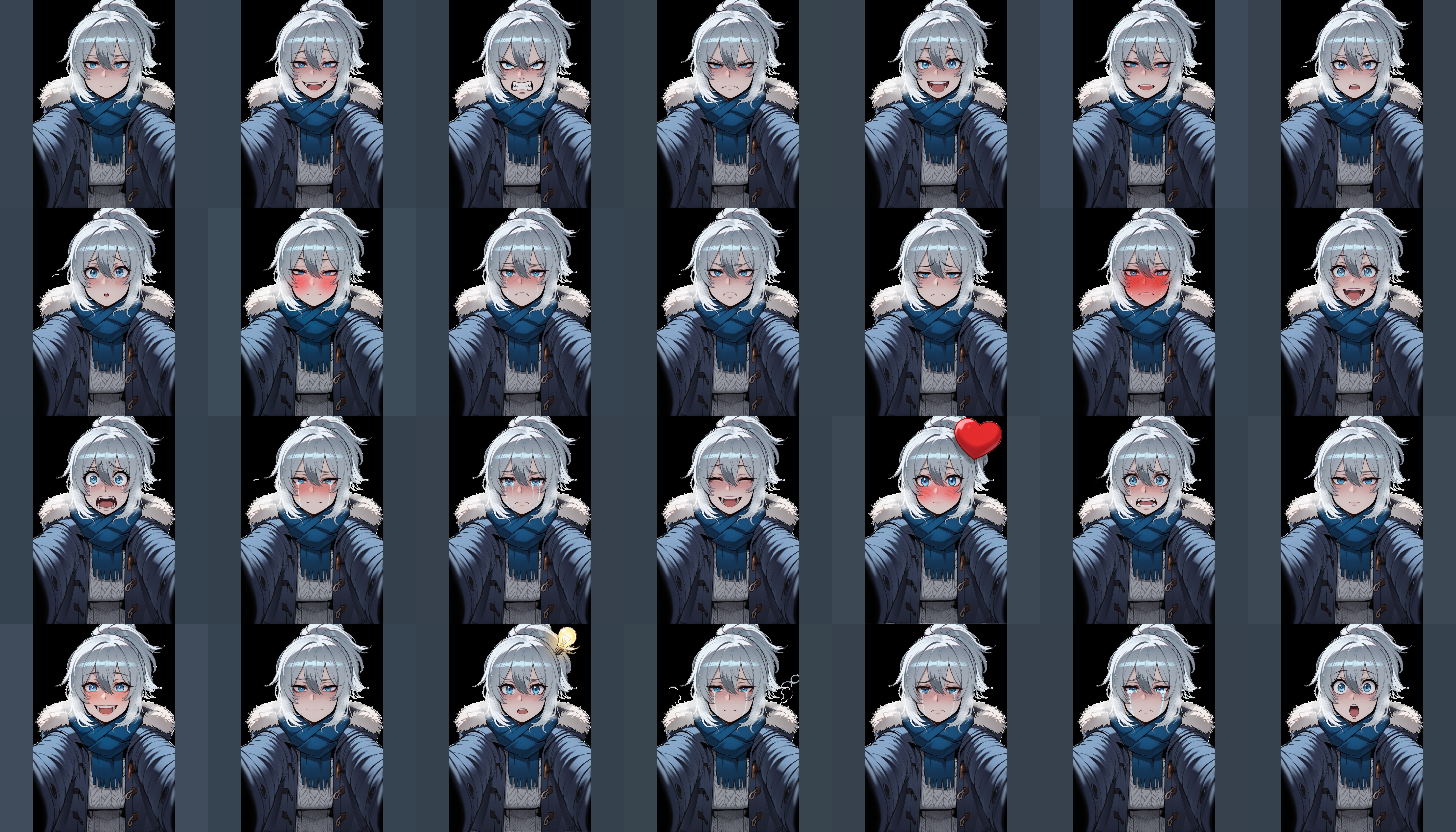
🏃♂️Shortly
This is workflow generates expression packs for SillyTavern or your vn/rpg game. Here is example based on this image

💻My specs
🔥GPU - RTX 3060 12GB
📦RAM - 32 GB RAM DDR5 6000
🧠CPU - Ryzen 7500F
🌐Model links
Main model Qwen-Image-2509-gguf: https://huggingface.co/QuantStack/Qwen-Image-Edit-2509-GGUF/tree/main
Lighting 4-step lora: https://huggingface.co/lightx2v/Qwen-Image-Lightning/blob/main/Qwen-Image-Edit-2509/Qwen-Image-Edit-2509-Lightning-4steps-V1.0-bf16.safetensors
My main model is Qwen-Image-Edit-2509-Q3_K_S.gguf, feel free to use larger models if you want to get a better results.
📖How to use
1) Drag&Drop image
 2) Choose a setting

With or without background
One expression or multiple expressions (28 by default)
3) Give character a name

4) Press "Run" button
 Result will be in output folder
📝How to change/expand list of expressions?

Left column - list of image names
Right column - positive prompts for left column images.
[ Negative prompt is static ]
You can change change, add, delete prompts and image names, just do that for both columns. Left and right column must have the same amount of strings.
📦How to install Bria-RMBG-2.0
Go to model_page on huggingface.
Accept licence, you must be autorized in order to do that.
Download all model files link. You can download every file manually, or "git clone" it, more about it here
Put model files in
ComfyUI\models\rembg\RMBG-2.0folderDone
🫧Remove background
Choose "Enable Saved result BG Removed"
 If you need to remove the background from already created images, use this workflow.
🎥Animated expresion
You can create seamless loop for your expression, with this workflow.
Example: https://ibb.co/qMyqJmzw
Save animation in webp format.
🎲Other
Got heavily inspired by this workflow
Example 1 image: https://civitai.com/images/108817467
Example 2 image: https://civitai.com/images/108754575