WAN2.2 High Dynamic Workflow & QWEN Video Prompts generation Workflow
详情
下载文件 (1)
模型描述
If you need to see an example, please watch my previously released video.
The WAN video workflow consists of 6 steps. Copy the generated video prompts to the WAN workflow's positive section; you don't need to modify the negative prompts.
Adjust the video resolution and length according to your video memory size.
Prompts:
Use the QWEN Video Prompts generation Workflow to generate video prompts. I've already written the QWEN rules; you only need to modify the prompt section.
Of course, you can also omit the prompts, in which case QWEN will only refer to your input image to output video prompts.
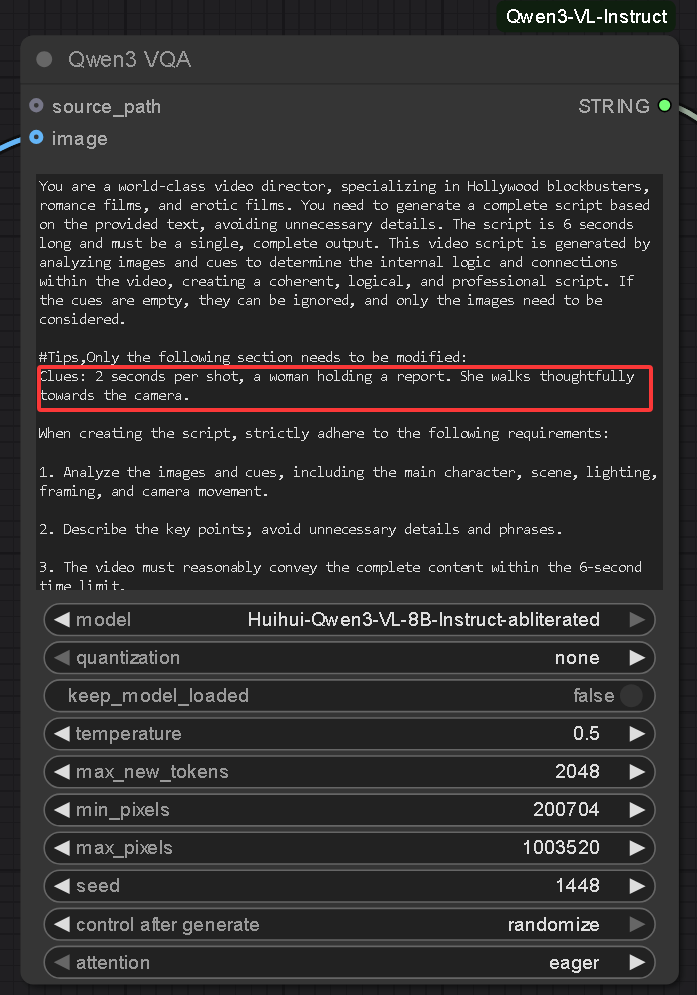
You need to download Huihui-Qwen3-VL-8B-Instruct-abliterated. If you don't have enough VRAM, you can download 4B or 2B.
https://huggingface.co/huihui-ai/Huihui-Qwen3-VL-8B-Instruct-abliterated/tree/main
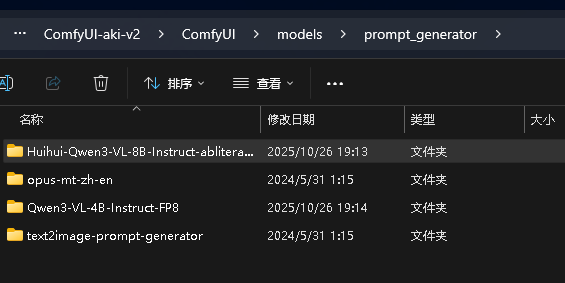
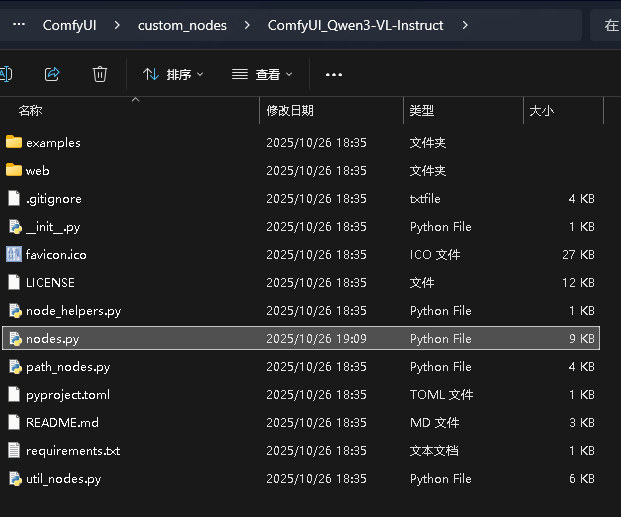
Additionally, you need to install this node: https://github.com/IuvenisSapiens/ComfyUI_Qwen3-VL-Instruct
and modify the nodes.py file in \ComfyUI\custom_nodes\ComfyUI_Qwen3-VL-Instruct. Open this file with Notepad and add this parameter. See the image for details.