Z-Image — Easy Text-To-Image Workflow | ComfyUI










Details
Download Files (1)
About this version
Model description
Z-Image – Easy Text-to-Image Workflow (With optional LoRA support)
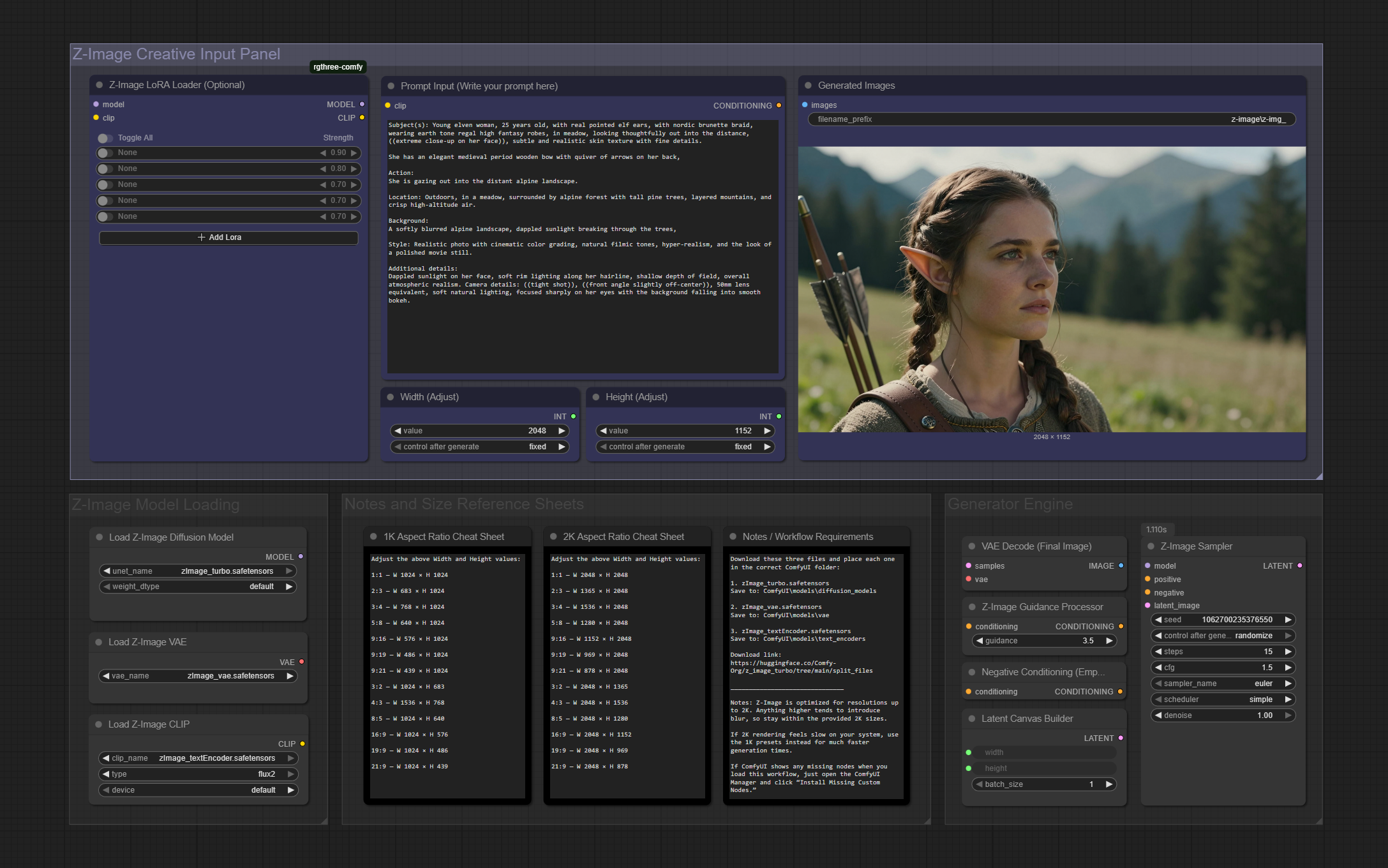
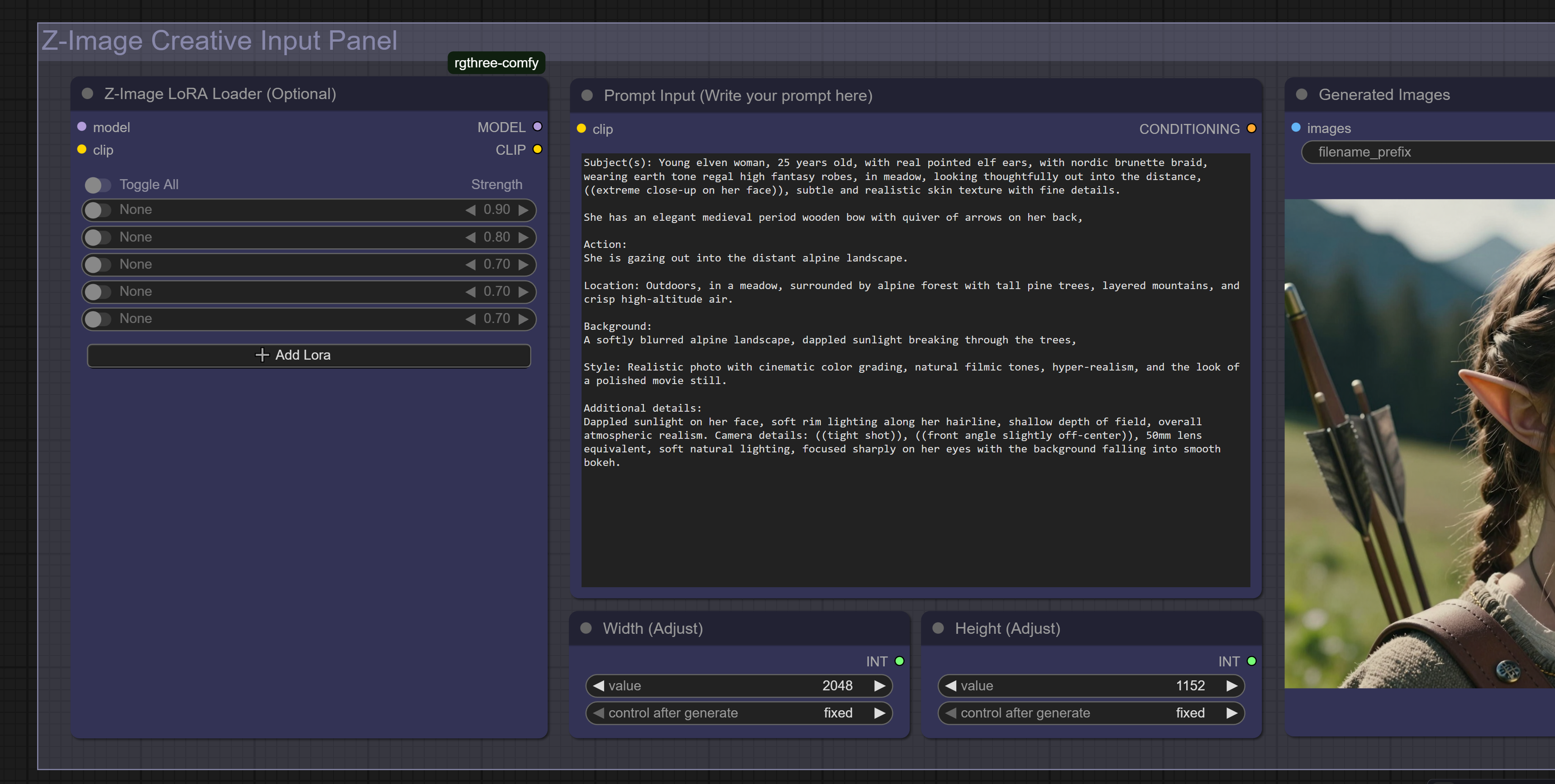
This workflow is built to be clean, simple, and extremely easy to use while still giving you everything you need for high-quality Z-Image generations. The layout is organized so clearly that you can see the entire process at a glance — prompt → settings → generate. No clutter, no wandering around the canvas.
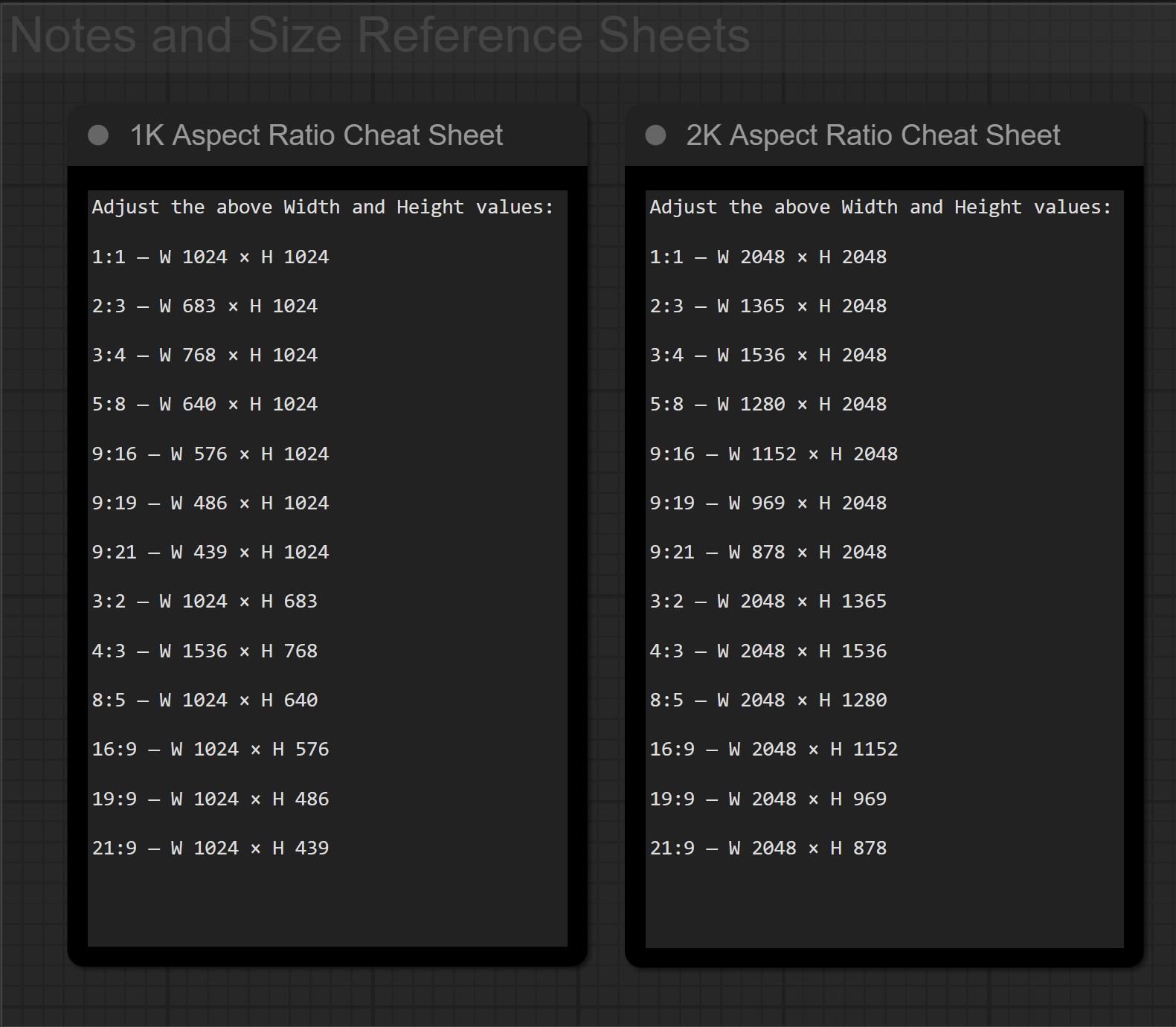
It also includes an optional LoRA loader for character consistency or style variations, along with a built-in 1K and 2K aspect-ratio reference sheet so you can quickly type in the exact resolution you want without hunting for numbers.
Z-Image is optimized for resolutions up to 2K. Anything higher tends to soften, so the workflow includes a full list of recommended 2K and 1K sizes for easy copy-over.
On an RTX 4090 (24GB VRAM), it performs extremely fast:
• 1K images: typically under 30 seconds
• 2K images: usually under 1 minute
If you want a clean, no-nonsense Z-Image setup that has everything laid out clearly and compactly, this workflow keeps generation simple, predictable, and fast.
Workflow Requirements
zImage_turbo.safetensors
Save to: ComfyUI\models\diffusion_modelszImage_vae.safetensors
Save to: ComfyUI\models\vaezImage_textEncoder.safetensors
Save to: ComfyUI\models\text_encoders
Download link:
https://huggingface.co/Comfy-Org/z_image_turbo/tree/main/split_files
Note:
If ComfyUI shows missing nodes, open the ComfyUI Manager and click “Install Missing Custom Nodes.”