ZIMAGE EDIT + UPSCALE + MERGE WORKFLOW







詳細
ファイルをダウンロード (1)
このバージョンについて
モデル説明
About this version
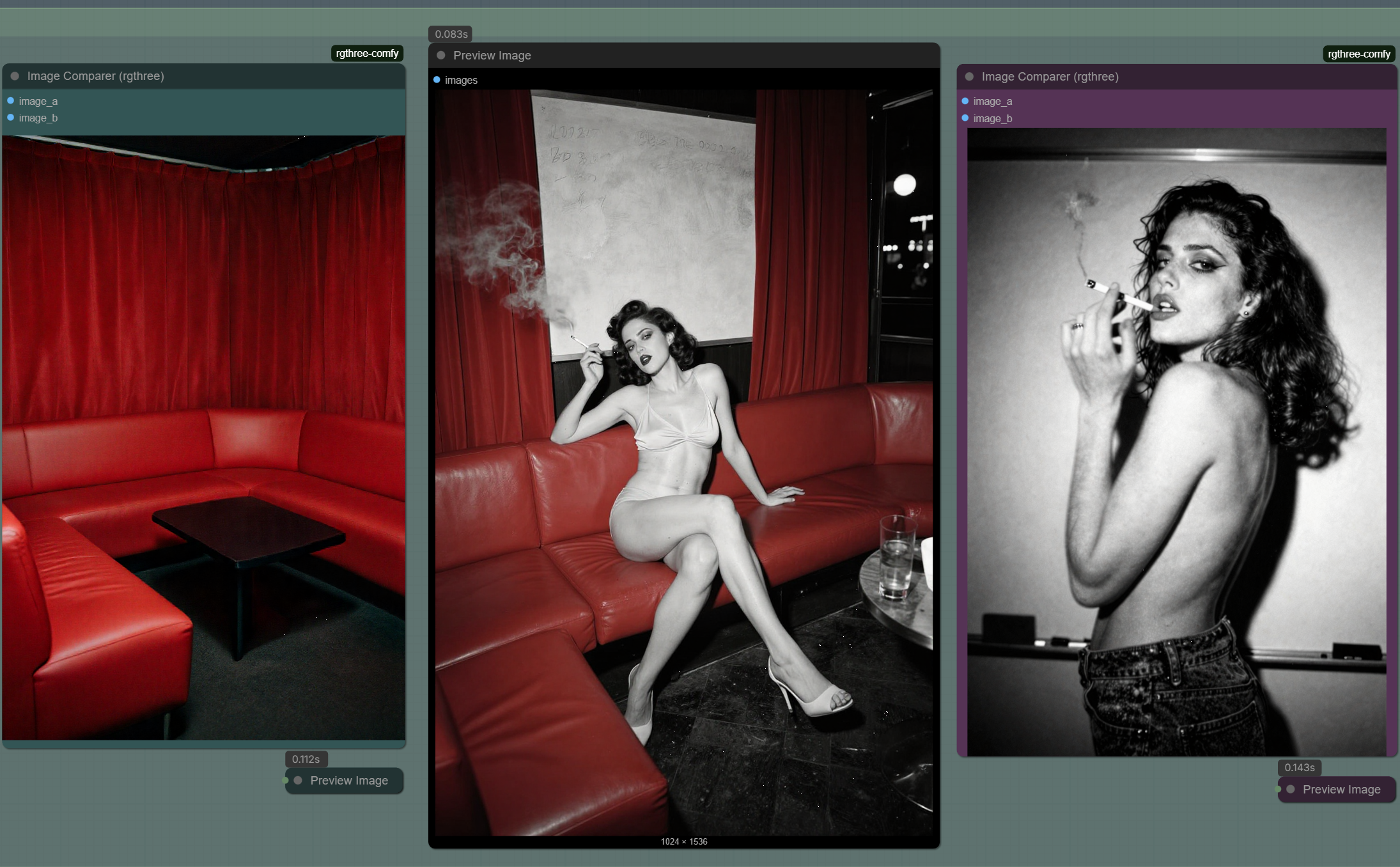
ZImage Turbo Edit:
Use this workflow to edit generated images like Qwen-Image-Edit without additional models or LoRAs. Prompt one change at a time, or all at once. There is NO INPAINTING, NO CONTROLNET, and NO MASKING - simply stack prompts until the edit is complete.
ZImage Turbo Merge:
Generated images are created using seed-locked bifurcation + latent merge, implemented as latent interpolation inside a three-stage sampler handoff:
Seed-locked bifurcation: both branches are anchored to the same seed (samplers are driven by the same seed input links)
Three-stage sampling / prompt handoff: Stage #1 creates the foundational image, Stage #2 stops early (
end_at_step) to create the additional image, Stage #3 resumes atstart_at_stepand runs toend_at_step = TOTALto create the merged image.
Latent merge: Using LatentBlend and ModelSampling, tune the merge to your taste to create an interesting composition that uses style and composition elements from both images.
ZImage Turbo Renderer:
Once the generated image has been edited, send the image through the Renderer Pass to clean the image. It's best to use the Renderer Pass before sendoff to SeedVR2 Upscale (Optional).
DOWNLOAD XUPLX: https://civitai.com/models/2220894/xuplxuglypeoplelora
DON'T BUY ME A COFFEE!!!
Download ExportGPT - Media & Chat Export Toolkit from the Chrome Web Store, and use it to quickly export assets from ChatGPT and Sora. I update the extension regularly, it has FIVE STARS, and it's FREE FOREVER.
See it in action: exportgpt.org