Automatic Hand Fixer - Auto Masking One-Click Workflow for Perfect Hands (Flux Fill)








세부 정보
파일 다운로드 (1)
이 버전에 대해
모델 설명
 ⚡ Flux Fill Automatic Hand Fixer Workflow ⚡
WF Features:
✨ True One-Click Operation (Load Image & Run) || Universal Image Support || Auto-Hand Detection || Multi Hand Fix || Smart Masking Engine || Flux Fill Precision || Zero Manual Painting 👀
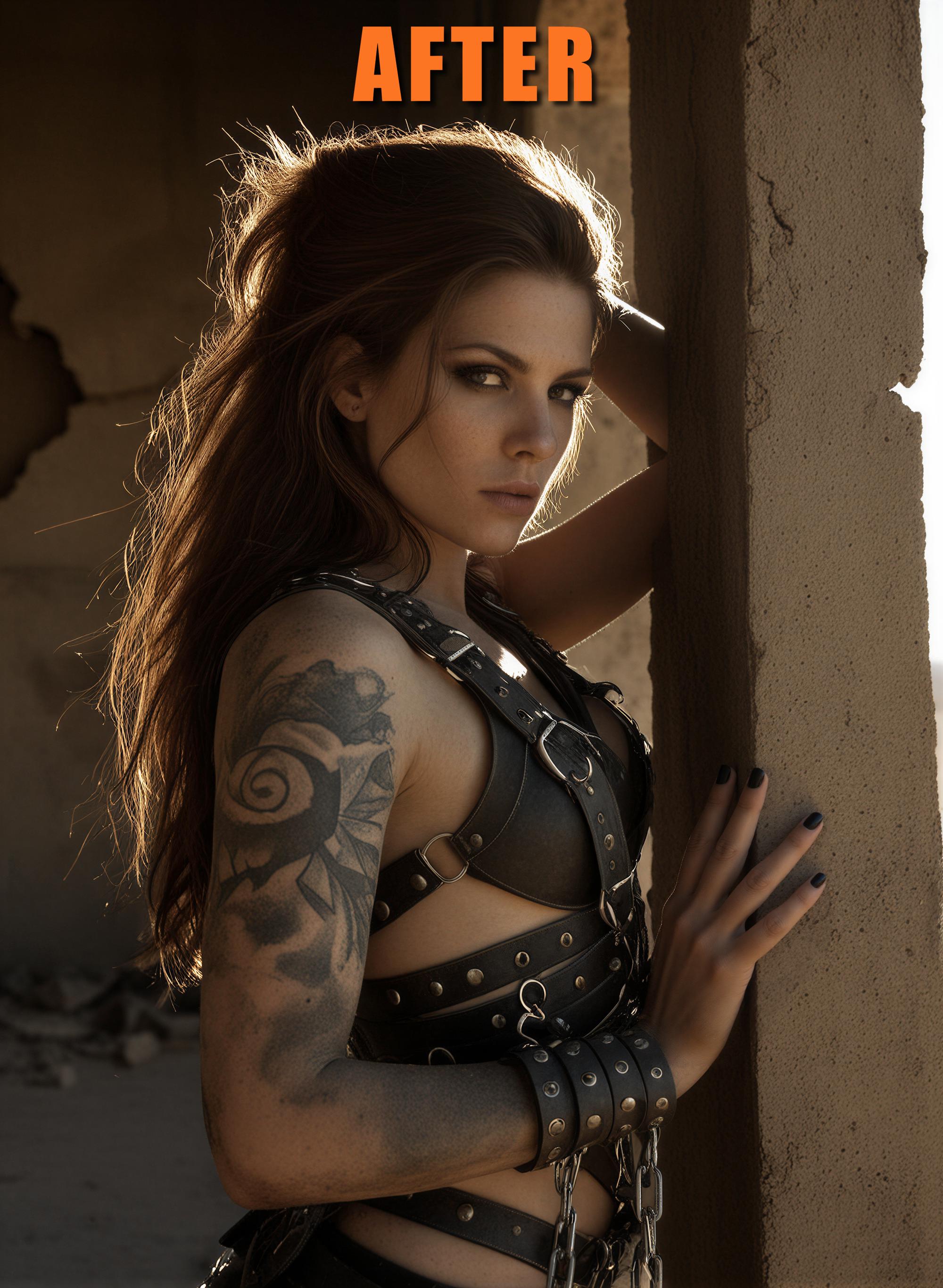
We’ve all been there: You have the perfect shot, but the hands look like a pile of spaghetti or a bunch of sausages. Whether it was generated with SDXL, Pony, Flux, Z-Image, any other model or even if it's an old legacy render – fixing hands has always been a manual struggle.
This workflow changes the game. It doesn't matter where your image came from, this is the final polish every creator needs in their toolkit.
✨ What makes it special?
This isn't just another inpainting setup. It’s a fully automated surgical strike on bad anatomy.
Universal Compatibility: Works with any input image, regardless of the original model or source.
Auto-Detection Magic: A specialized node identifies hands and generates a precise mask automatically. No more clumsy manual painting!
Flux Fill Power: It utilizes the state-of-the-art Flux Fill logic to redraw hands with incredible realism, correct finger counts and matching textures.
My countless tests have shown that we have a success rate of 80-90% on the first attempt.
The Workflow is simple: Drag & Drop. Hit Run. Watch the magic happen. Perfect for those who value quality but hate wasting time on tedious masking.
🚀 What do you need to get started right away?
This Workflow - just download it, unzip the file and load the *.json into ComfyUI
Flux Fill Model: flux1-fill-dev-fp8.safetensors (place in \models\diffusion_models\)
Clip Text Encoder File 1: clip_l.safetensors (place in \models\clip\)
Clip Text Encoder File 2: t5xxl_fp16.safetensors (place in \models\clip\)
The VAE file: ae.safetensors (place in \models\vae\)
If you used FLUX before then you already have the VAE and both text encoder files and don't need to download them again. But if you prefer more details you can try out the UltraFlux-v1 VAE file.
If you run a GPU with low VRAM you can also use the FP4 Flux Fill Model and the FP8 Version of the t5xxl Text Encoder.
🚨 Make sure you use the latest stable ComfyUI Core version. Also don't forget to update the ComfyUI Frontend package manually and your Custom Nodes via ComfyUI Manager. Otherwise compatibility problems may occur and the workflow is not working properly.
This version of the workflow was made with the following packages:
ComfyUI Core v0.3.77
ComfyUI Frontend v1.36.9
ComfyUI Manager v3.39
Python Version 3.12.10
PyTorch Version 2.8.0+cu128
All latest versions of the custom nodes listed below
Please ensure that you use at least these versions. Otherwise, I cannot provide support if something is not working for you.
❓ Do I need some special nodes to run this workflow?
The nodes inside this workflow are common nodes. If ComfyUI still indicates a missing node just install it via ComfyUI Manager and restart briefly.
Custom nodes used in this workflow:
💡 Usage Tips:
Plug & Play: You really don't need to configure much. Just drag and drop the image and hit "Run".
Prompting: Don't tell the AI what to do (e.g. "fix bad hands"). Tell it what you want to see! Use prompts like "perfect female hand" or "perfect hands with red nails". Keep it simple and descriptive.
You can play around and test with the guidance, steps and denoise values:
>>> Guidance range: 30-50 (35-40 works best)
>>> Steps range: 20-35 (25-30 is the sweet spot)
>>> Denoise range: 0.9-1.0 (0.95 is the best value for me)
Performance: Higher resolution input images will take more time to process.
Multi-Hand Support: Yes, it detects and fixes multiple hands automatically!
If you have ideas for optimization / new feature requests or just wanna say "thanks" feel free to leave a post in the comment section. If you have questions about this workflow, feel free to reach out to me on Discord anytime!
💕 Don't forget to spread some love - hit the like button and follow me (also on Ko-Fi) to not miss any new updates and more workflows like this one! 👍
If you like these workflows you can also buy me a coffee! ☕
Have fun and feel free to post your fixed images in the gallery below! I would like to see what you do with this workflow!😊
