【LoFi】Electronic patina · Photo cyberdoze | Nostalgic Style LoRA


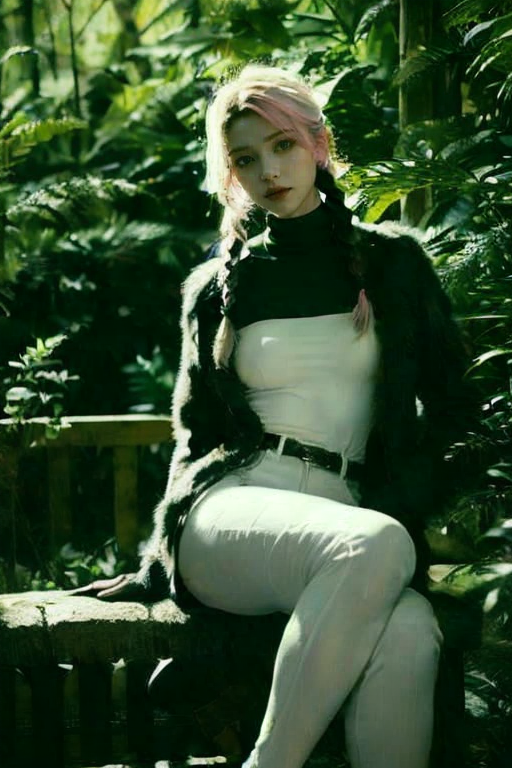


Details
Download Files (1)
Model description
A nostalgic style LoRA of the Internet map in the era of feature phones, adding a sense of age to the images!
The inspiration for this LoRA comes from a tool called "Electronic Patina Image Cyber Decoration" created by a programmer named BubuKou, which I saw online some time ago.
Electronic patina, a popular term on the Internet, refers to the dimming of the clarity and color of photos compared to the original images. The formation of electronic patina is mainly due to the compression of photos during transmission, resulting in loss of detail and color fading. In addition, if photos are saved and forwarded multiple times, it may also lead to the appearance of electronic patina.
Hahaha, I don't know what the significance of making this LoRA is, I don't know why I want to make this LoRA, probably it's just a kind of "evil taste" of LoFi style!
===========================================================
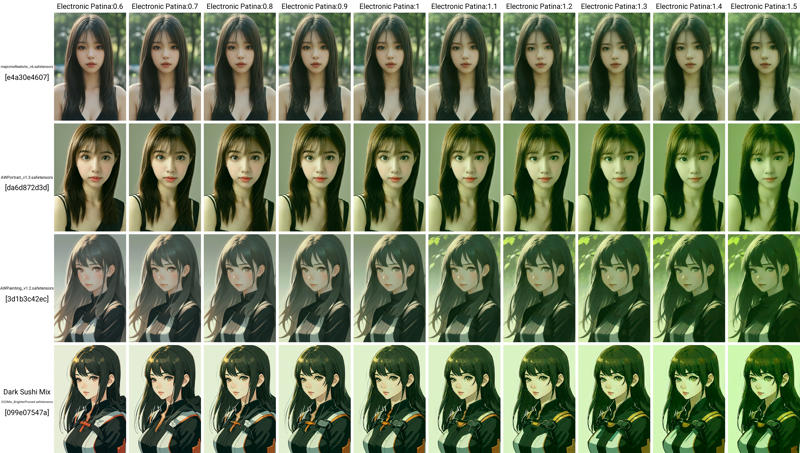
↑Apply this LoRA to: majicmixRealistic_v6,AWPortrait_v1.3,AWPainting_v1.2,Dark Sushi Mix Mix_BrighterPruned
I don't know why, adjusting the LoRA weight in Additional Networks will slightly change the structure of the image. If you are very concerned about it, it is recommended to adjust the LoRA weight in the prompt.
This LoRA is made using the difference extraction method, relatively pure, and has less impact on other content;
This LoRA does not require a trigger word, mainly acting on the adjustment of the overall style;
The base film of this LoRA uses majicMIX realistic mango realistic_v6. Of course, I have tested it, and it can produce good results for secondary or realistic models such as AWPortrait_v1.3, AWPainting_v1.2, Dark Sushi Mix Mix_BrighterPruned, etc. ^_^;
The recommended number of iterations (Steps) is 20~40, and it is not recommended to use more than 40 (if you have a 4090T_T);
The sampling method (Sampler) recommended is DPM series or Euler,restart recommended by the base film author MERJIC;
The recommended size is between 512~1024;
The recommended prompt guidance coefficient (CFG Scale) is 7~12;
The recommended LoRA weight is 1.3~1.5 (I have attached the weight test chart), after 1.5 I feel too "blurry", of course if you deliberately pursue a more Lo-Fi effect it is acceptable too. ^_^;
As for high-resolution repair (Hires. fix) and Tiled Diffusion & Tiled VAe, they are not unusable, but the original intention of this LoRA is to deliberately create an antique Lo-Fi effect by "adding noise" (you know, due to the technical level at that time, the pixel count and quality of the feature phones we used when we were young were very poor. ^_^), while high-resolution repair (Hires. fix) and Tiled Diffusion & Tiled VAe tools have the ability to improve resolution and perform high-definition restoration at the same time, which will weaken the LoRA effect, which is contrary to the original intention of making this LoRA. Therefore, in order not to affect the LoRA effect, it is not recommended to use any zooming behavior, but if you insist on zooming in, personally recommend sending to post-processing for proportional scaling in SD webui;
Finally, I strongly recommend using After Detailer. The reason is that this LoRA inevitably affects the faces of characters when adding noise to the overall image in Lo-Fi style, so in order to maintain the appearance of characters' faces, it is strongly recommended to turn on After Detailer!!!
The same series of works:
【LoFi】Tears of the Times: Color CRT TV | Nostalgic Style LoRA