HomoFidelis Anima


詳細
ファイルをダウンロード (1)
モデル説明
Fidēlis = faithful, loyal, true, trustworthy, dependable
Note: Preview images are generated on Forge Neo without the use of LORAs.
Anima ver.
About
[Version v1.0 - 12/7/2026]
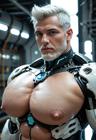
This is my own attempt at a photorealistic Anima-based checkpoint model. Don't expect the same level of photorealism as models like Krea2 or Chroma, it is still an Anima model after all. Think of it as a cheap alternative that's more lightweight and not as resource-intensive. While the prompt adherence is pretty good for an Anima model, it's still lacking in some aspects like generating specific ethnicity and race or understanding certain photography concepts and styles. But it can do NSFW stuff pretty well. Just don't go overboard with some of the anime-specific concepts unless you don't mind losing some of the realism.
The prompting works similarly to 2D anima models but hybrid prompting (tags+captions) works best in my opinion. Character tags does work but how it looks in realistic graphics depend on the character itself. Some looks good, some looks like a totally different character, some looks like a 3D render, etc..
Usage
Similar to regular 2D Anima models, you'll need either ComfyUI or Forge Neo to run it. Check the official Anima model page [HF] for the required text encoder and VAE file that's necessary to run it.

My Settings
Resolution: between 1024^2 and 1536^2 (you can go as low as 512^ but its better to gen
            at a higher resolution to preserve the 'realism')
Sampling Method: - ER SDE
Scheduler: Beta or Beta57 (if you have it)
Sampling Steps: 20 - 30
CFG Scale: 2 - 4
Hires fix: upscale - 1.5x
           upscaler - Remacri
           denoising - 3 - 4
Note 1: Do NOT go over 1.5x for the upscale or your image will get messed up.
Note 2: Hires fix upscaling is absolutely necessary if you want realistic images, or you will get 3D render looking characters.
Positive Prompt
masterpiece, best quality, very aesthetic, extremely detailed, (@photo:3)Most of the dataset are trained with the tag @photo since it works better than photo \(medium\) or photography, so including the tag is necessary for making it look realistic. If the image looks a little 'crispy' the try reducing the weight a little.
Negative Prompt
worst quality, low quality, lowres, score_1, score_2, score_3, bad anatomy, jpeg artifacts, 3dTips
If you're on Forge Neo, and if you want more fine details in your gens, then inpainting is your best friend. Some details like hair, clothing details, text, face, etc gets lost when upscaled. So using inpainting really helps out a lot..
⚠️DISCLAIMER⚠️
Please do NOT generate illegal content with this model. You are solely responsible for any unethical use of this model(s)