Flux Union Controlnet Pro workflow

세부 정보
파일 다운로드 (1)
모델 설명
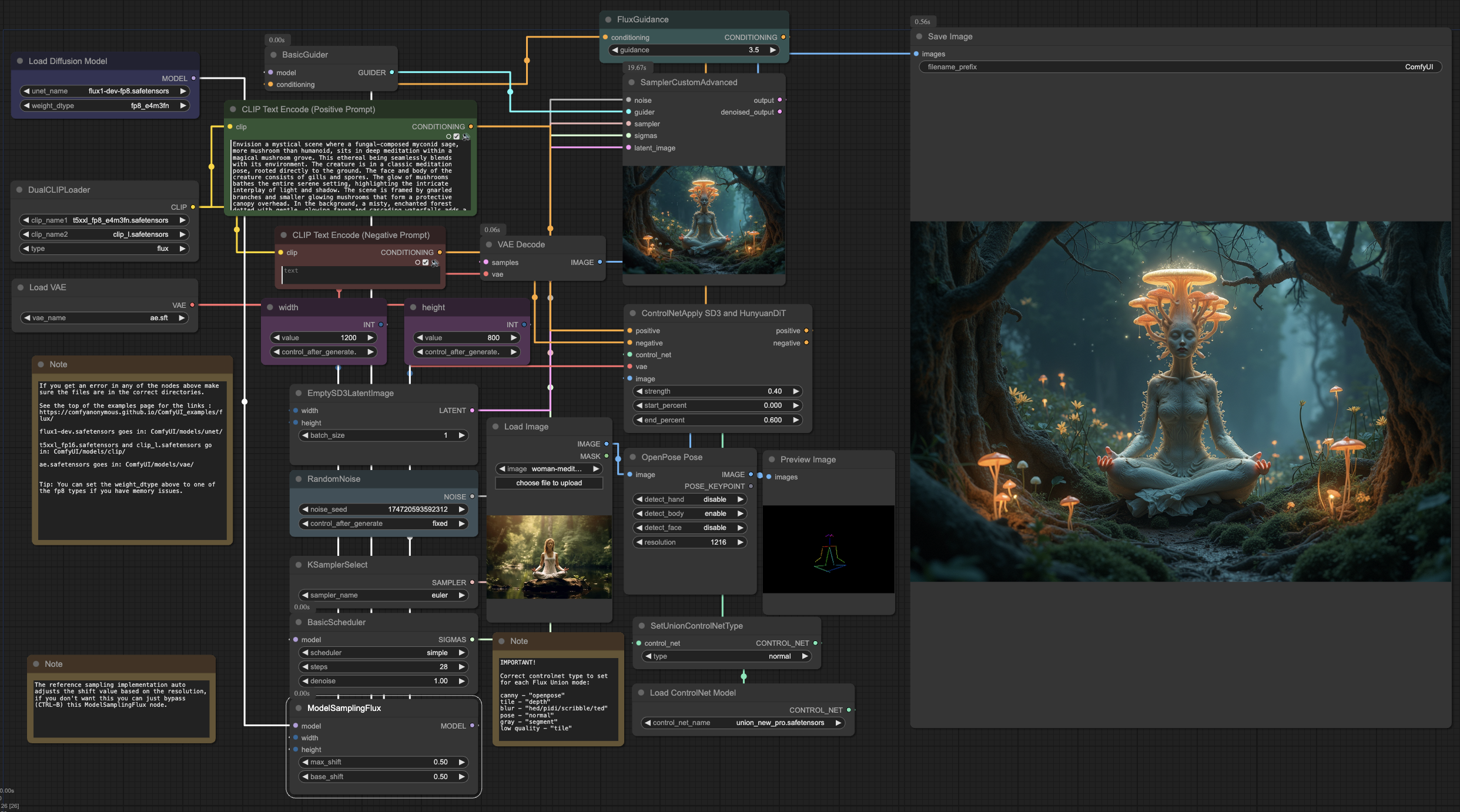
ComfyUI workflow for the Union Controlnet Pro from InstantX / Shakker Labs.
Available modes: Depth / Pose / Canny / Tile / Blur / Grayscale / Low quality
Instructions:
Update ComfyUI to the latest version
Download the model to models/controlnet
Load this workflow
Select the correct mode from the SetUnionControlNetType node (above the controlnet loader)
Important: currently need to use this exact mapping to work with the new Union model:canny - "openpose"
tile - "depth"
depth - "hed/pidi/scribble/ted"
blur - "canny/lineart/anime_lineart/mlsd"
pose - "normal"
gray - "segment"
low quality - "tile"
So for example, to use the depth mode you would choose "hed/pidi/scribble/ted" in the SetUnionControlNetType node.Adjust the strength and end_percent in the ControlNetApply node to find a suitable amount of influence. The sample values in the workflow (0.4 and 0.6) are quite gentle, you may want to increase them to have a stronger influence on the image. The model developer has given a recommended range of 0.3-0.8 for strength.
The archive also contains the openpose image used to generate the example image and the original photo the pose was extracted from.
Optional: if you want to extract input information from your own images, install the "ControlNet Auxiliary Preprocessors" custom node.
For openpose you can then enable the openpose extractor node (ctrl+b or right click -> Bypass).
Auxiliary preprocessors also include extractors for other modes such as depth and canny which you can put in place of the openpose image (remember to set the correct mode afterwards).