Workflow for Beginners | illustrious XL | Multi-Lora with ControlNet


Details
Download Files (1)
About this version
Model description
THIS IS ALL VERY OUTDATED
Much like everything in AI, this is already broken and deprecated. You can still use it to look and get a feel for how nodes should connect but... you can ask Grok/Gemini in very accurate detail which nodes to replace and what connectors go where.
NEW VERSION IS SAME BUT WITHOUT USE EVERYWHERE NODES
new users: use this version
Workflow for Beginners
Plug and play workflow for new users to ComfyUI or users upgrading from older Stable Diffusions. Or maybe you're just having trouble getting your flow to work and need a look at someone's nodes setup.
Just download missing nodes from Manager and refresh till you have everything.
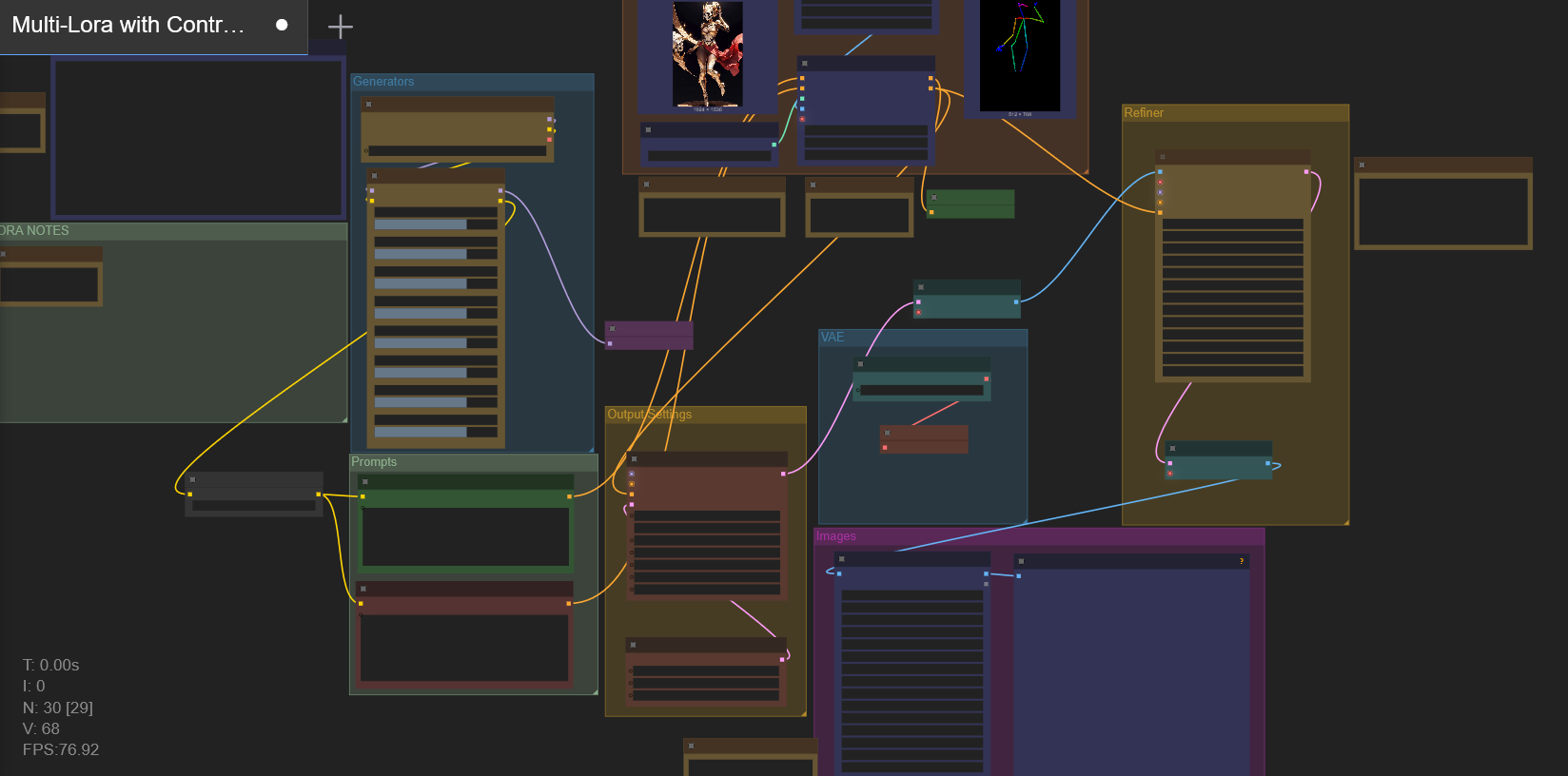
Sections include helpful notes for nodes or settings.
Several downloads I recommend, (these are illustrious XL specific):
Lazy Embeddings for ALL
I use lazypos, lazyneg, and lazyhand
These go into ComfyUI>models>embeddingsControlNet models for illustriousXL
Use which ever ones you prefer
I tend to only need Canny/Lineart/Depth
These go into ComfyUI>models>controlnetOpenPoseXL2 model
This is SDXL but it works better than any IL versions I've foundRefiner/Upscaler model
I prefer 4x_NMKD-Siax_200k. This is entirely preference but, a model is needed to make use of the upscaler.
Download the pth and put it into ComfyUI>models>upscale_modelsVAE
Grab a VAE. If you use Illustrious, make sure it is an Illustrious VAE. If your images are washed out or look faded, most likely you didn't have a VAE.
Basic Flow
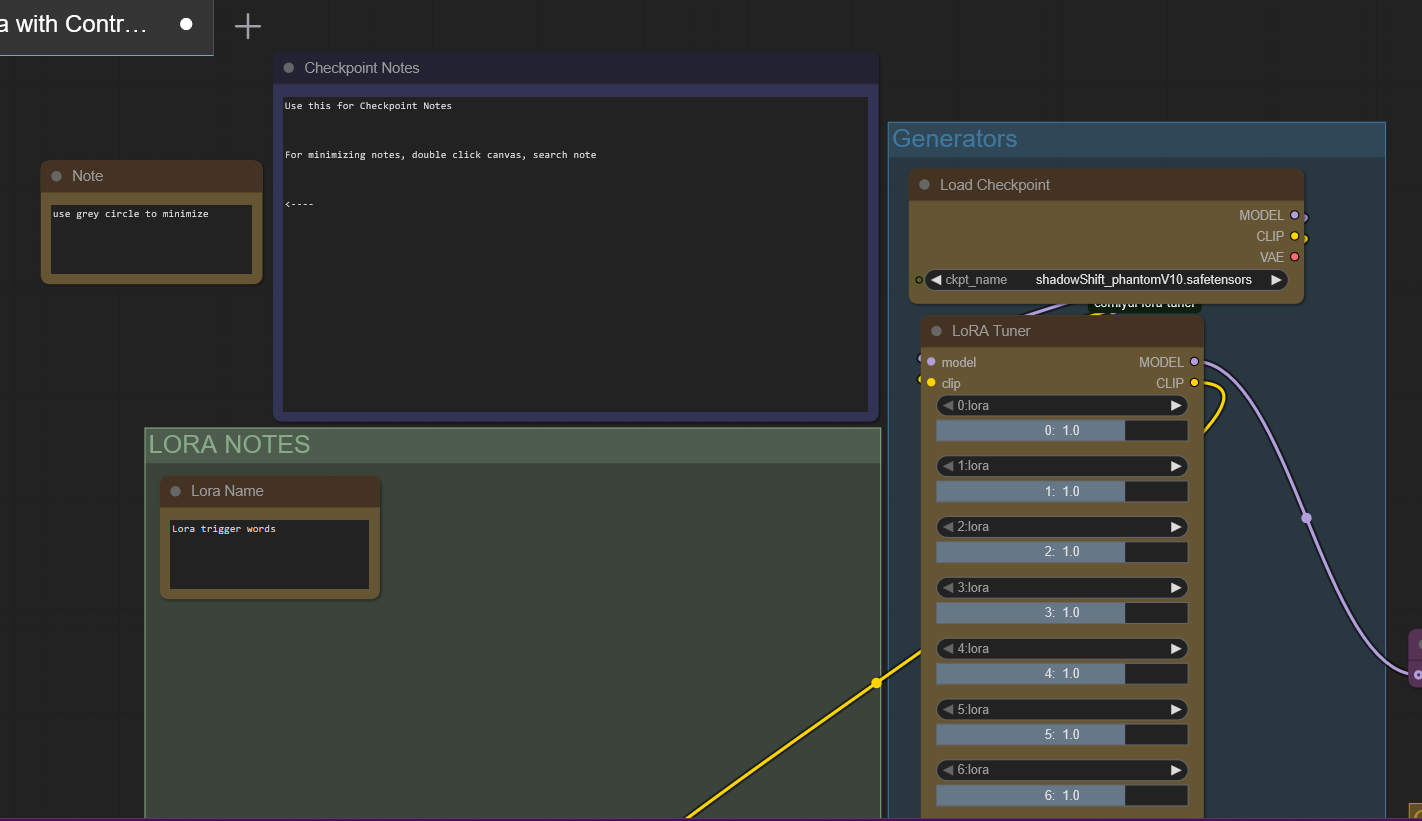
Checkpoint + Multi-Lora loader
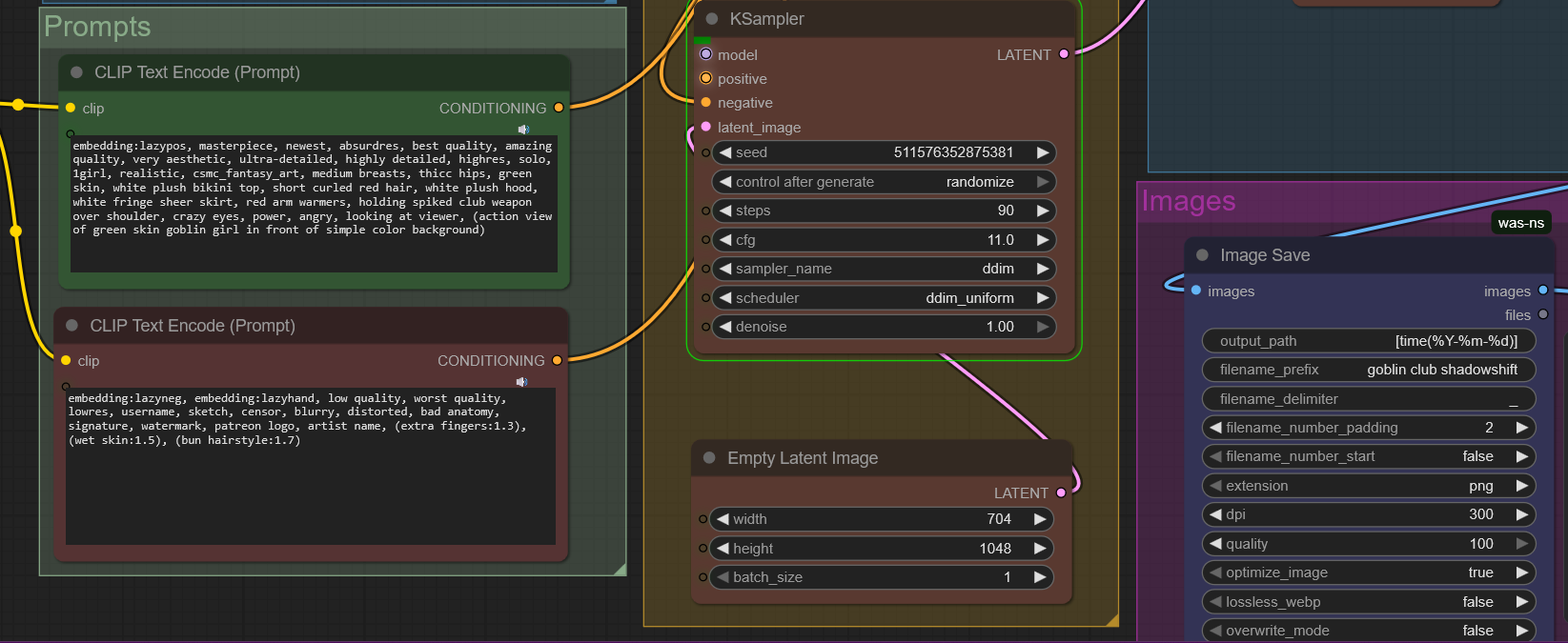
Prompts
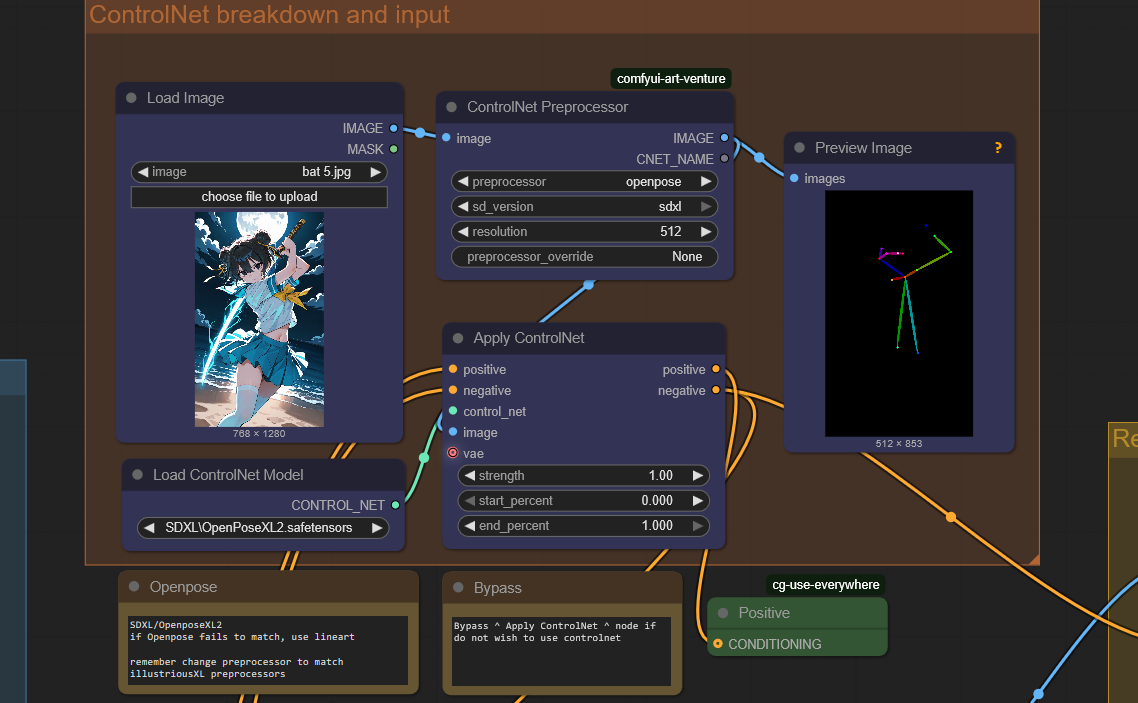
Controlnet with Breakdown
load an image and create an openpose/canny/lineart that now inserts into generation
easy to bypass/turn offKSampler (Output Settings)
Refiner/Upscaler 1.5x
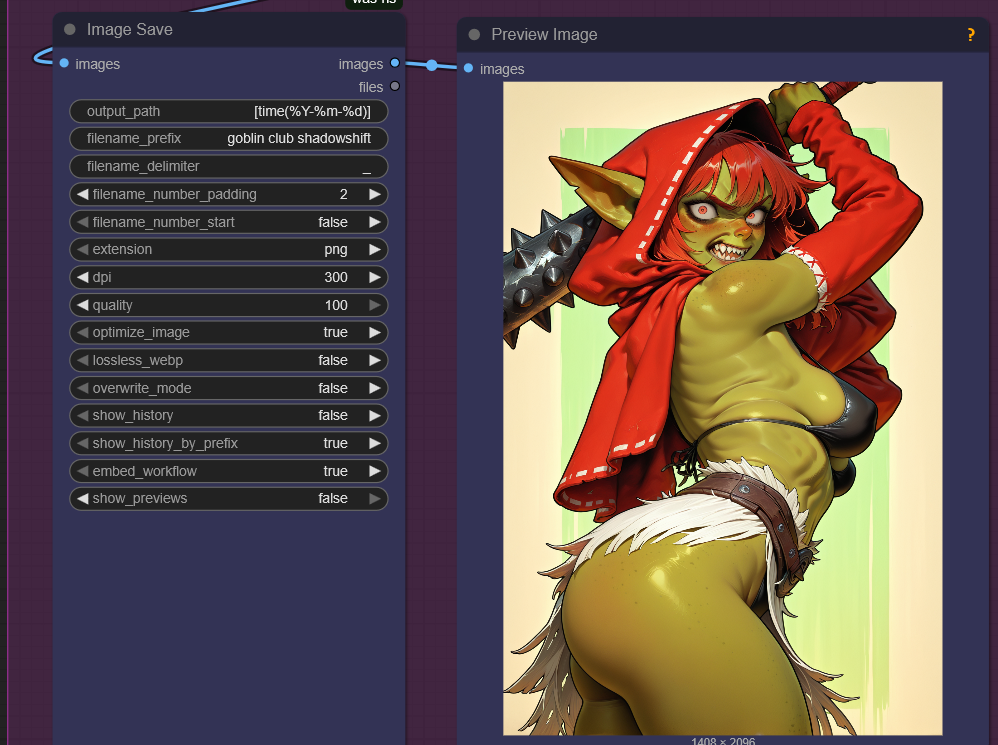
Image Save + Preview Image
Normally ComfyUi does not actually save your images. It stores them temporarily. This fixes that. Now your images get saved in the output folder. Just like the good old SD 1.5 days.
If you're looking for inpainting and needing to do precise touch ups, there's plenty of workflows on Civitai for that.
If you are new to IllustriousXL or ComfyUI in general, this may help. If you are new to AI art and you just watched some random tutorial that was months old, this may help.
This is something I dreamed about as a kid. I could type in words and the computer can bring that imagination to life! I waited 30 years for this and now the internet is telling me not to use AI? I waited long enough. You did too. Take this and make something. The only thing stopping you is your imagination.